- Changelog
- 12 February 2026
12 February 2026
Improved Primary & Other Address Management
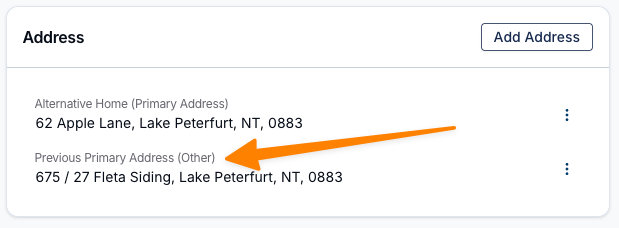
Users can now easily switch an address between Primary and Other using the Edit option in the three-dot menu. When a new Primary Address is selected and confirmed, the Previous Primary Address will automatically be reassigned as an Other address.
This update improves flexibility for Participants who may move between addresses or regularly alternate accommodation arrangements.
Who This Supports
This enhancement is particularly beneficial for Participants who switch between residences on a recurring basis, including:
- Guardianship arrangements
- Shared custody scenarios
- Temporary or short-term placements
Impact
- Reduces administrative effort when updating frequent address changes
- Ensures address records remain accurate and clearly identified
- Minimises confusion about which address is currently Primary
- Supports compliance and accurate communication records
This update streamlines address management while better reflecting real-world accommodation arrangements for Participants.
For more information, visit the Profile guide.
Other Improvements
- Undo Clock-In for Faster Corrections
- Managing Assistance with Self-Care & SIL Supports in Astalty
- Smarter Browser Tab Titles
Improved Primary & Other Address Management
Users can now easily switch an address between Primary and Other using the Edit option in the three-dot menu. When a new Primary Address is selected and confirmed, the Previous Primary Address will automatically be reassigned as an Other address.
This update improves flexibility for Participants who may move between addresses or regularly alternate accommodation arrangements.
Who This Supports
This enhancement is particularly beneficial for Participants who switch between residences on a recurring basis, including:
- Guardianship arrangements
- Shared custody scenarios
- Supported accommodation rotations
- Temporary or short-term placements
Impact
- Reduces administrative effort when updating frequent address changes
- Ensures address records remain accurate and clearly identified
- Minimises confusion about which address is currently Primary
- Supports compliance and accurate communication records
This update streamlines address management while better reflecting real-world accommodation arrangements for Participants.
For more information, visit the Profile guide.
Undo Clock-In for Faster Corrections
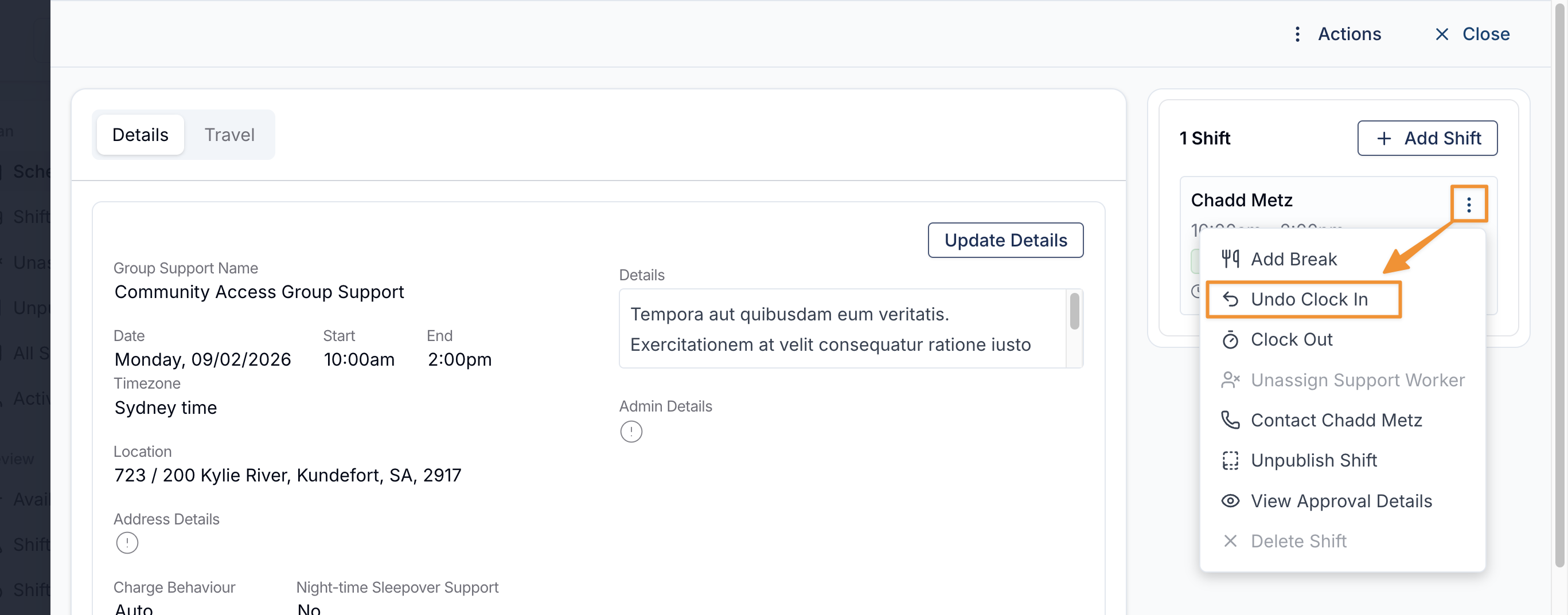
Schedulers can now quickly reverse an accidental or incorrect clock-in without needing to manually adjust time entries. Simply open the Support, select the three-dot menu on the support worker’s clocked-in shift, and choose Undo Clock In. A confirmation panel will appear to acknowledge that this action permanently removes the clock-in data and cannot be undone.
For more information, visit the Shift Alerts guide.
Managing Assistance with Self-Care & SIL Supports in Astalty
We’ve released a comprehensive new guide to help you confidently set up and manage Assistance with Self-Care and Supported Independent Living (SIL) in Astalty.
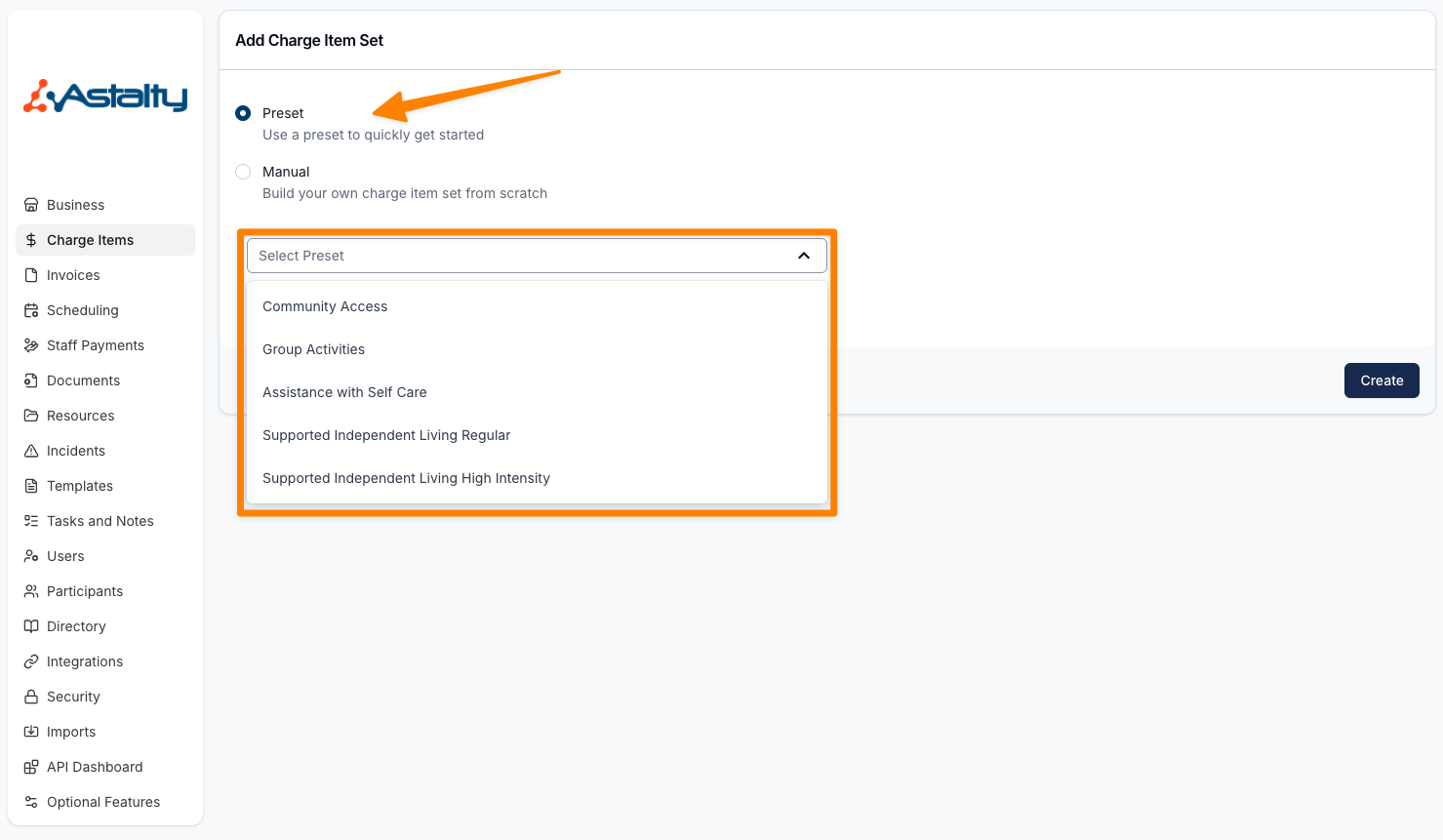
The guide brings together everything you need in one place, with direct links to each step required to successfully configure and schedule SIL or Assistance with Self-Care supports. This includes setting up Charge Item Sets, creating Services, scheduling recurring shifts, and managing manual or split billing scenarios.
A helpful video walkthrough is also included to guide you through the entire process from start to finish.
For more information, visit the Adding Supported Independent Living (SIL) or Assistance with Self-Care Shifts guide.
Prevent Incompatible Support Worker Selection Behaviour
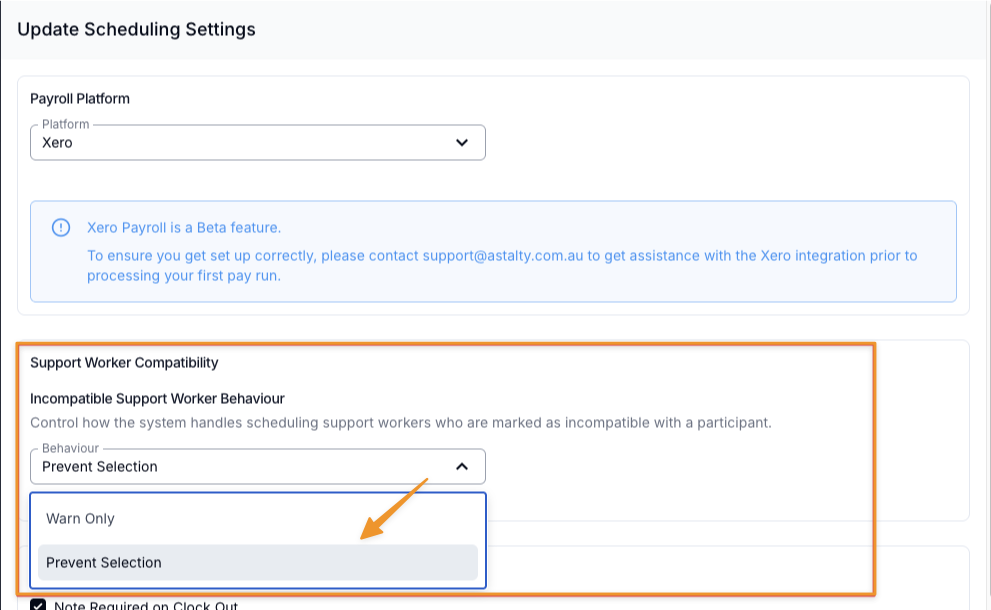
We’ve introduced a new setting within Scheduling Settings to give you greater control over how incompatible support workers are handled during scheduling.
The new “Incompatible Support Worker Behaviour” option, allows you to choose how the system responds when a support worker is marked as incompatible with a Participant. You can now select between:
- Warn Only (default behaviour) – Incompatible workers will still appear in selection results and can be chosen, but a warning will be displayed.
- Prevent Selection – Incompatible workers will be greyed out and disabled within the selection list, preventing them from being scheduled.
This enhancement gives organisations stronger safeguards where required, while still allowing flexibility for those who prefer visibility with warnings.
When Prevent Selection has been enabled, if you're attempting to assign a support worker who is incompatible, the incompatible marker will be updated to display that selection has been blocked, and the ability to assign a worker to this shift will be removed.

Smarter Browser Tab Titles
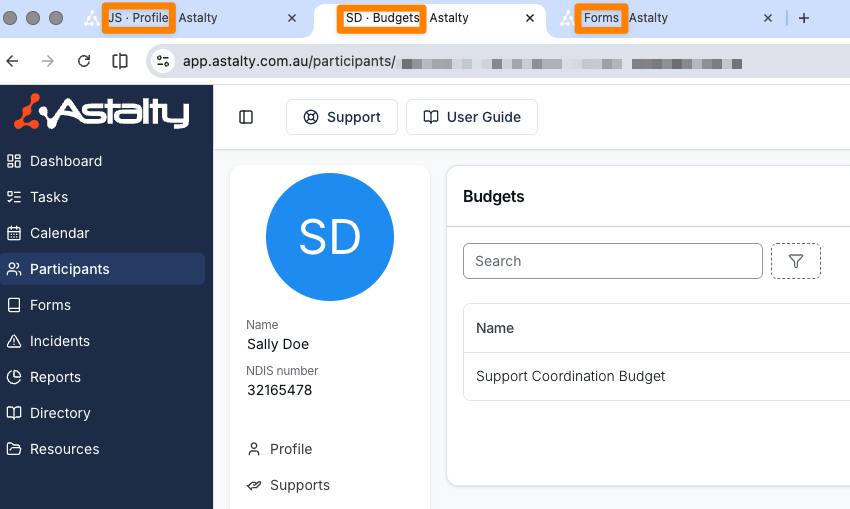
Browser tabs in Astalty now display the Participant’s initials along with the specific page you’re viewing within their profile, making it much easier to navigate between multiple open tabs.
To support privacy and confidentiality, only initials are shown — not full names — ensuring Participant information remains discreet, particularly in shared or visible work environments.
For pages not linked to a Participant profile, the tab will display the page name instead (e.g. Forms).