- Changelog
- 12 March 2026
12 March 2026
NDIA Auditor Access
We’ve introduced NDIA Auditor Access, making it easier for organisations to manage audits securely and efficiently.
Users can now invite NDIA auditors directly to their account and grant them temporary, read-only access to specific Participants. This allows auditors to review Participant Records and Reports without requiring manual data exports or internal supervision.
Auditor accounts are free and do not count toward your user limit, and access is automatically deactivated after 14 days to ensure secure, time-limited auditing.
How this improves audit management:
- Simplifies audit preparation by allowing auditors to securely access the information they need.
- Reduces manual work by removing the need to export and share Participant data.
- Improves security and compliance with read-only permissions and automatic access expiry.
- Provides better control by allowing organisations to restrict auditors to specific Participants.
This update helps teams manage NDIA audits more efficiently while maintaining strict data access controls.
*Please Note — This is an Optional Feature that will need to be enabled on your account by Astalty Support.
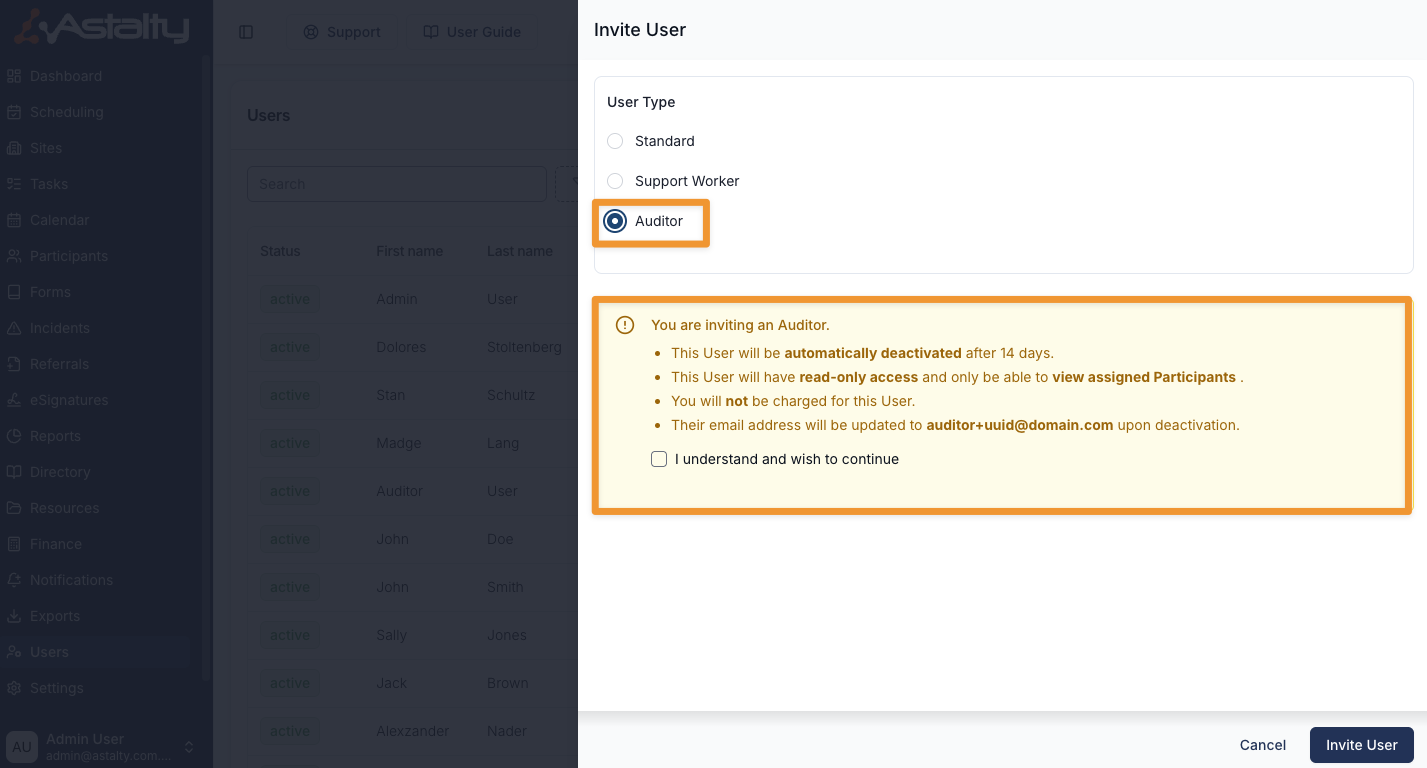
For more information, visit the Inviting NDIA Auditors to your Account guide.
Other Improvements
- Assignee Column Added to Incident Registers
- Clone and Extend Supports
- Waitlist Status Icon on Participant Profiles
- Prefill Employment Contract Data from Xero
- Archiving Broadcasted Shifts
NDIA Auditor Access
We’ve introduced NDIA Auditor Access, making it easier for organisations to manage audits securely and efficiently.
Users can now invite NDIA auditors directly to their account and grant them temporary, read-only access to specific Participants. This allows auditors to review Participant Records and Reports without requiring manual data exports or internal supervision.
Auditor accounts are free and do not count toward your user limit, and access is automatically deactivated after 14 days to ensure secure, time-limited auditing.
How this improves audit management:
- Simplifies audit preparation by allowing auditors to securely access the information they need.
- Reduces manual work by removing the need to export and share Participant data.
- Improves security and compliance with read-only permissions and automatic access expiry.
- Provides better control by allowing organisations to restrict auditors to specific Participants.
This update helps teams manage NDIA audits more efficiently while maintaining strict data access controls.
*Please Note — This is an Optional Feature that will need to be enabled on your account by Astalty Support.
For more information, visit the Inviting NDIA Auditors to your Account guide.
Assignee Column Added to Incident Registers
We’ve added a new Assignee column to both the Participant Incidents Register and Staff Incidents Register.
This column displays the user currently assigned to manage each incident, making it easier to identify ownership and responsibility at a glance.
Why this matters:
- Improves visibility by clearly showing who is responsible for each incident.
- Streamlines incident management by helping teams quickly identify the appropriate contact for follow-up.
- Supports accountability and ensures incidents are actively managed.
- Reduces time spent opening records to check assignment details.
This update helps teams track, manage, and action incidents more efficiently directly from the register view.
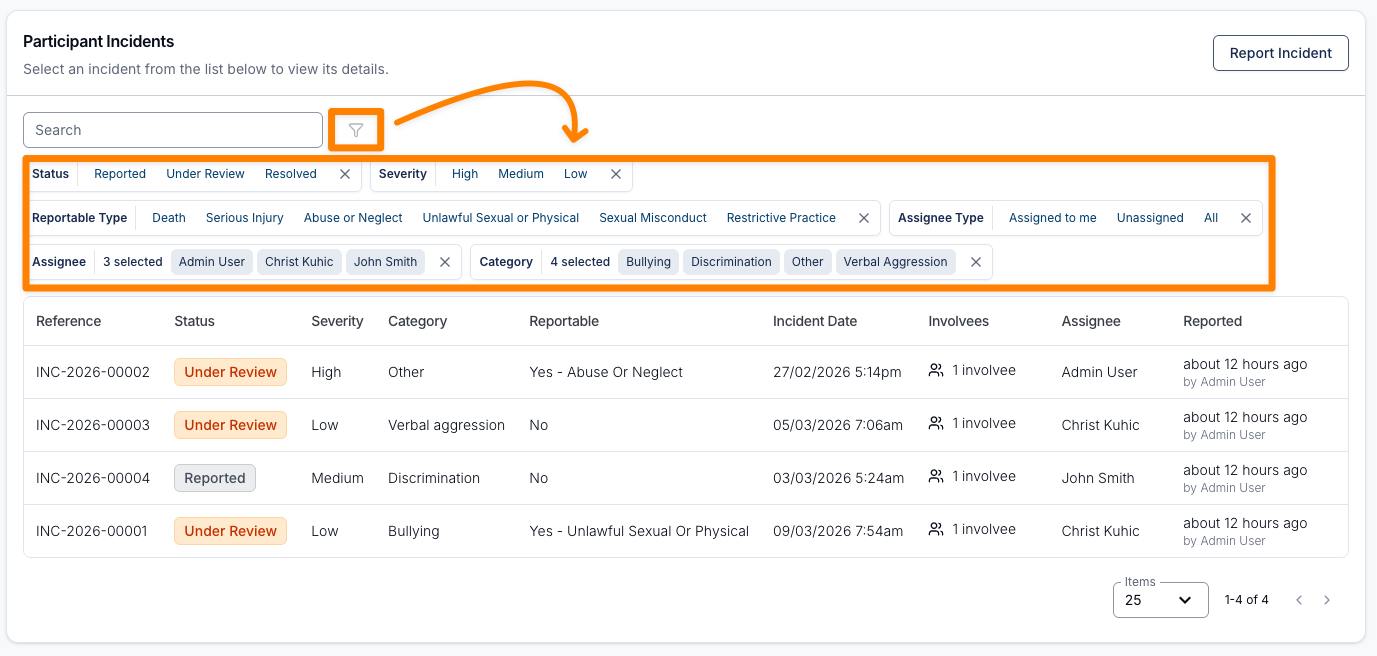
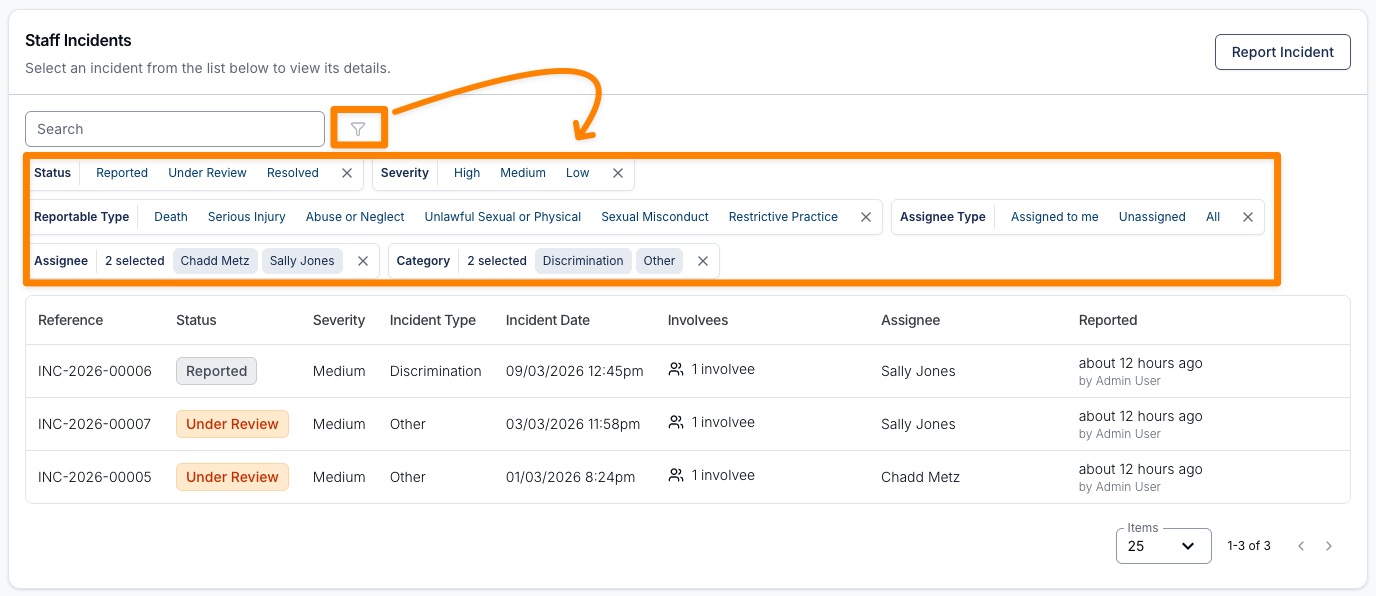
For more information, visit the following guides:
Clone and Extend Supports
We’ve introduced improvements to cloning and extending Activities and Shifts to make managing ongoing or similar supports more efficient.
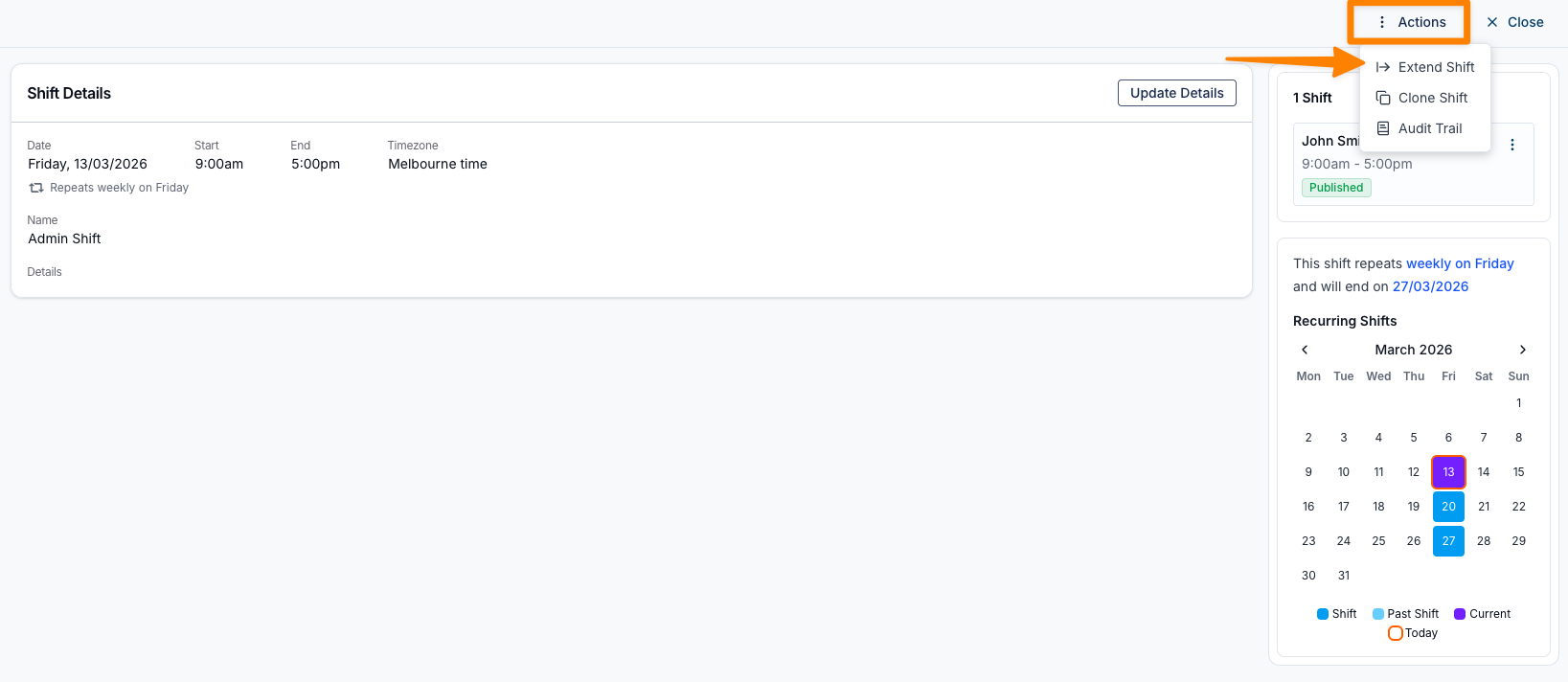
Users can now clone Activities, allowing you to quickly create a new event based on an existing one and make minor adjustments without starting from scratch. This helps streamline the setup of similar or recurring Activities.
We’ve also added the ability to extend Activities and recurring Shifts directly from the Actions menu, making it easy to update the end date of an existing support without recreating the series.
How this helps:
- Saves time when creating similar Activities by allowing them to be cloned.
- Simplifies schedule management by enabling quick extensions to Activities and recurring Shifts.
- Reduces manual updates when supports need to continue beyond their original end date.
- Improves efficiency when managing ongoing services.
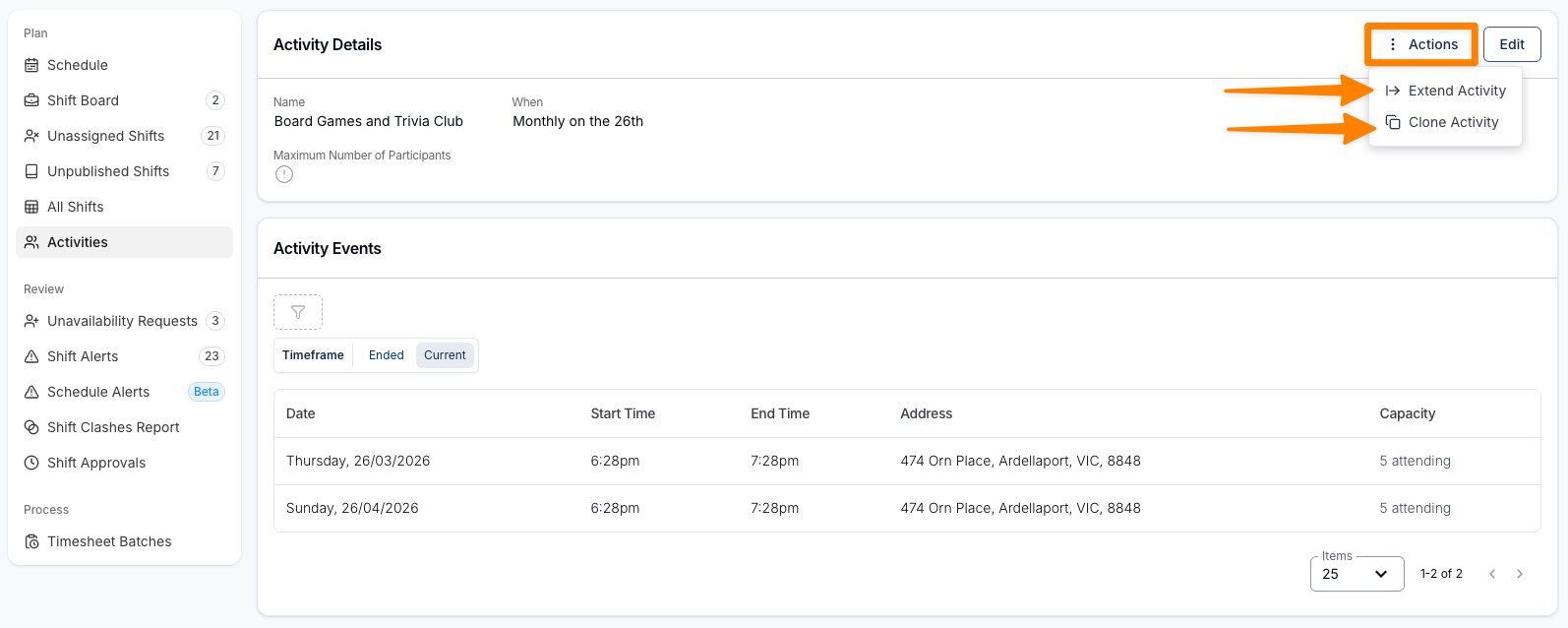
For more information, visit the following guides:
Waitlist Status Icon on Participant Profiles
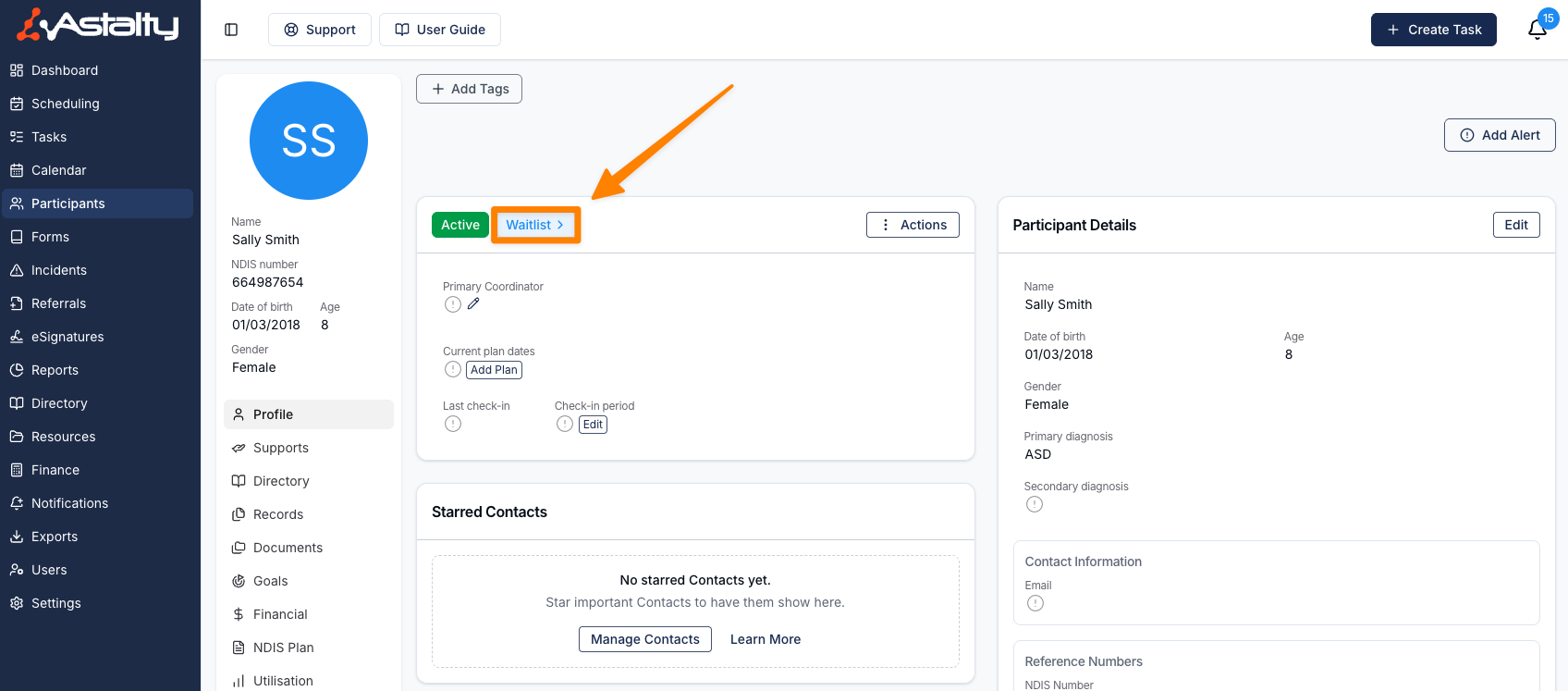
A new Waitlist icon has been introduced on Participant profiles that are created from a Referral. This icon provides a clear visual indicator that the Participant originated from the Referral Waitlist and is yet to be accepted for ongoing support.
Impact / Improvement
- Improves visibility of referral status directly on the Participant profile.
- Enables staff to quickly identify Participants who came through the Referral process without needing to open additional records.
- Supports faster triaging and workflow management when reviewing Participant profiles.
This enhancement helps teams more easily distinguish referral-based Participants and streamlines profile review.
For more information, visit the Waitlist guide.
Prefill Employment Contract Data from Xero
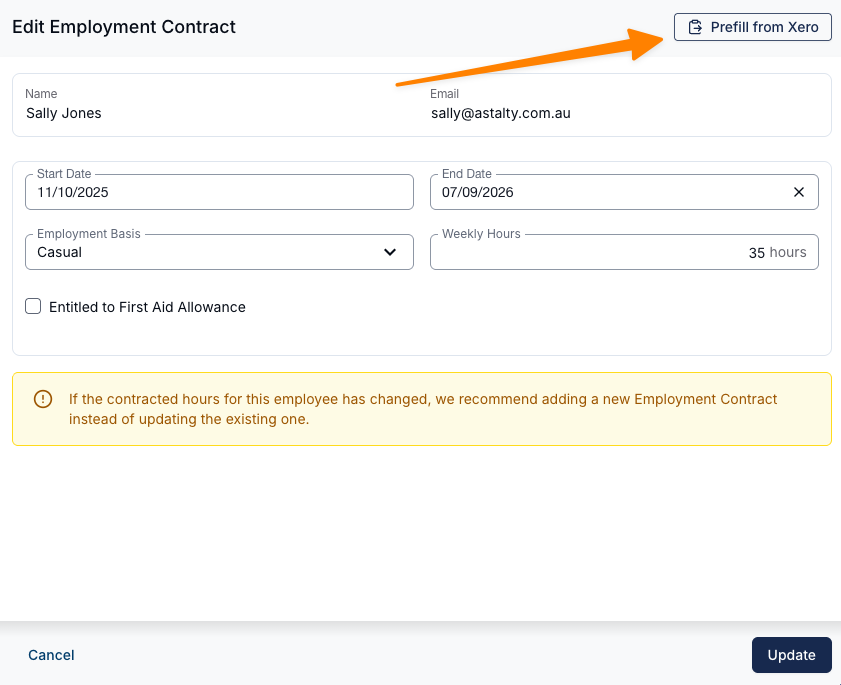
A new “Prefill from Xero” option is now available in the Employment Contract form for employees who already have contract information generated in Xero. When selected, Astalty will automatically retrieve the employee’s start date and employment basis from Xero and populate these fields in the contract form.
Impact / Improvement
- Reduces manual data entry when creating Employment Contracts.
- Helps ensure consistency between Xero and Astalty records.
- Speeds up the employee onboarding and contract setup process.
Please note that First Aid Allowance eligibility and target weekly hours must still be entered manually if applicable.
For more information, visit the Setup Pay Groups and Employees in Astalty guide.
Archiving Broadcasted Shifts
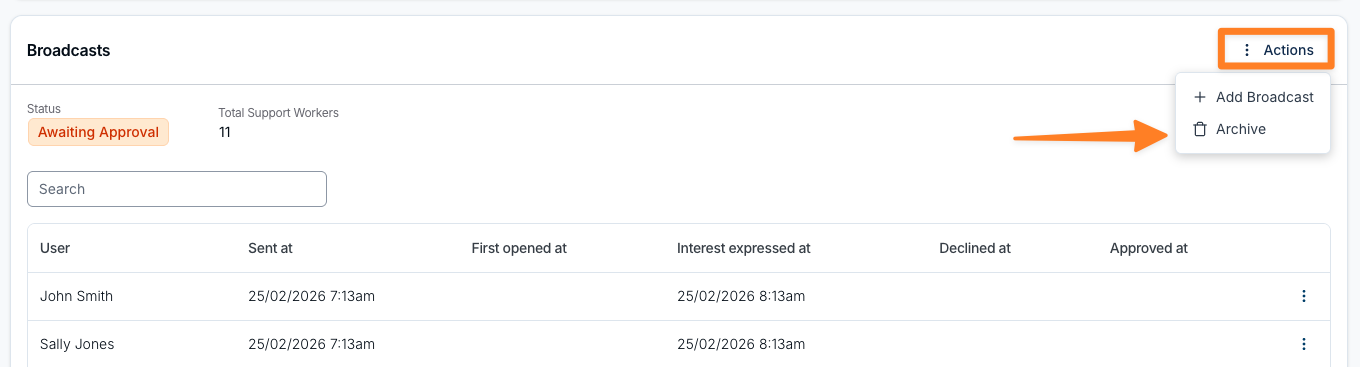
Users can now archive shift broadcasts that are no longer required. This is particularly useful when a shift has been allocated outside of the Shift Board but still appears as an available broadcast. Archiving the broadcast removes the shift from the available list while keeping a record that can be viewed using the Archived filter.
For more information, visit the Shift Board Workflow guide.