- Scheduling
- What Support Workers See
- Record Acknowledgement
Record Acknowledgement
Overview
This guide explains how to require Support Workers to acknowledge important Records in the Astalty app. An acknowledgement records that the worker opened and acknowledged a document. It does not prove that the worker understood its contents.
Setting Up Acknowledgement Requirements
To require acknowledgement on a Record, both conditions must be met:
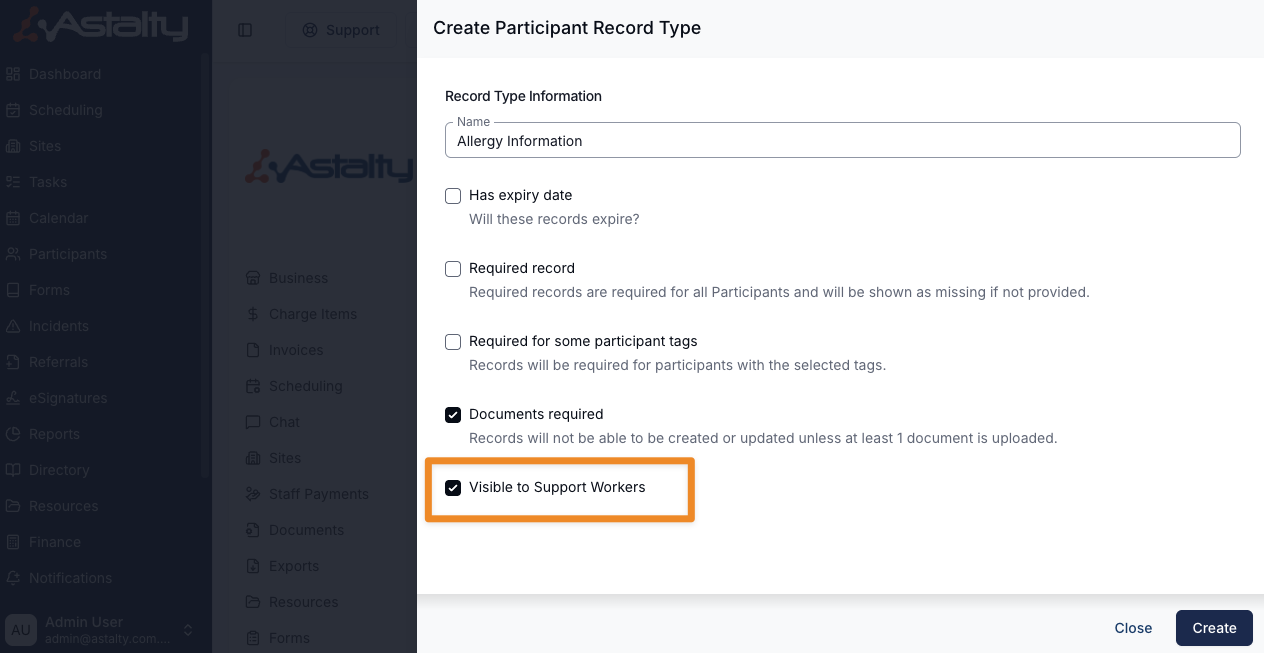
- The Record's Record Type has Visible to Support Workers enabled.
- The Record has at least one attached document. The Requires Support Worker Acknowledgement option is not available for a Record without a document.
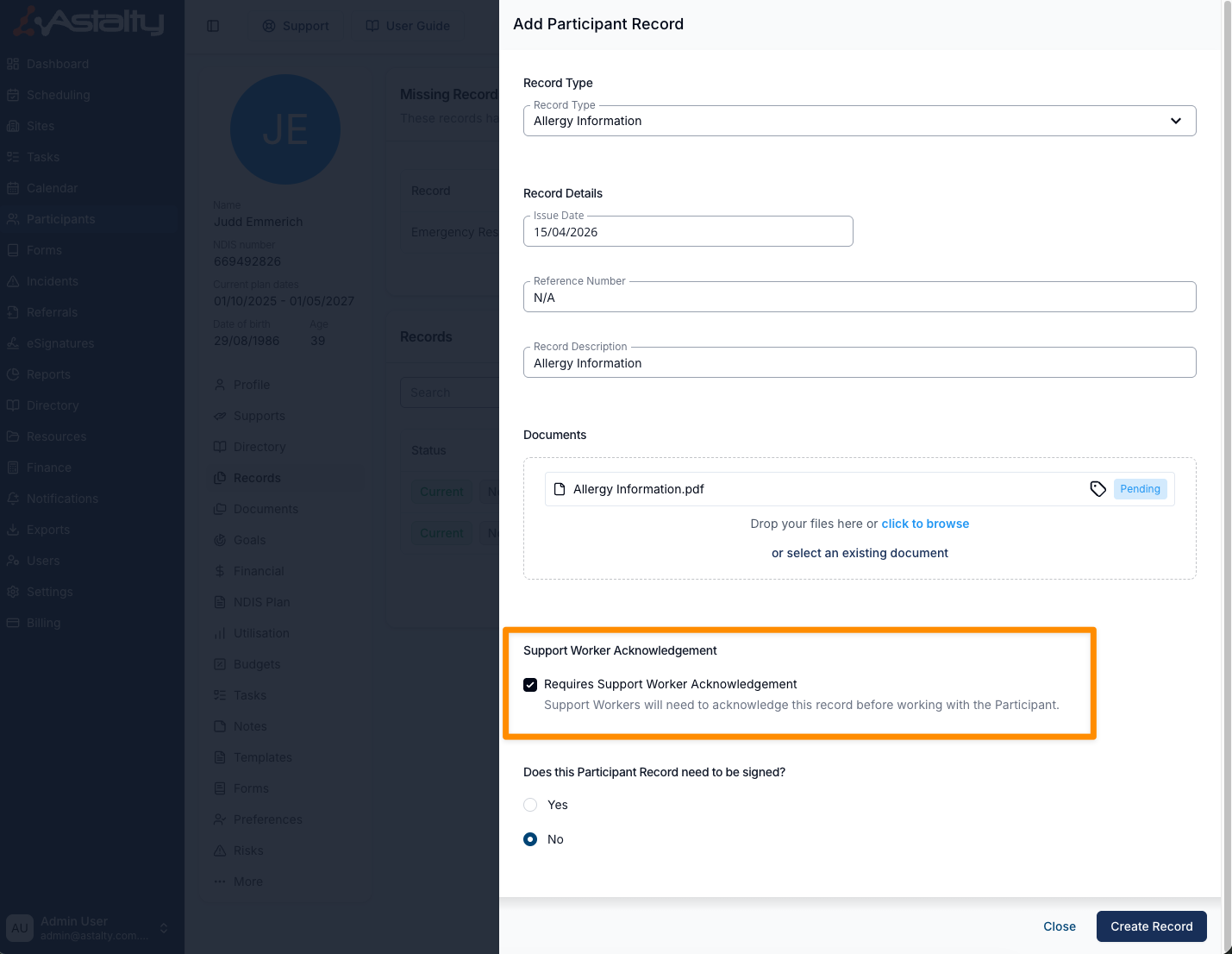
Enable Requires Support Worker Acknowledgement when creating or editing the Record.
Where It Appears in the App
Once a Record requiring acknowledgement is created, Support Workers will be prompted in several places within the Astalty app:
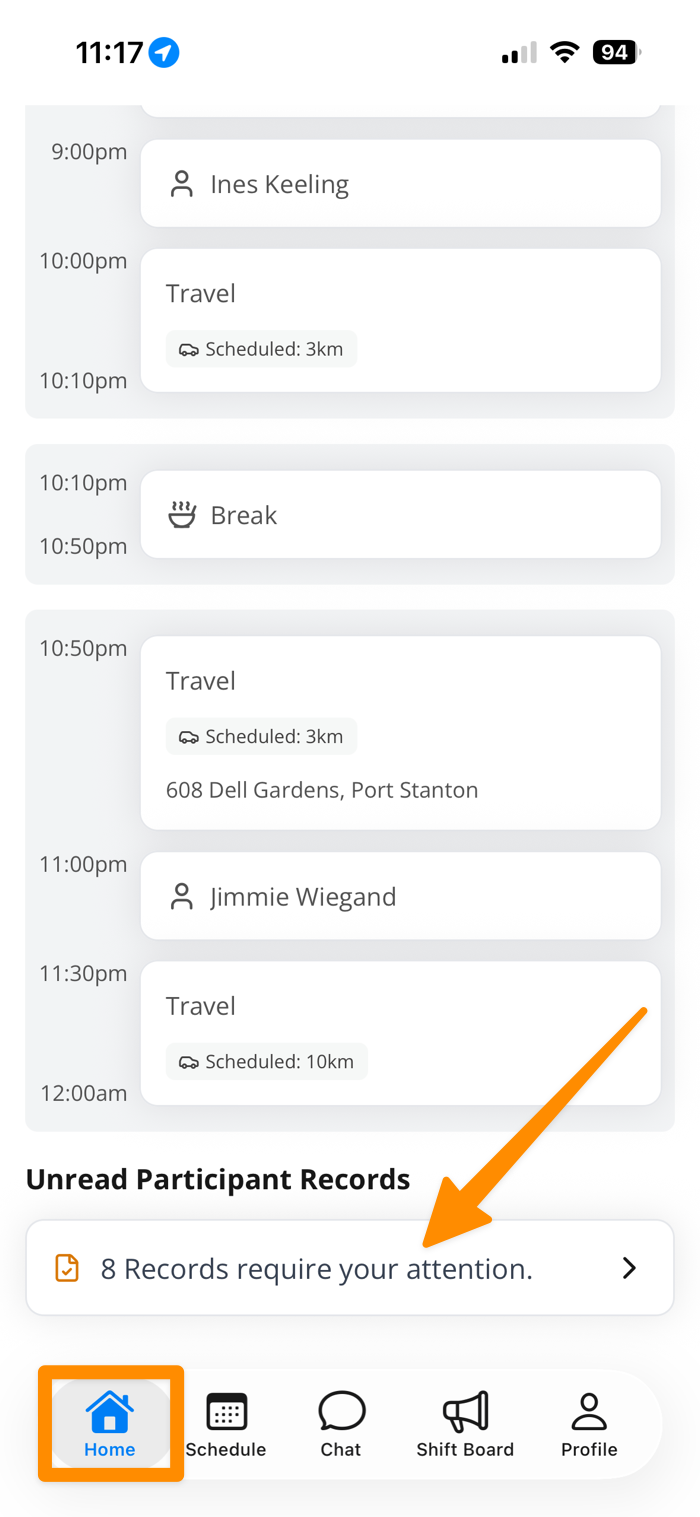
- Home - a card shows the number of unread Participant Records and links to the acknowledgement list.
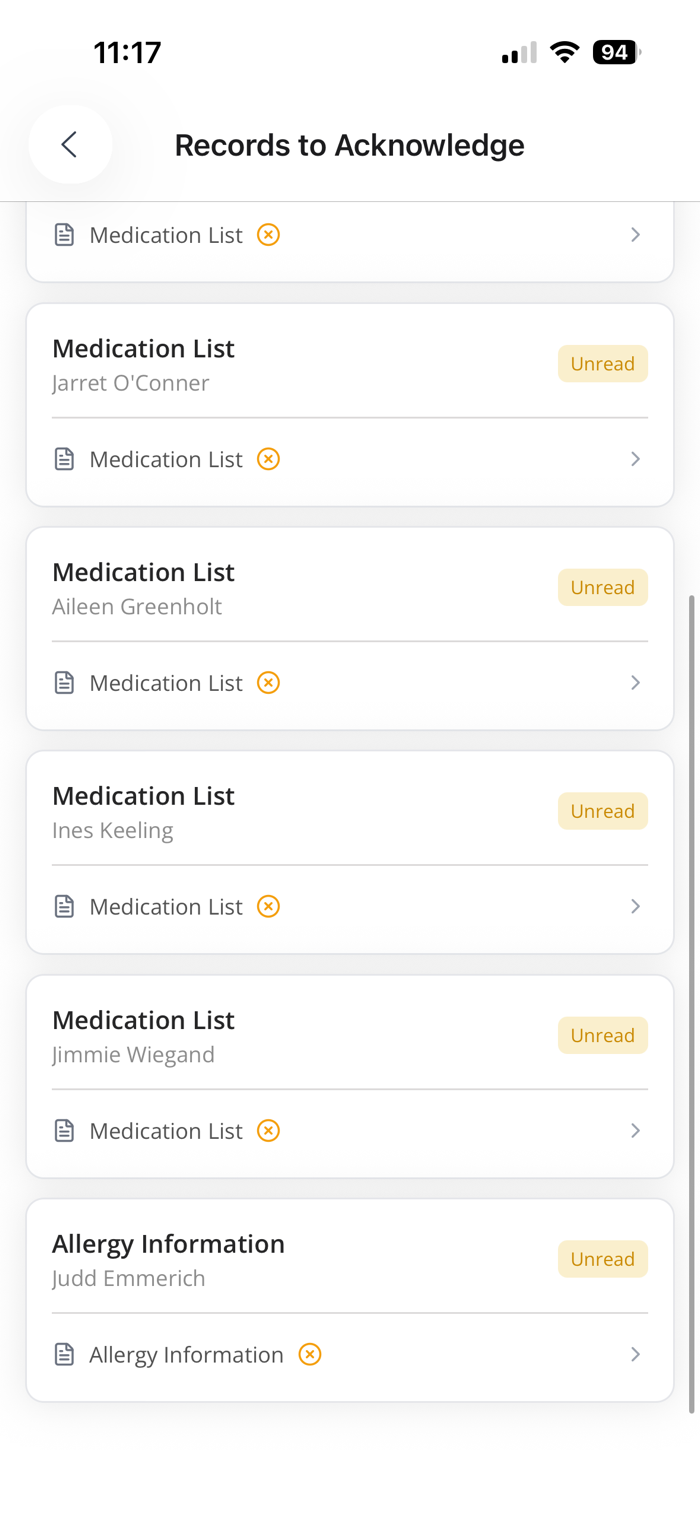
- Shift details - pending Records display an Unread indicator under Relevant Records.
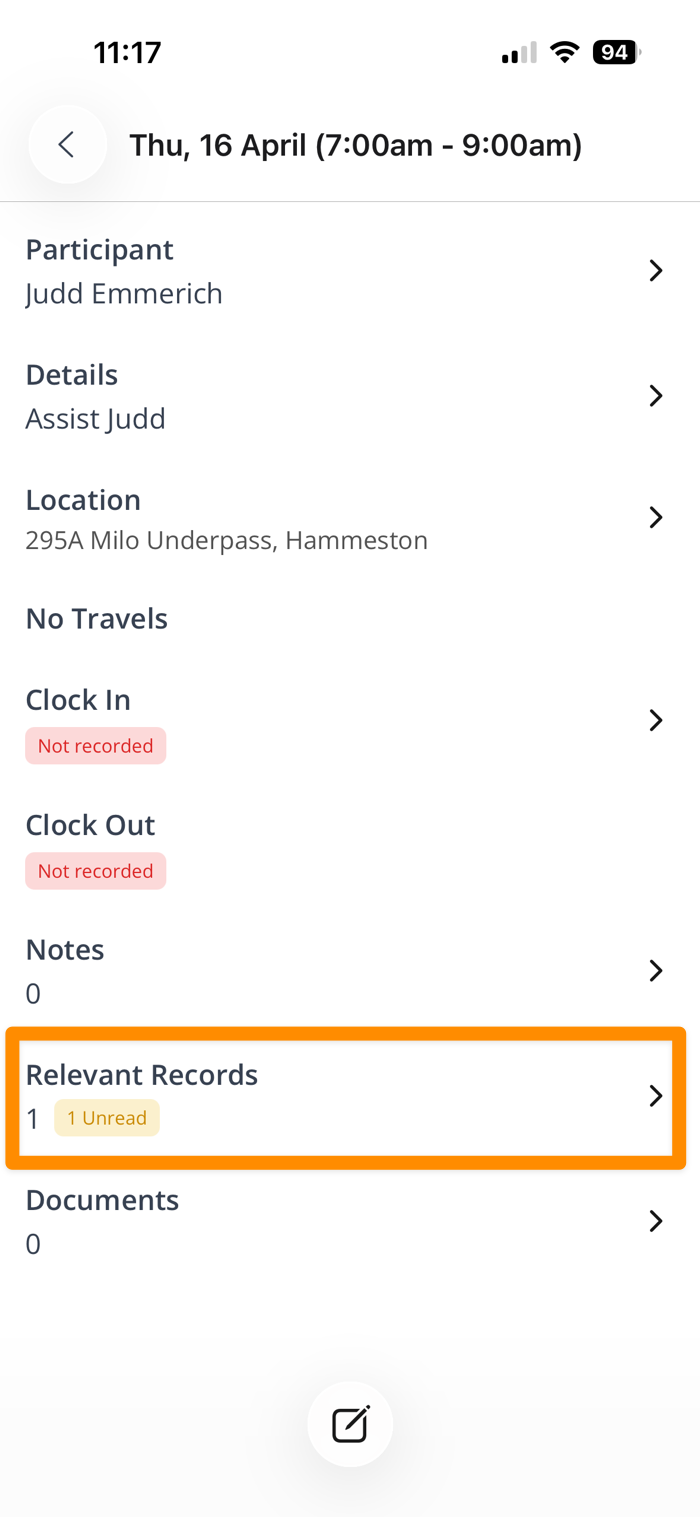
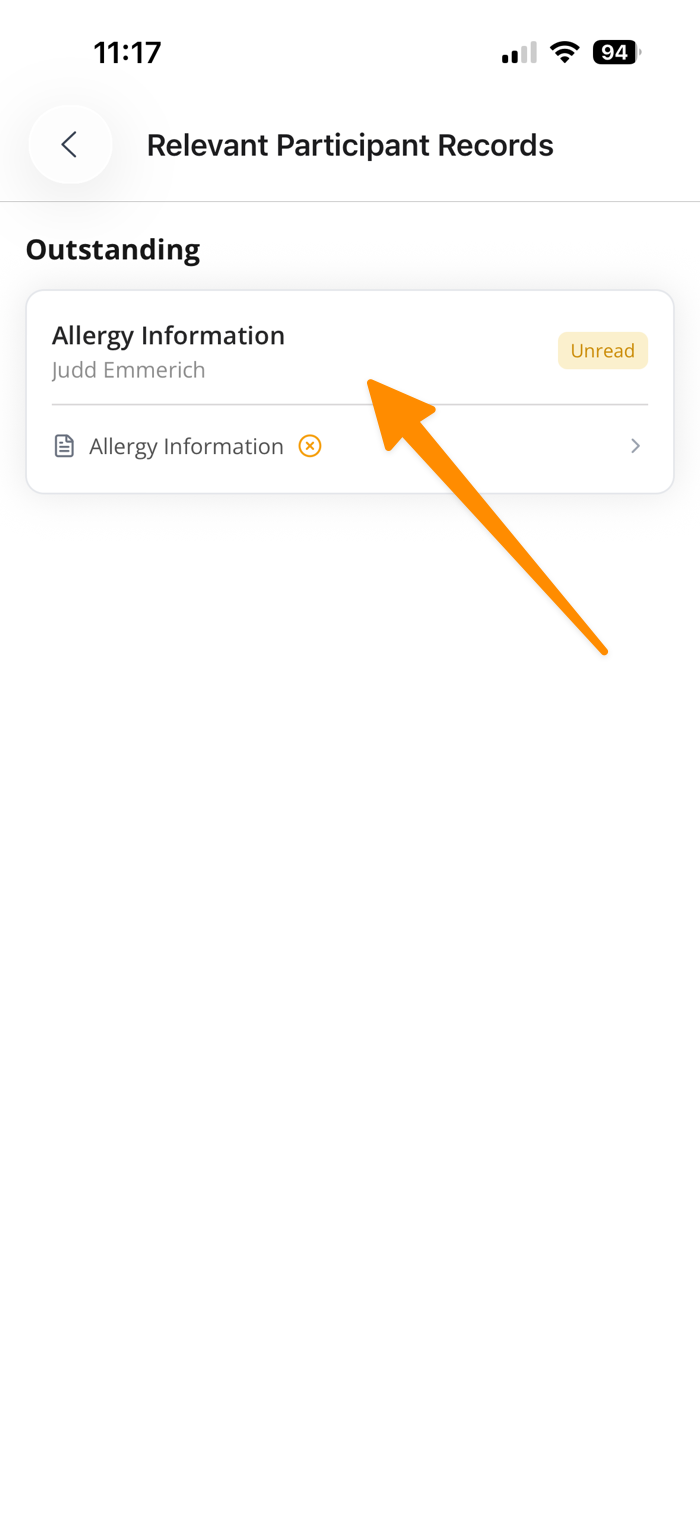
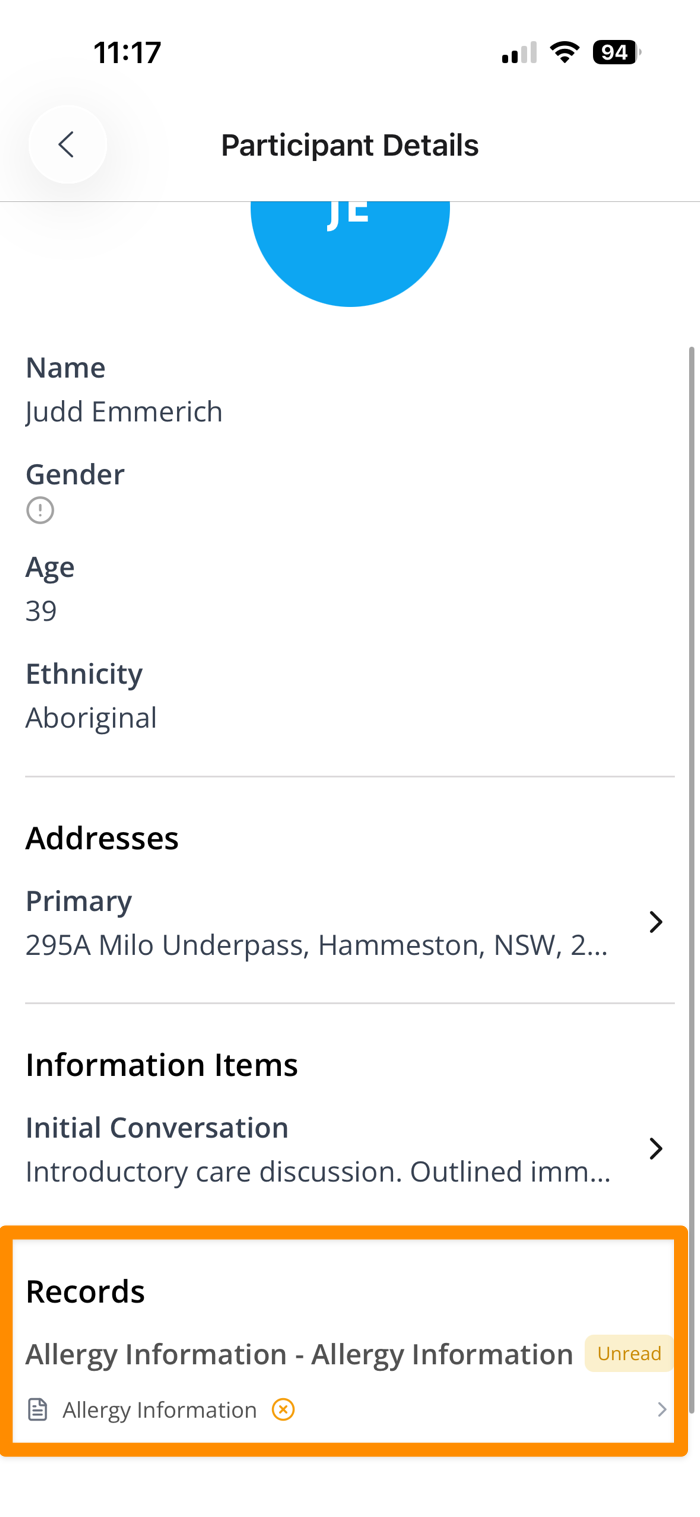
- Participant profile - the Record appears under Records with its acknowledgement status.
How Workers Acknowledge a Record
When a Support Worker opens a Record that requires acknowledgement:
- Open the Record and select its document.
- For a PDF, review through to the last page. For an image, wait for it to load.
- Select I have read and acknowledge this document.
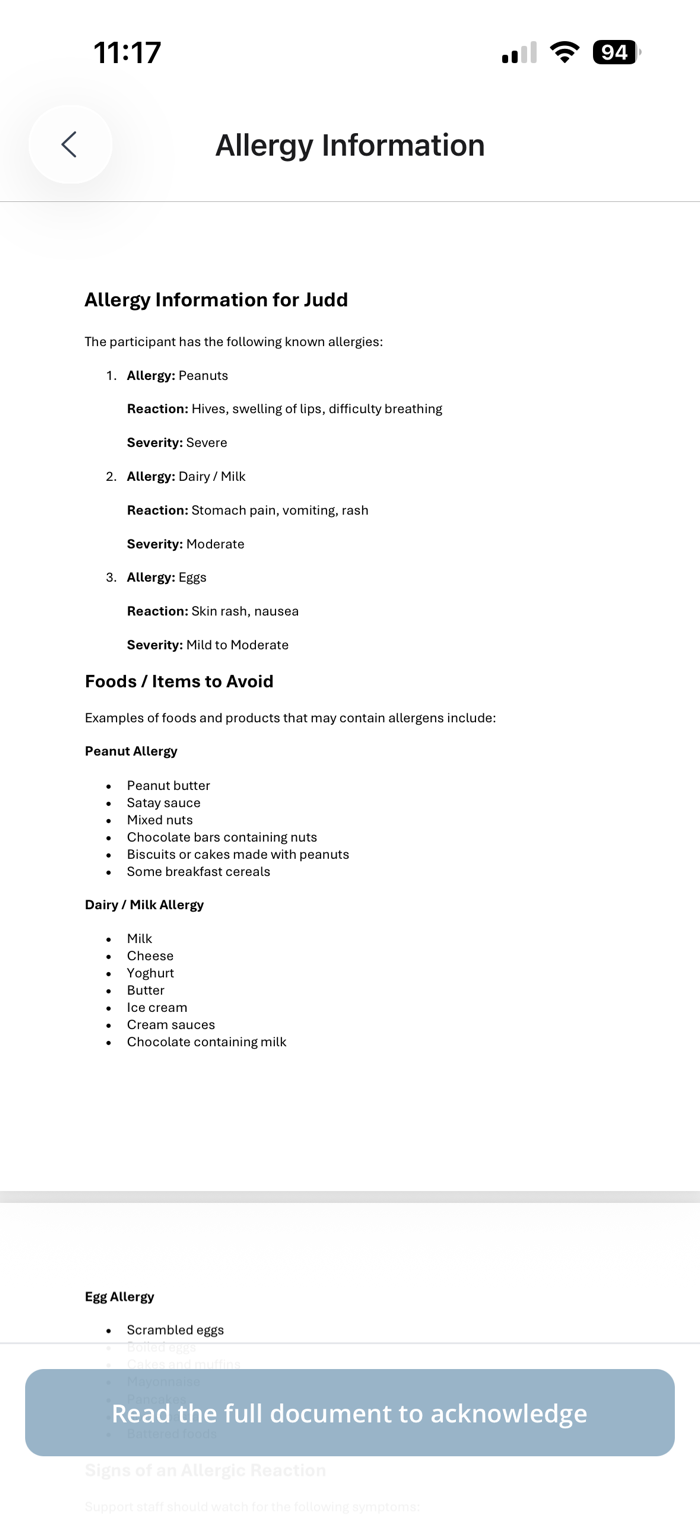
The Record is then marked as acknowledged for that Support Worker.
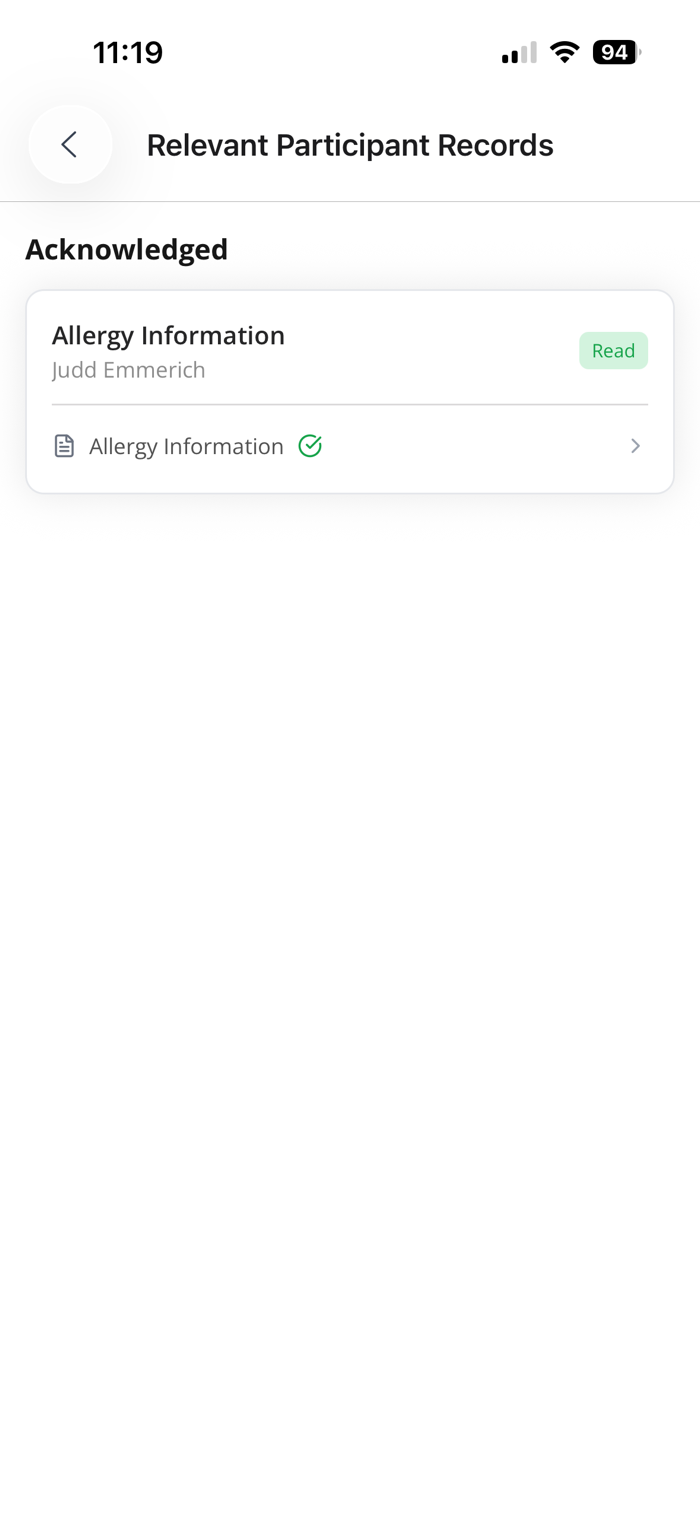
Opening the document alone does not record acknowledgement. The worker must select the acknowledgement action.
File types without a supported preview, including Word documents, cannot currently be acknowledged in the app. Provide a supported format such as PDF when acknowledgement is required.
To learn more about how Record Acknowledgement Notifications work, click here.
To learn more about the Record Acknowledgement Report, click here.
To check one person's acknowledgement status and send them a reminder, see the Acknowledgements tab on their User profile.