- Scheduling
- What Support Workers See
- Making Records Visible to Support Workers
Making Records Visible to Support Workers
Overview
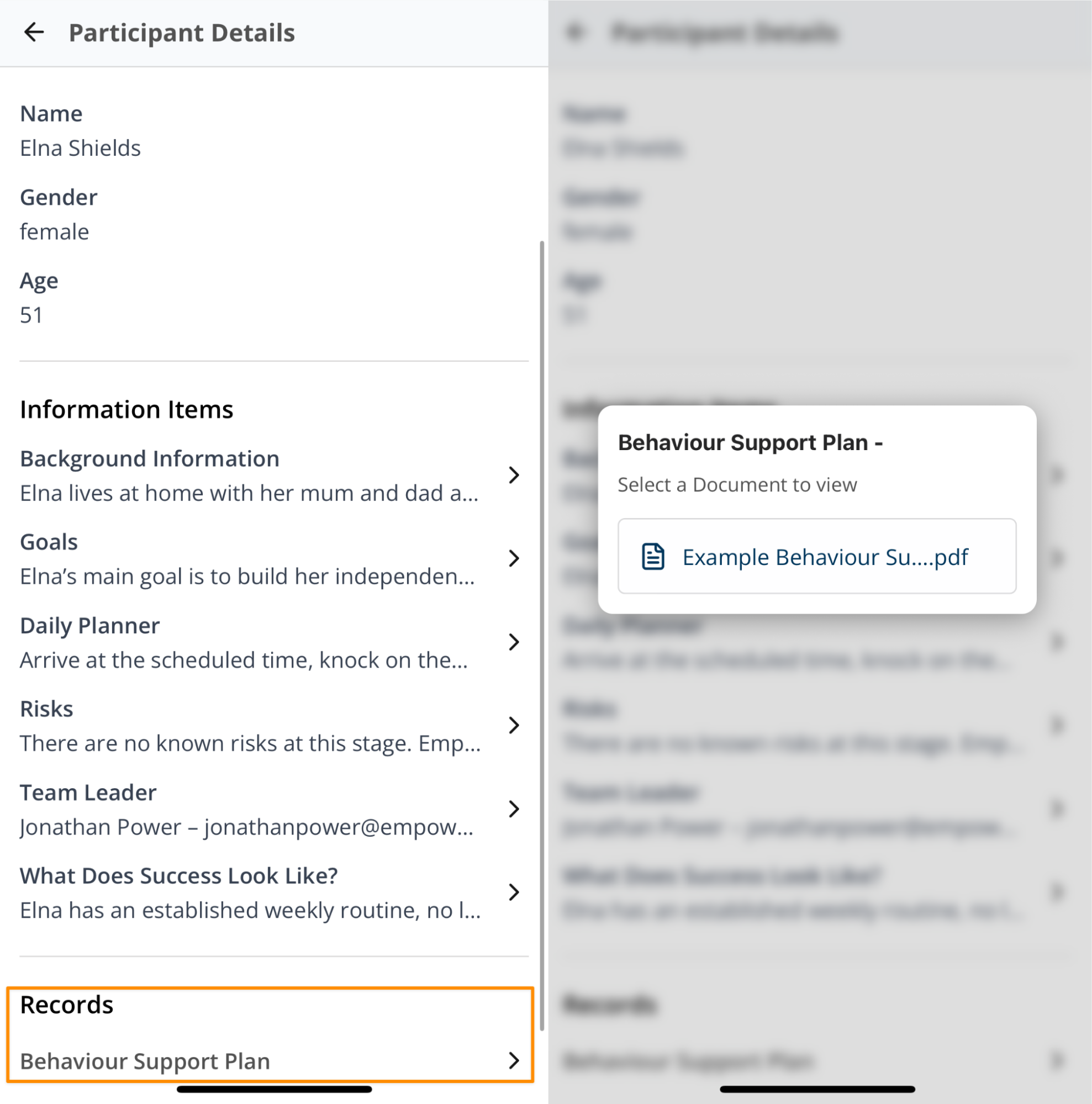
Astalty lets you control which Participant Record Types appear to Support Workers in the app. Enable Visible to Support Workers on a Record Type to show records of that type on the Participant's profile. Records with other types remain available only to users with access in the web app.
Turning On "Visible to Support Workers" for Records
- In the left menu, go to Settings.
- Select Participants.
- Select Participant Record Types.
- Find the Record Type, select the three-dot menu, and select Edit.

- Turn on Visible to Support Workers.
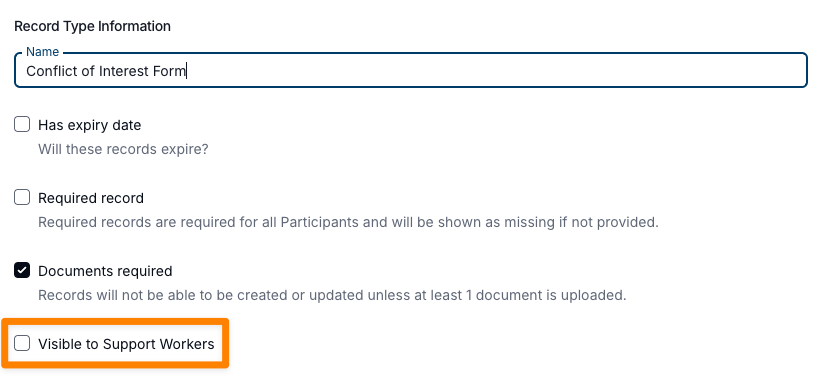
- Select Update.
Support Workers can now open records of that type from the Participant's profile in the app.
Enforcing Support Workers to Review and Acknowledge Records
To see more on how to do this, visit the Record Acknowledgement guide.
How Records Will Appear for Support Workers
The app shows only records whose Record Type has Visible to Support Workers enabled. Requiring acknowledgement is a separate setting on each record and requires at least one attached document.