Making Information Items Visible to Support Workers
Overview
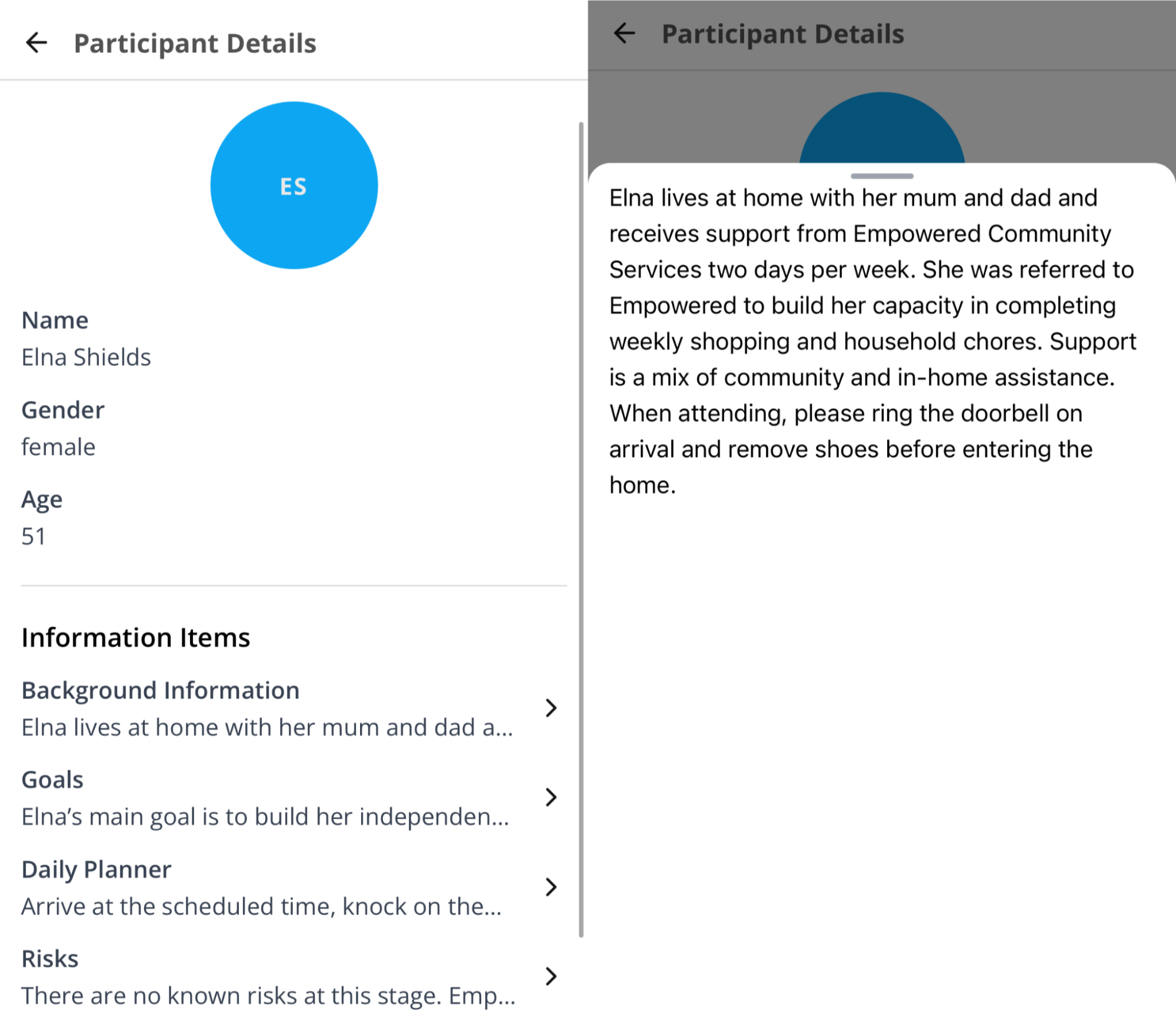
Information Items store Participant details under customisable headings. Enable Visible to Support Workers on an Information Item type to show items of that type on the Participant's profile in the Astalty app. Information Items without this setting remain available only to users with access in the web app.
Turning On Visible to Support Workers
- In the left menu, go to Settings.
- Select Participants.
- Select Information Items.
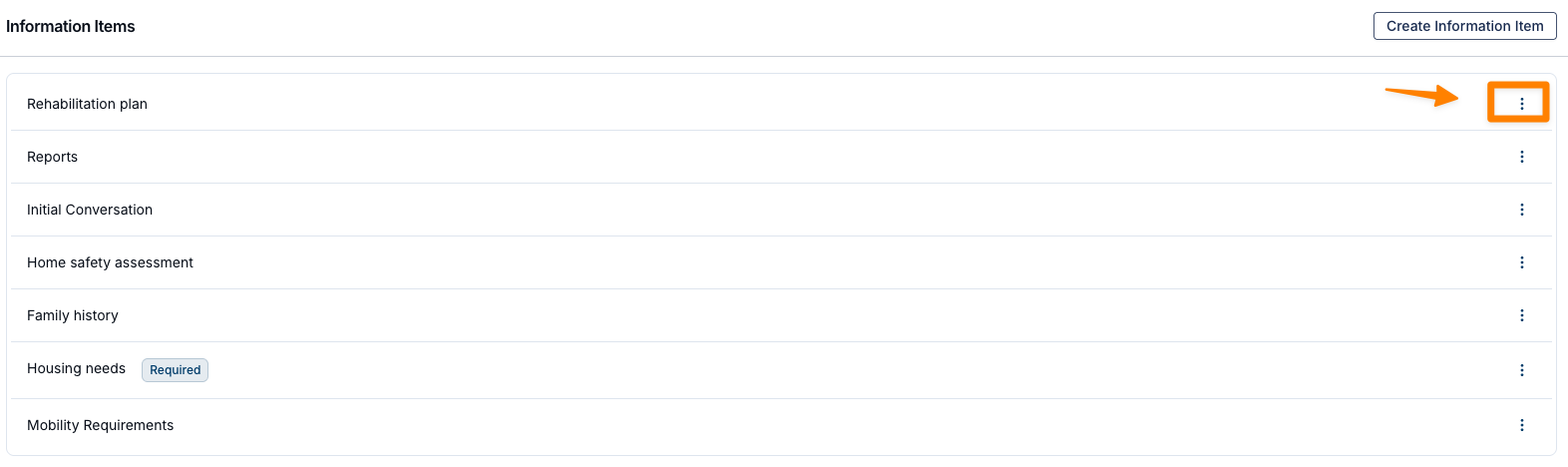
- Find the Information Item type, select the three-dot menu, and select Edit.
- Turn on Visible to Support Workers.
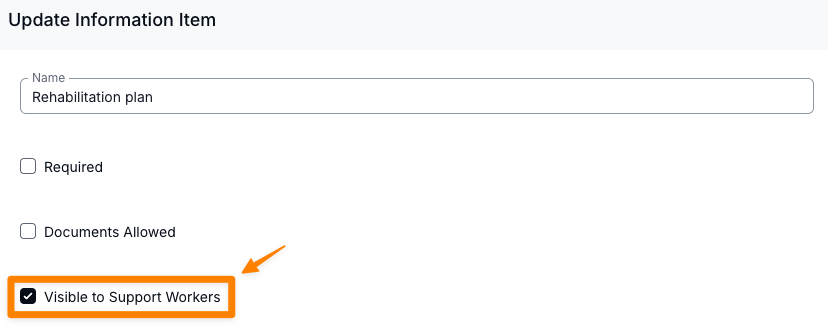
- Select Update.
Support Workers can now open Information Items of that type from the Participant's profile in the app.
How Information Items Appear for Support Workers
Visible Information Items appear on the Participant's profile in the app. A Support Worker can select an item to open its details.