Service Utilisation Cut-off
What is the Service Utilisation Cut-off?
The Service Utilisation Cut-off is an optional setting that stops new or increased Task charges on a service whose spending is, or would go, past the funding released so far. It's designed to answer a common request: "stop billing on a service once it hits 100%."
When it's switched on, Astalty checks the funding on the relevant service every time someone tries to add or increase a billable charge on a Task. If the charge would take the service past 100% of its released funding, the charge is rejected and nothing is saved.
Turning the cut-off on
The cut-off is off by default. It also requires the Service Utilisation Cut-off feature to be included for your account.
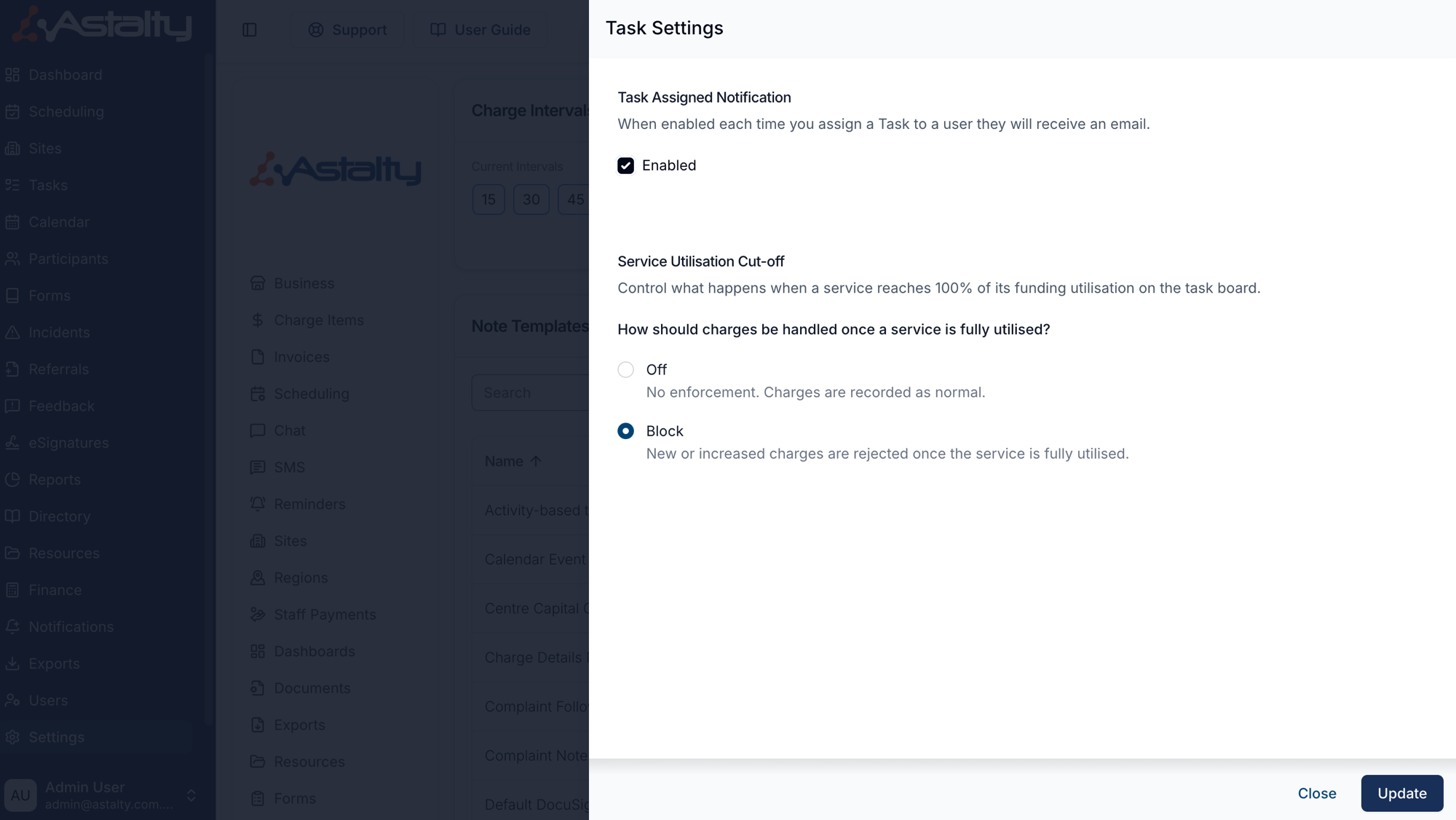
Head to Settings → Tasks & Notes and click Edit on the Task Settings card. In the Service Utilisation Cut-off section you'll see two options:
- Off (default) - no enforcement. Charges are recorded as normal.
- Block - new or increased charges are rejected once the service has used all the funding released so far.
Choose Block and click Update to turn the cut-off on. The setting applies across your whole account.
What the cut-off applies to
The cut-off applies to Tasks only - charges added or changed through the Task Board. This covers:
- Adding a charge on a Task's Finance tab.
- Increasing a charge's quantity or a Task's duration.
- Marking a Task as billable, or moving a Task to a date that shifts its charges onto a different plan.
- Quick task creation and cloning a Task.
It does not apply to Shifts and Supports, group supports, direct charges, recurring charges, or imports. Charges added through those areas are recorded as normal, even when the service has used all its released funding.
What happens when a charge is blocked
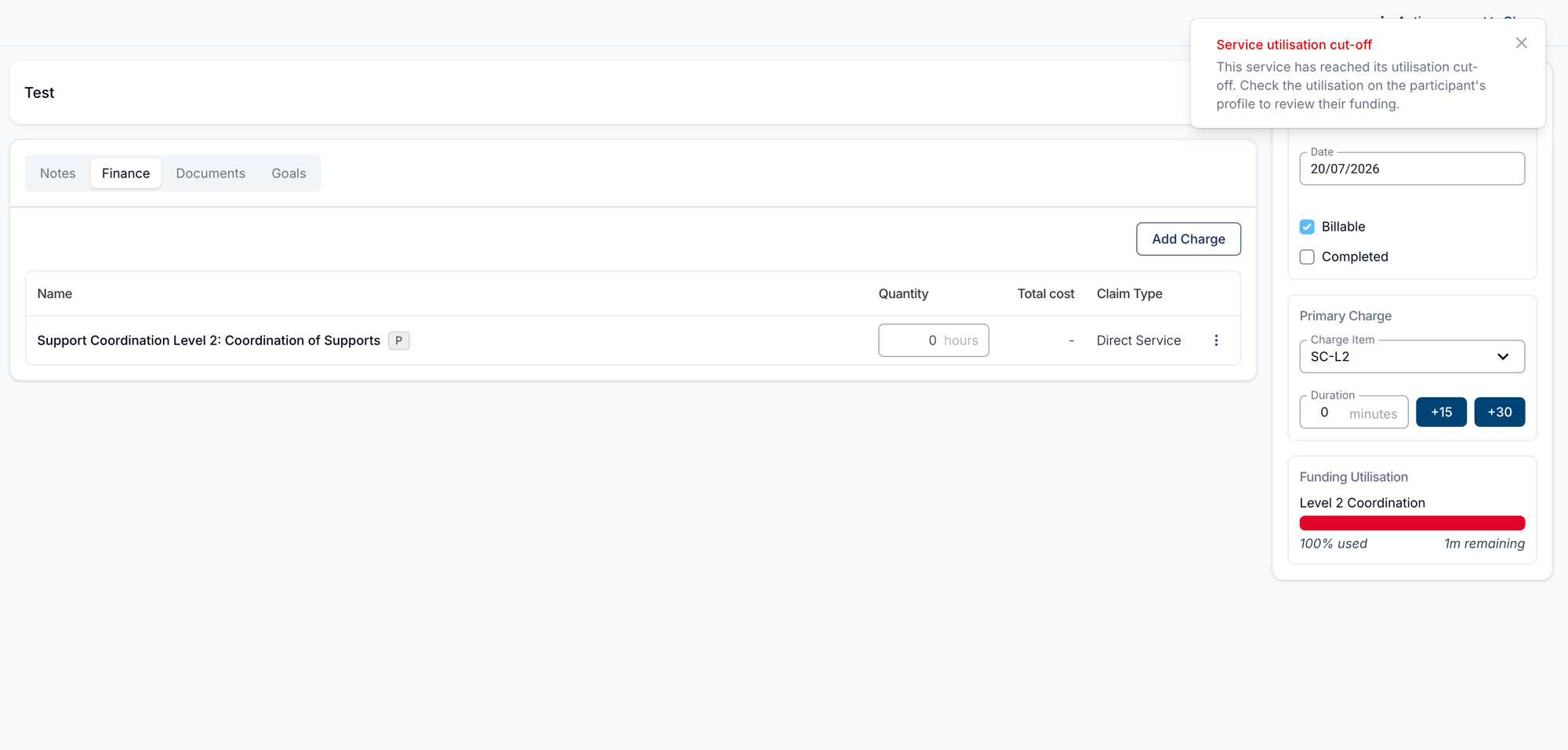
If a charge would push the service past its funding, the operation fails and a red Service utilisation cut-off message appears:
This service has reached its utilisation cut-off. Check the utilisation on the participant's profile to review their funding.
Nothing is saved - the whole action is rolled back. For example, a quick task that would breach the cut-off is not created at all.
How the cut-off is calculated
For each service, Astalty compares two figures:
- Released funding - the funding that has been released so far (funding periods whose start date has passed). If a service has no funding schedule, its full amount is used.
- Projected usage - what the service has already spent (billable charges dated today or earlier that are not drafts, plus any reconciliation) plus the billable cost the current charge is about to add, once that charge is dated today or earlier. Scheduled charges, meaning drafts and charges dated after today, are not counted, so a charge on a future-dated Task is blocked only when the service has already spent more than its released funding.
If the projected usage would exceed the released funding, the charge is blocked. A few things are worth knowing about how this behaves in practice:
- Only increases are checked. Adding a charge, raising a charge's billable cost, or moving a Task from a future date to today or earlier is checked, even when its cost does not change. Reducing a charge without moving it to today or earlier, deleting it, marking a Task non-billable, or an edit that changes neither cost nor date always goes through - even when the service has used all its released funding.
- Services already over their released funding are left alone. Existing charges are never touched or removed; the cut-off only stops new cost being added.
- Non-billable charges never count towards utilisation and are never blocked.
- Each affected service is checked. If any new or increased charge breaches its service cut-off, the entire Task create or update fails. Other changes in that operation are rolled back too.
Where to review remaining funding
When a charge is blocked, the message points you to the Participant's funding utilisation. There are two handy places to check it:
- The Funding Utilisation panel on the Task sidebar shows the service at a glance, for example Over by 1h 44m in red once spent and scheduled charges pass the funding released through a period. The cut-off counts spent charges only, so a service can show Over by while new charges are still accepted. See Funding Utilisation.
- The Participant's profile shows their full funding utilisation across all services, which is the best place to review remaining funding and decide how to proceed.
Good to know
This first release is deliberately simple:
- There's no warn mode - the cut-off is either Off or Block.
- The threshold isn't configurable - the cut-off is always at 100% of released funding.
- There are no Participant-level or service-level exceptions - the setting applies account-wide.
- There's no override to push a charge through once it's blocked.