- Administration
- Settings
- Data Management
- Bulk Deleting Participant Documents
Bulk Deleting Participant Documents
Overview
The Account Owner can start a background operation that permanently deletes all deletable Documents for one Participant, including archived Documents. Other roles cannot start or view this tool.
How to Bulk Delete Documents
Open Data Management
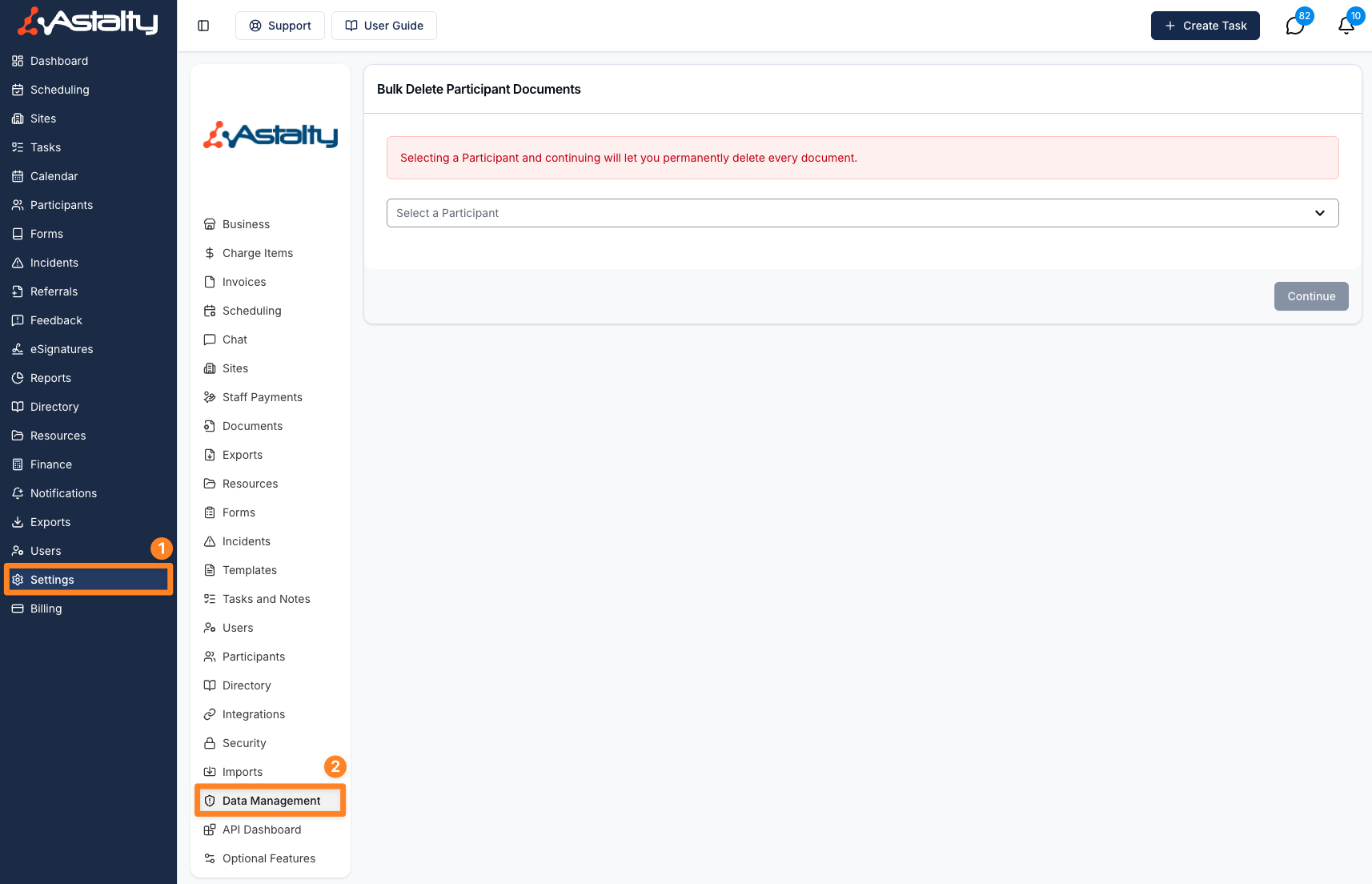
Open Settings > Data Management, then choose bulk Participant Document deletion.
Select a Participant
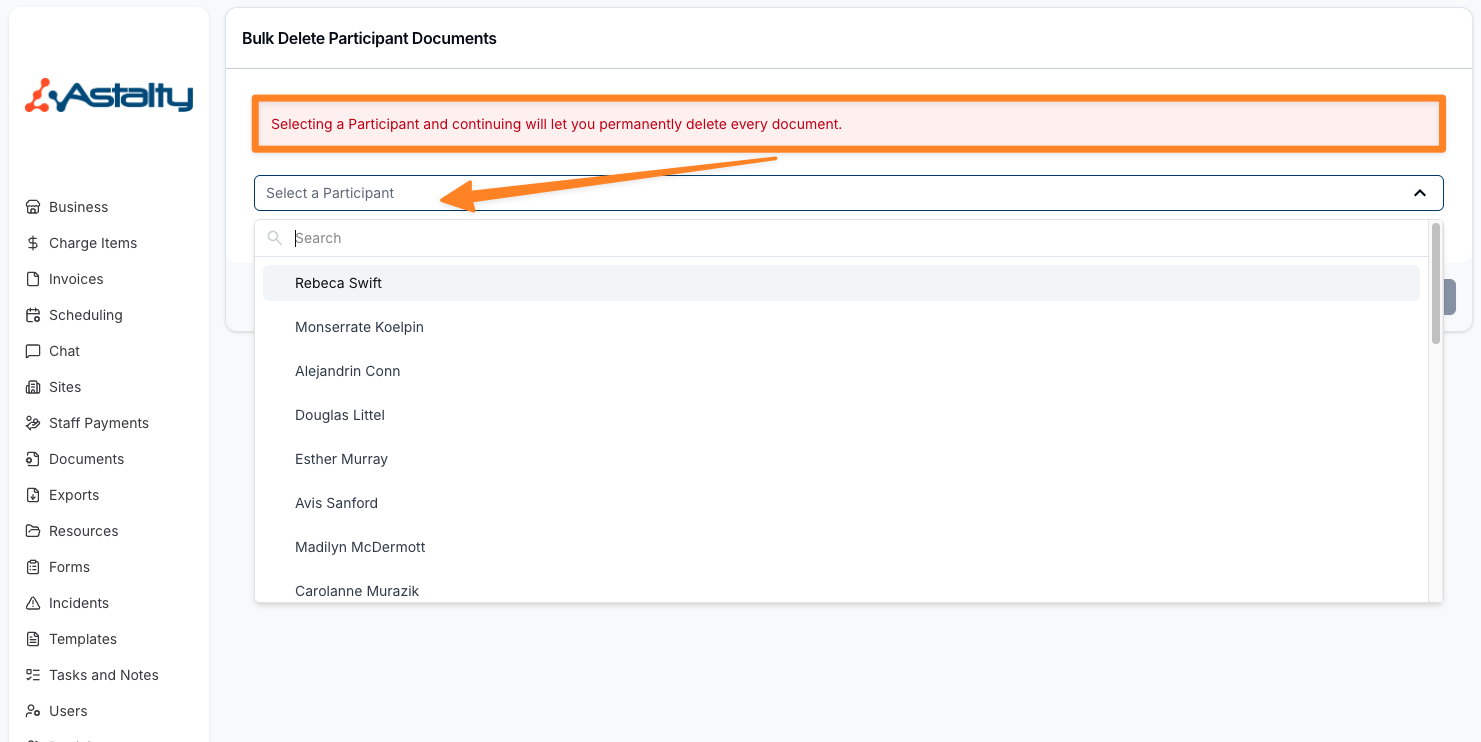
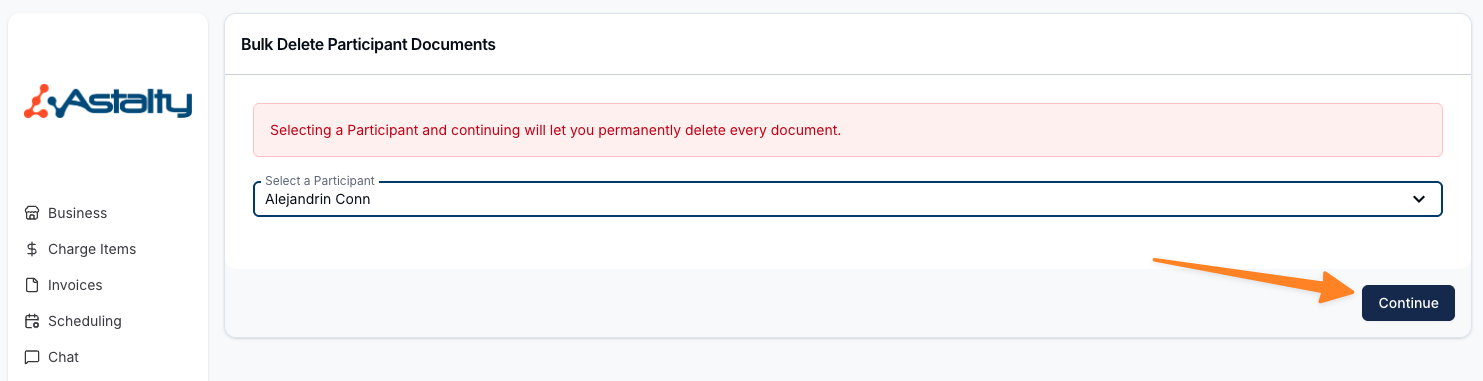
Select one Participant and choose Continue. The preview counts the Documents currently in scope.
Review and Confirm
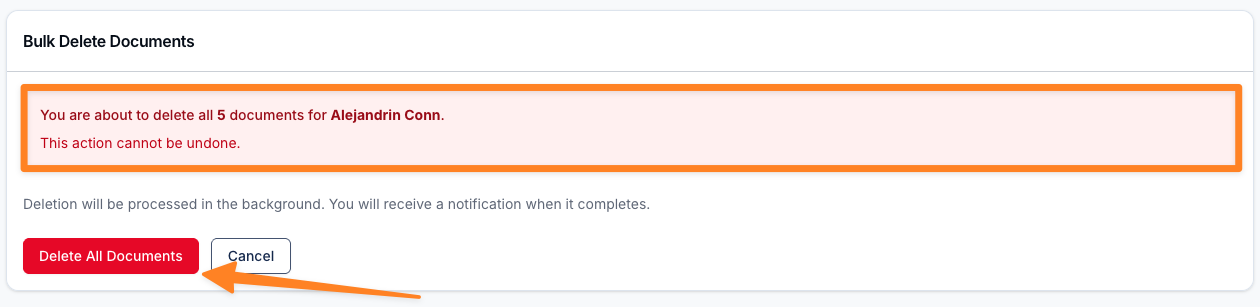
Review the Participant and count, then select Delete All Documents and confirm. Only one bulk deletion can process for the same Participant at a time. A second request is rejected until the first finishes.
Wait for Processing
The operation runs in the background. When normal processing completes, the Account Owner who started it receives a notification and can open the results. If the background job itself fails, the result is marked failed; do not assume a completion notification was sent.
Understanding the Results
The result records the total found, number deleted, and each protected Document that was skipped. Successfully deleted Documents remain deleted even when other Documents were protected. An unexpected job failure is different from a completed operation with protected skips.
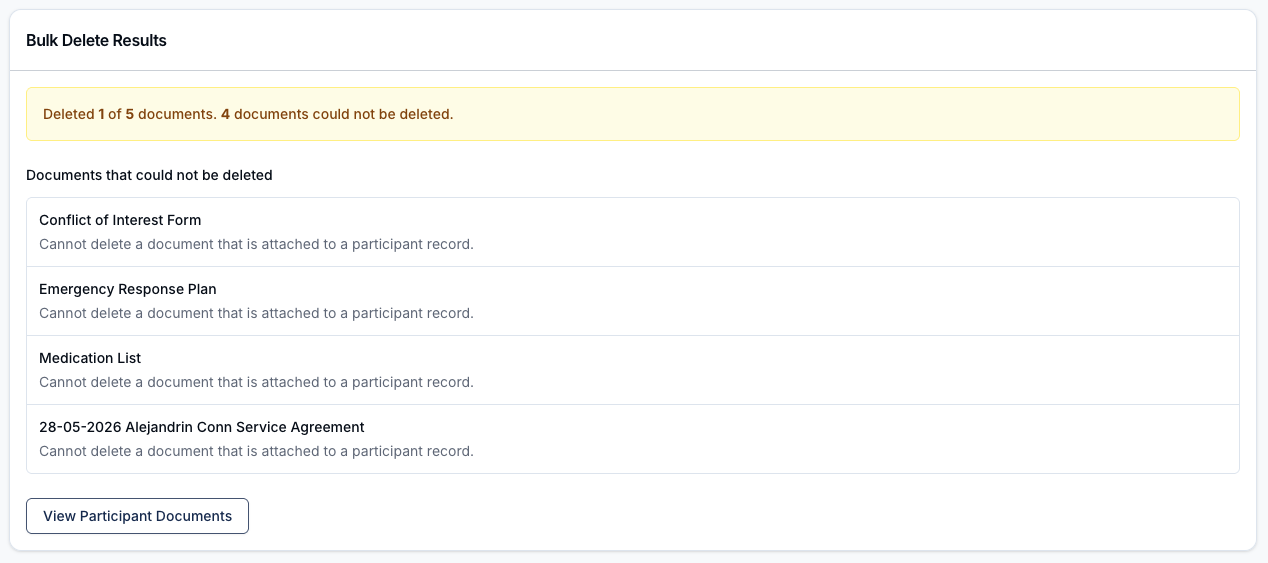
Documents That Cannot Be Deleted
Astalty skips a Document when it is attached to a:
- Participant Record
- Signature Request
- Form Submission
The result lists each skipped Document and reason. Remove the blocking relationship only when doing so is independently appropriate, then start a new operation for the remaining Documents. Retrying does not restore earlier deletions.