- Day-to-Day
- Pinning Conversations
Pinning Conversations
Pinning keeps a conversation at the top of your chat list so the chats you use most are always easy to find. You can pin both direct messages and group channels, and pinning works on both the web app and the mobile app.
Pinning a Conversation for Yourself
Pin for me is personal - it only changes the order of your own chat list, and no one else is affected.
- Open the direct message or group channel you would like to pin
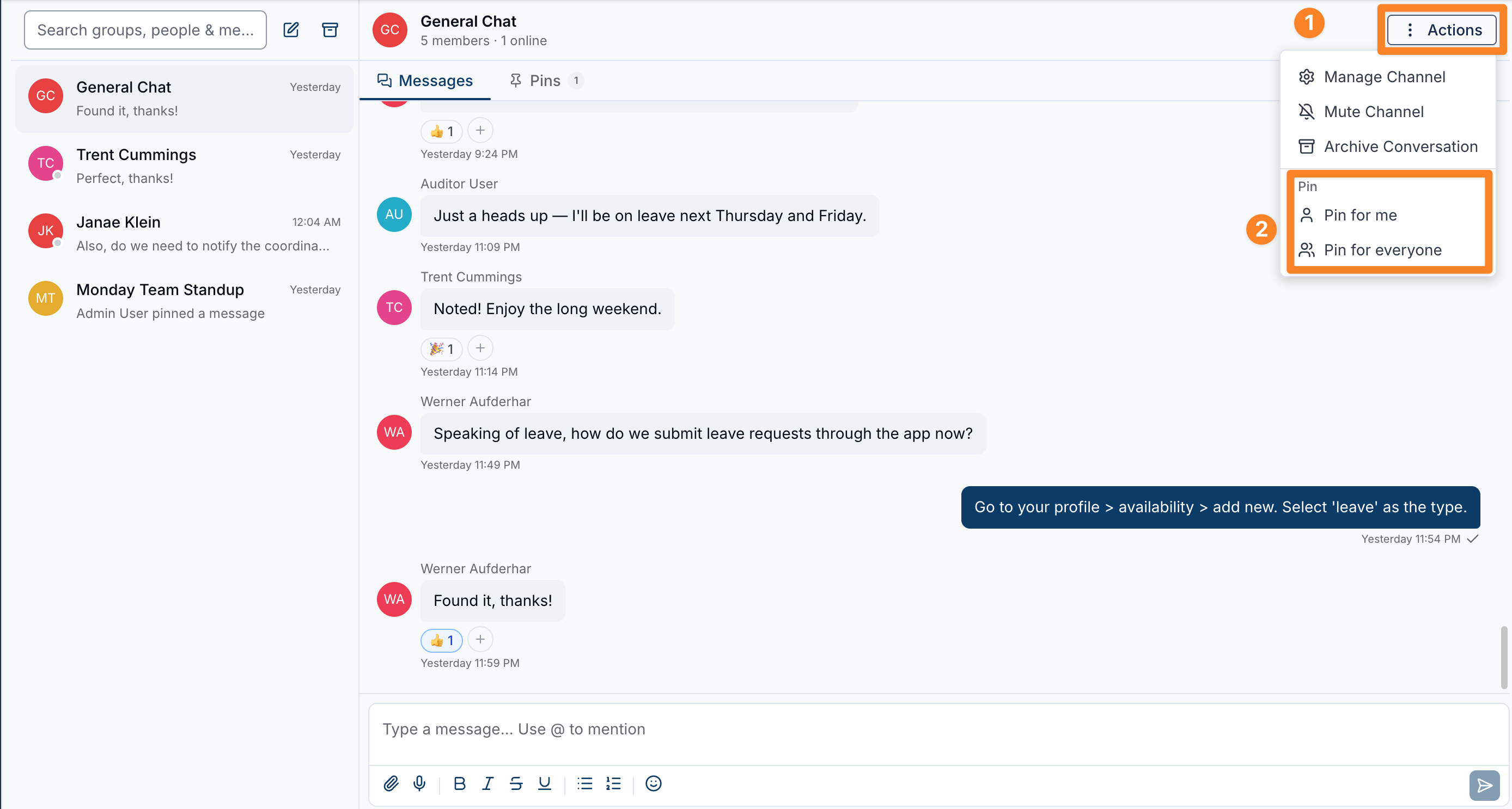
- Click the Actions menu in the conversation header
- Under Pin, select Pin for me
The conversation moves to the top of your chat list and shows a small pin icon. To reverse it, open the same Actions menu and select Unpin for me.
Pinning a Group Channel for Everyone
Pin for everyone keeps a group channel at the top of the chat list for every member of that channel - handy for an important announcement channel or a team that everyone should keep an eye on.
To pin a group channel for everyone:
- Open the group channel
- Click the Actions menu in the conversation header
- Under Pin, select Pin for everyone
The channel moves to the top of the chat list for all of its members and shows a pin icon. To reverse it, open the Actions menu and select Unpin for everyone.
The Pin Icon
Pinned conversations show a small pin icon next to the timestamp in your chat list, so you can tell at a glance which chats are pinned. Hovering over the icon shows whether the chat is Pinned (just for you) or Pinned for everyone.
How Pinned Chats Are Ordered
Your chat list is ordered so the most important conversations sit at the top:
- Channels pinned for everyone appear first
- Then conversations you have pinned for yourself
- Then all your other conversations, most recently active first
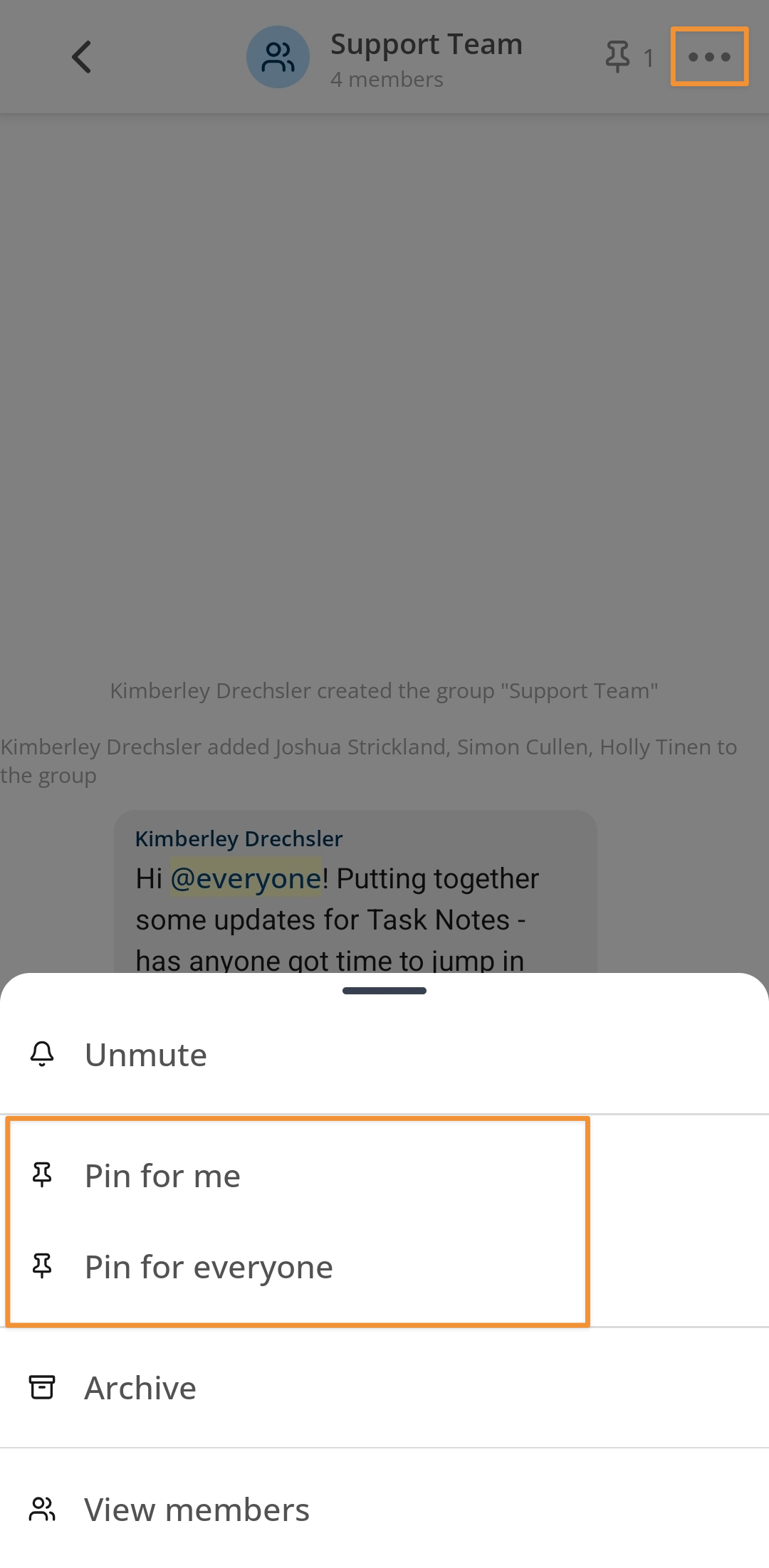
Pinning in the App
Pinning works the same way in the Astalty mobile app. Open a conversation, tap the channel actions, and choose the same Pin for me or Pin for everyone options. Pinned chats rise to the top of your chat list and show the pin icon, just like on the web.