- Day-to-Day
- Direct Messages
Direct Messages
A direct message is a one-on-one conversation between you and another team member. Only those two people are members, and the conversation does not appear in anyone else's normal Chat list or search results. The Admin role also has account-wide permissions that can allow an Admin to open and export a conversation they have not joined. For more detail, see Chat Privacy and Visibility.
Starting a Direct Message
To start a new direct message:
- Navigate to Chat
- Click the New Message button (compose icon) at the top of the channel list
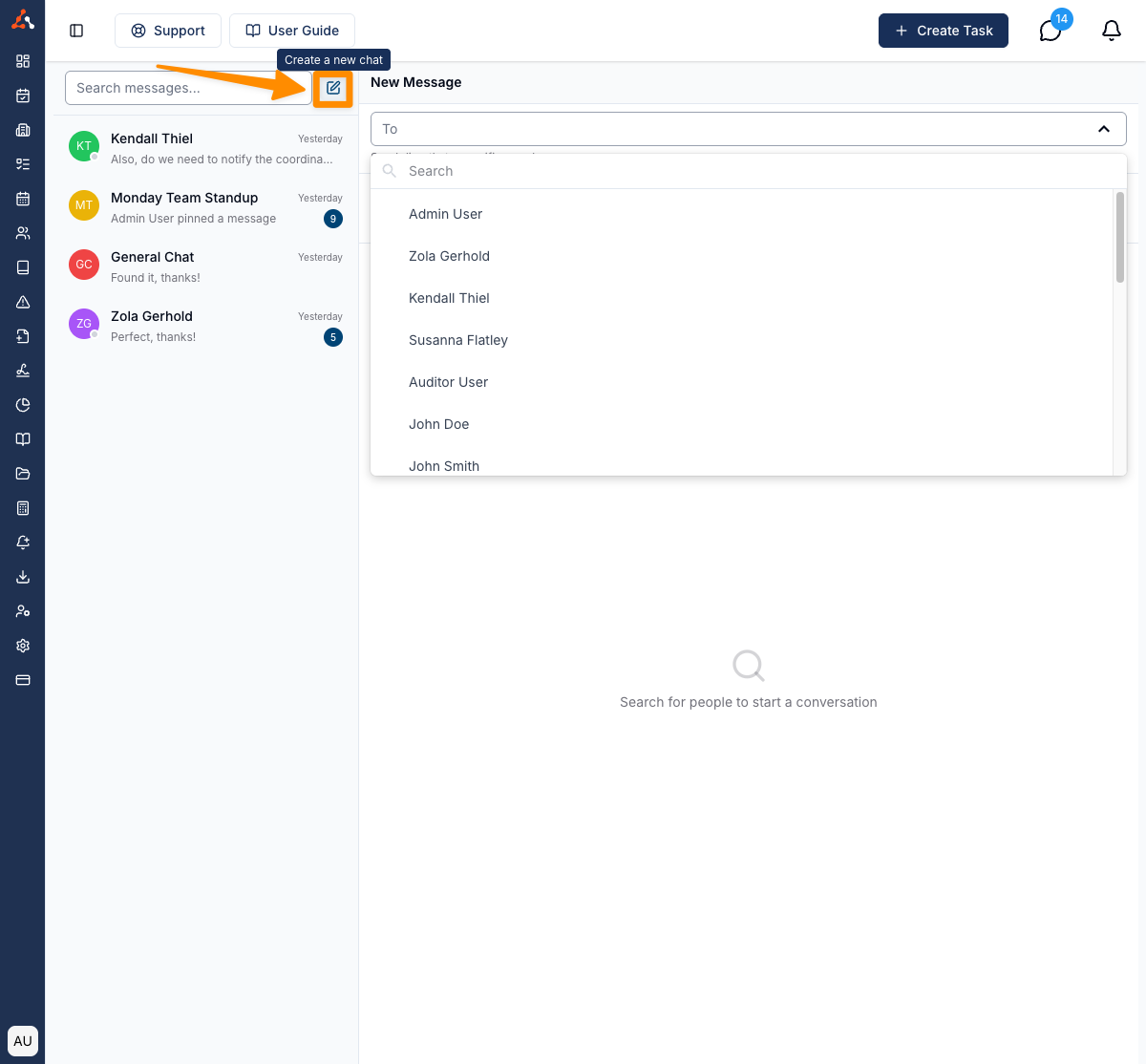
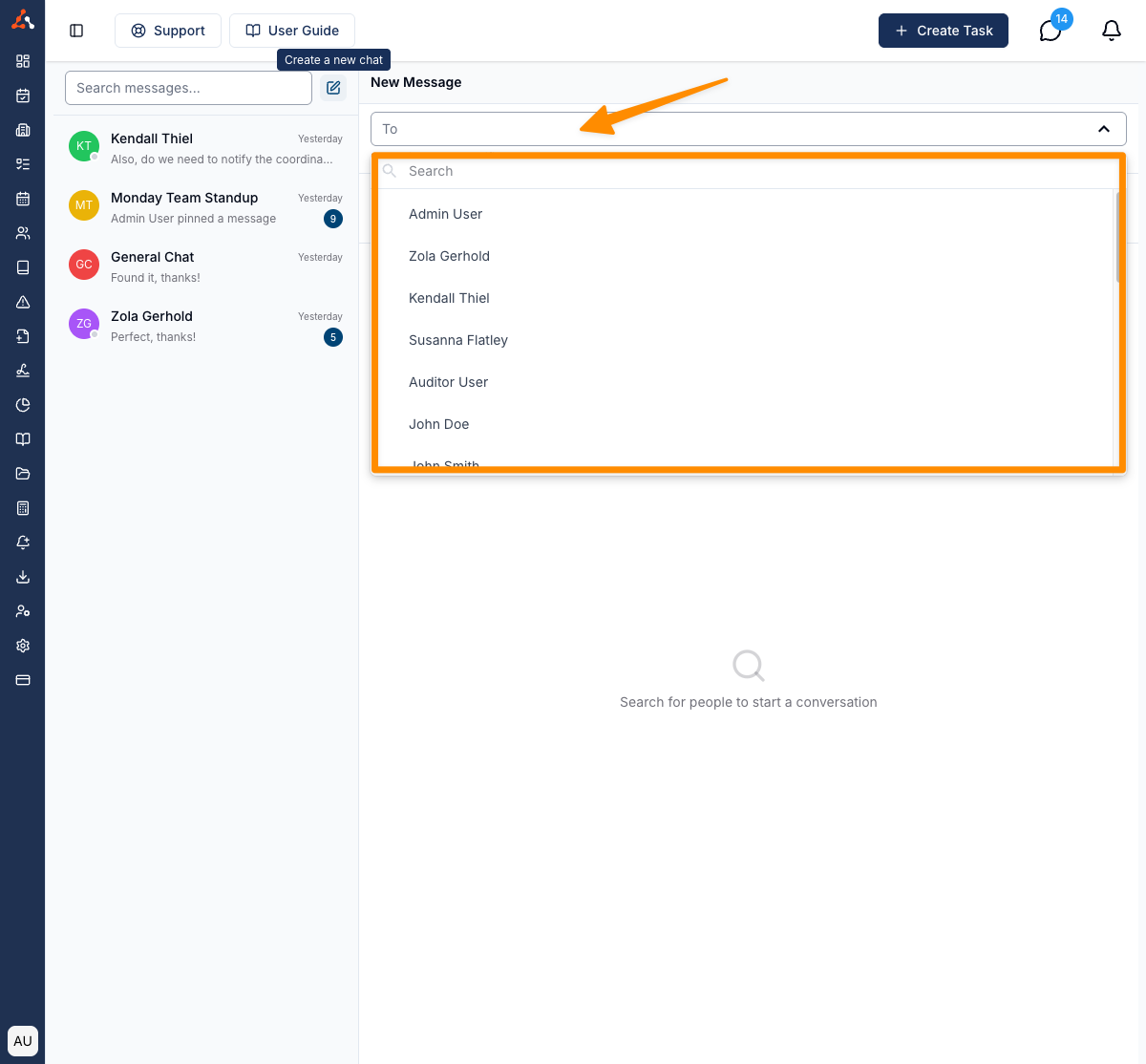
- Search for the team member you would like to message
- Select the team member from the search results
- Type your message in the compose area and press Enter or click the send button
If you already have an existing direct message conversation with that team member, it will open the existing conversation rather than creating a new one.
Starting a Direct Message from a Shift
If you are already looking at the schedule, you can message the Support Worker on a shift without going to Chat and searching for them.
- Go to the Schedule and click on the support you want to open.
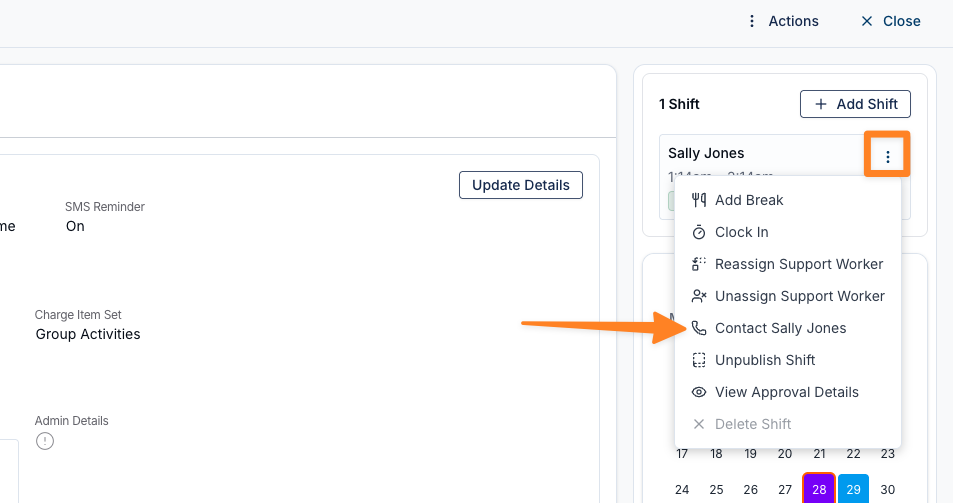
- On the right-hand side, find the assigned Support Worker, click the three dots next to their name, and select Contact followed by their name.
- In the Contact window, click Send Chat Message.
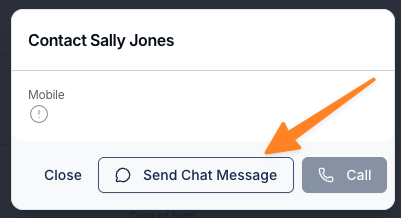
The direct conversation opens in a new browser tab. As with any direct message, if you already have a conversation with that Support Worker it opens the existing one rather than starting a new conversation — and if you had archived it, it returns to your chat list.
The Contact option appears on any shift that already has a Support Worker assigned. On an unassigned shift you will not see it. The window also shows the Support Worker's mobile number, which you can copy, along with a Call button — Call is unavailable when there is no mobile number recorded on their profile.
Viewing Conversation History
Your full message history with each team member is preserved. When you open a direct message conversation, you can scroll up to view older messages. Messages are loaded as you scroll, so you can go as far back as needed.