- Changelog
- 16 April 2026
16 April 2026
Record Acknowledgement (Beta)
We've introduced a new Record Acknowledgement feature for Scheduling, giving organisations a way to ensure Support Workers have read key Participant documents before their shifts. This release covers the core feature, a supporting notification, and a new report — all currently available in beta.
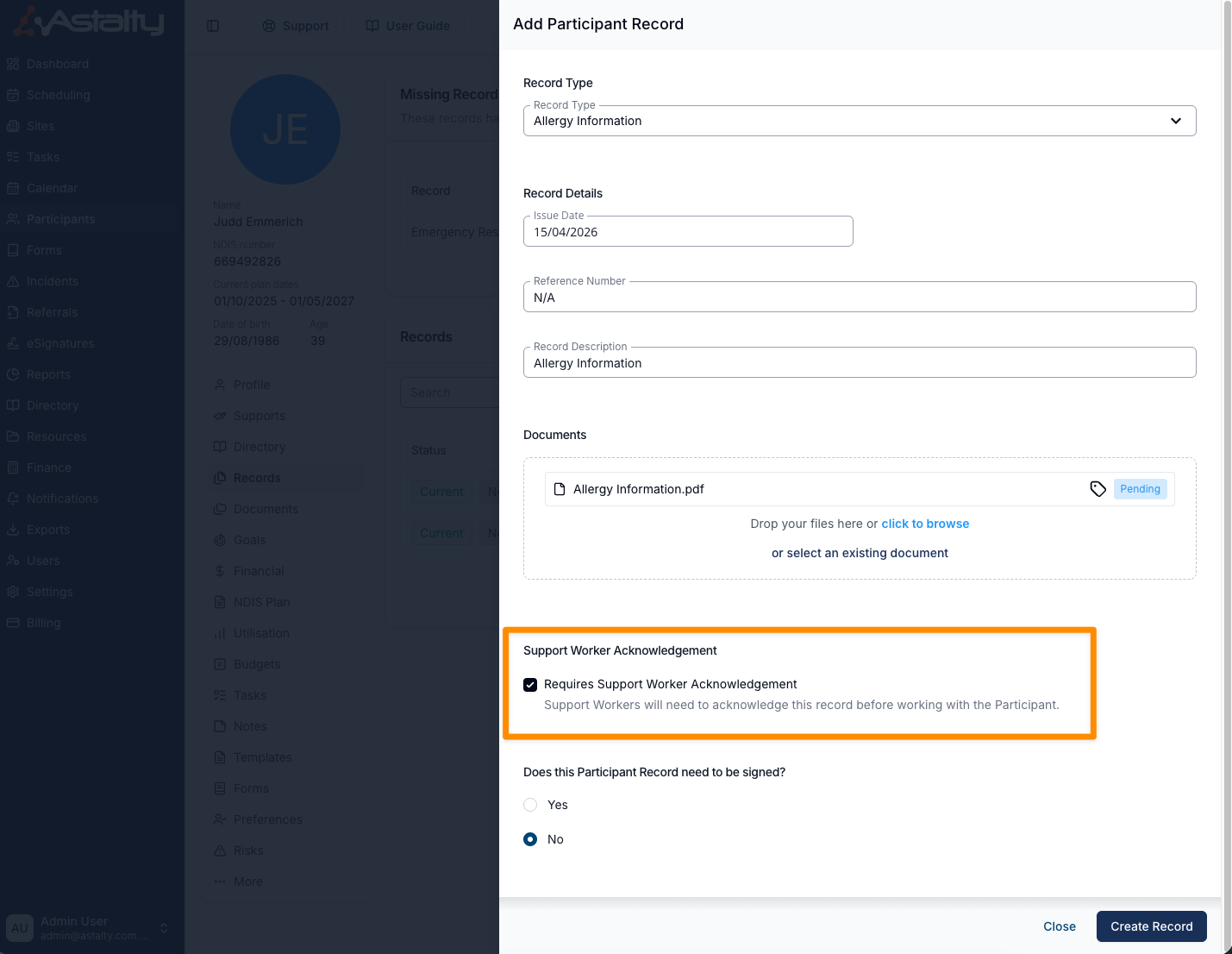
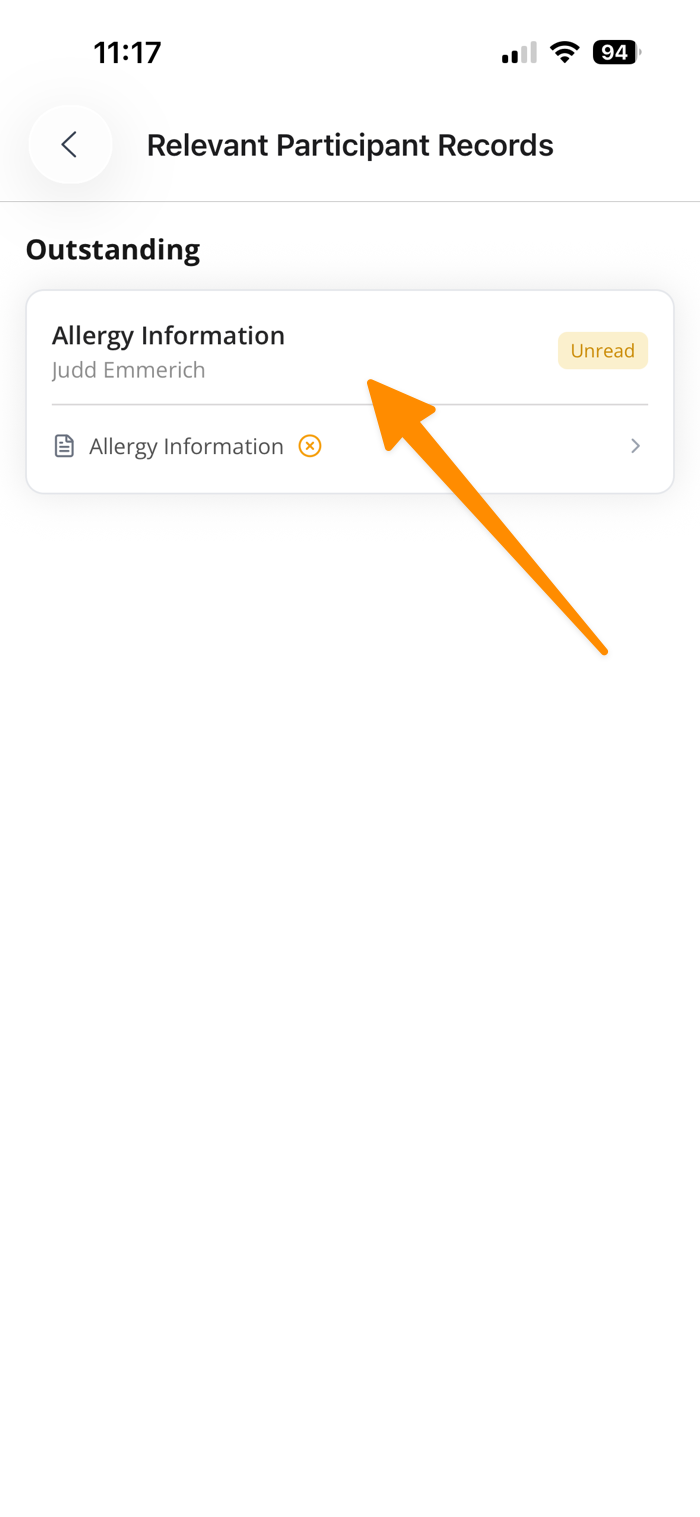
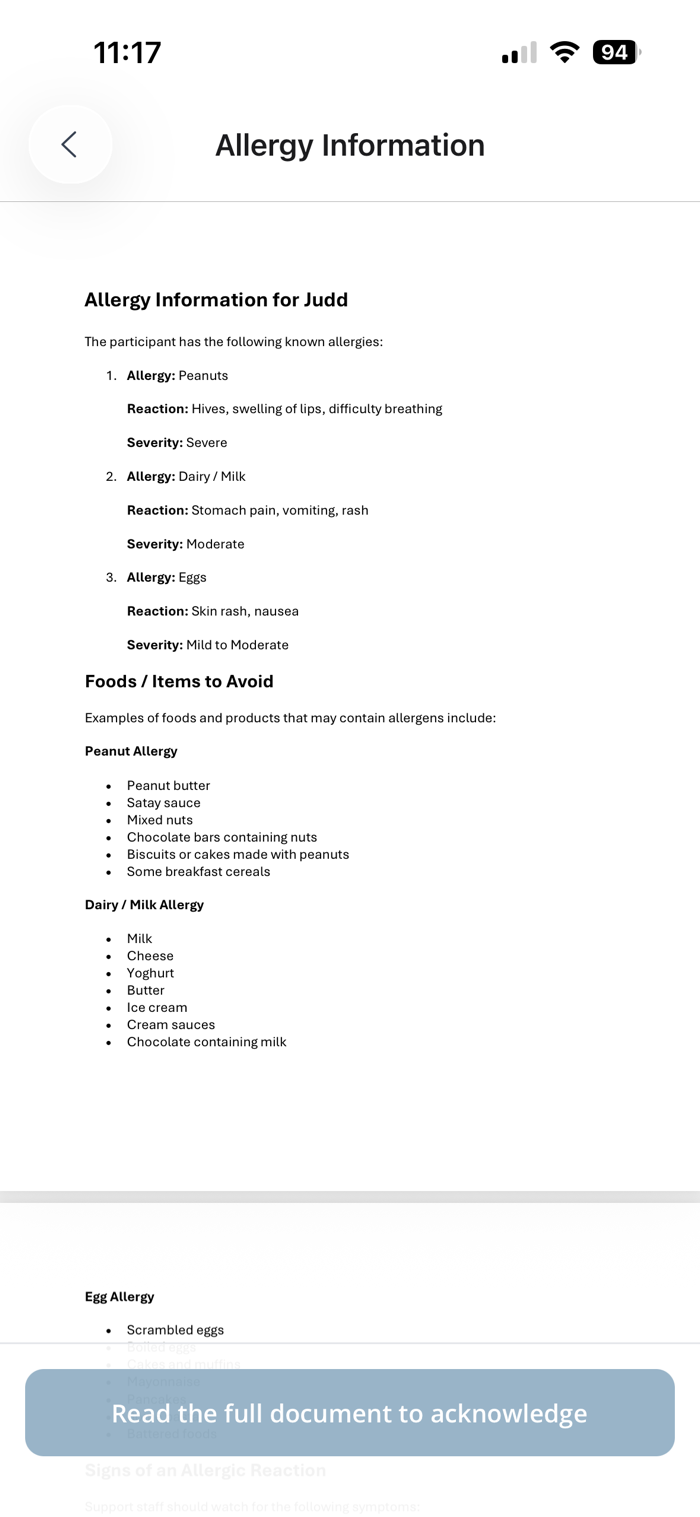
- Record Acknowledgement — Records with a Record Type of Visible to Support Workers can now be marked as Requires Support Worker Acknowledgement. Once set, Support Workers are prompted to read and confirm the document via the Astalty app, with acknowledgement indicators appearing on the home page, shift details, and participant profile. Workers must scroll to the bottom of the document before the acknowledgement button becomes available.
- Record Acknowledgement Notification — A new push notification can be enabled under Notifications > Scheduling > Participant Record Acknowledgement. When created, reminders are automatically sent to Support Workers every Monday for any Participant records requiring acknowledgement within the next two weeks.
- Record Acknowledgement Report — A new report is available under Reports > Scheduling > Record Acknowledgements. It displays acknowledgement status across your team and can be filtered by date range, Participant, Support Worker, and status (Acknowledged / Not Acknowledged), making it easy to monitor compliance.
This feature is currently in beta. To enable it on your account, please contact support@astalty.com.au.
For more information, check out the following guides:
Other Improvements
- Extend 1:1 Recurring Supports
- SCHADS Interpretation Playground
- User Access for Auditors
- Duplicating Form Fields
- Improved Document Viewing
- New Filters in the Schedule
- Information Items Audit Trail
- Improved Unavailability Visibility in Schedule View
- Participant Duplication Optional Feature
- Sorting within Risks page
- Bulk Publishing and Unpublishing from the All Shifts Page
- Laundry Allowance
Record Acknowledgement (Beta)
We've introduced a new Record Acknowledgement feature for Scheduling, giving organisations a way to ensure Support Workers have read key Participant documents before their shifts. This release covers the core feature, a supporting notification, and a new report — all currently available in beta.
- Record Acknowledgement — Records with a Record Type of Visible to Support Workers can now be marked as Requires Support Worker Acknowledgement. Once set, Support Workers are prompted to read and confirm the document via the Astalty app, with acknowledgement indicators appearing on the home page, shift details, and participant profile. Workers must scroll to the bottom of the document before the acknowledgement button becomes available.
- Record Acknowledgement Notification — A new push notification can be enabled under Notifications > Scheduling > Participant Record Acknowledgement. When created, reminders are automatically sent to Support Workers every Monday for any Participant records requiring acknowledgement within the next two weeks.
- Record Acknowledgement Report — A new report is available under Reports > Scheduling > Record Acknowledgements. It displays acknowledgement status across your team and can be filtered by date range, Participant, Support Worker, and status (Acknowledged / Not Acknowledged), making it easy to monitor compliance.
This feature is currently in beta. To enable it on your account, please contact support@astalty.com.au.
For more information, check out the following guides:
Extend 1:1 Recurring Supports
Users can now streamline and enhance efficiency when managing extensions for recurring 1:1 support sessions.
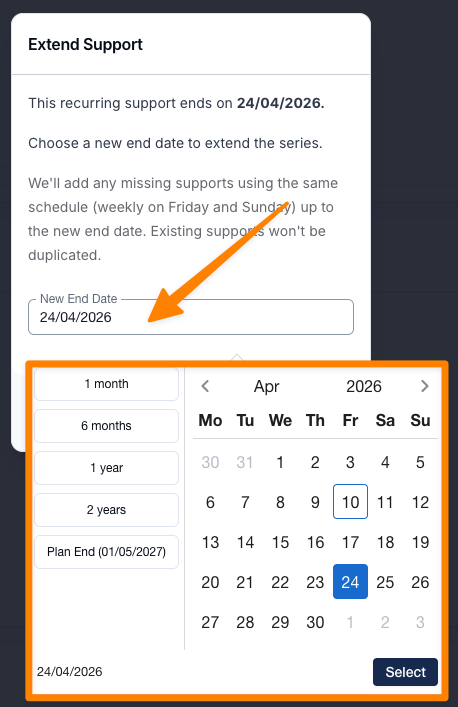
A new Extend Support option has been added to the Actions menu within a recurring support schedule, making it easier to adjust session timelines without manual workarounds. From here, users can extend sessions to a specific custom date or take advantage of newly introduced preset options—including the Plan End Date for quicker selection. These improvements are designed to reduce administrative overhead, minimise scheduling friction, and provide a more seamless experience for coordination teams managing ongoing support arrangements.
For more information, visit the Adding a 1:1 Shift guide.
SCHADS Interpretation Playground
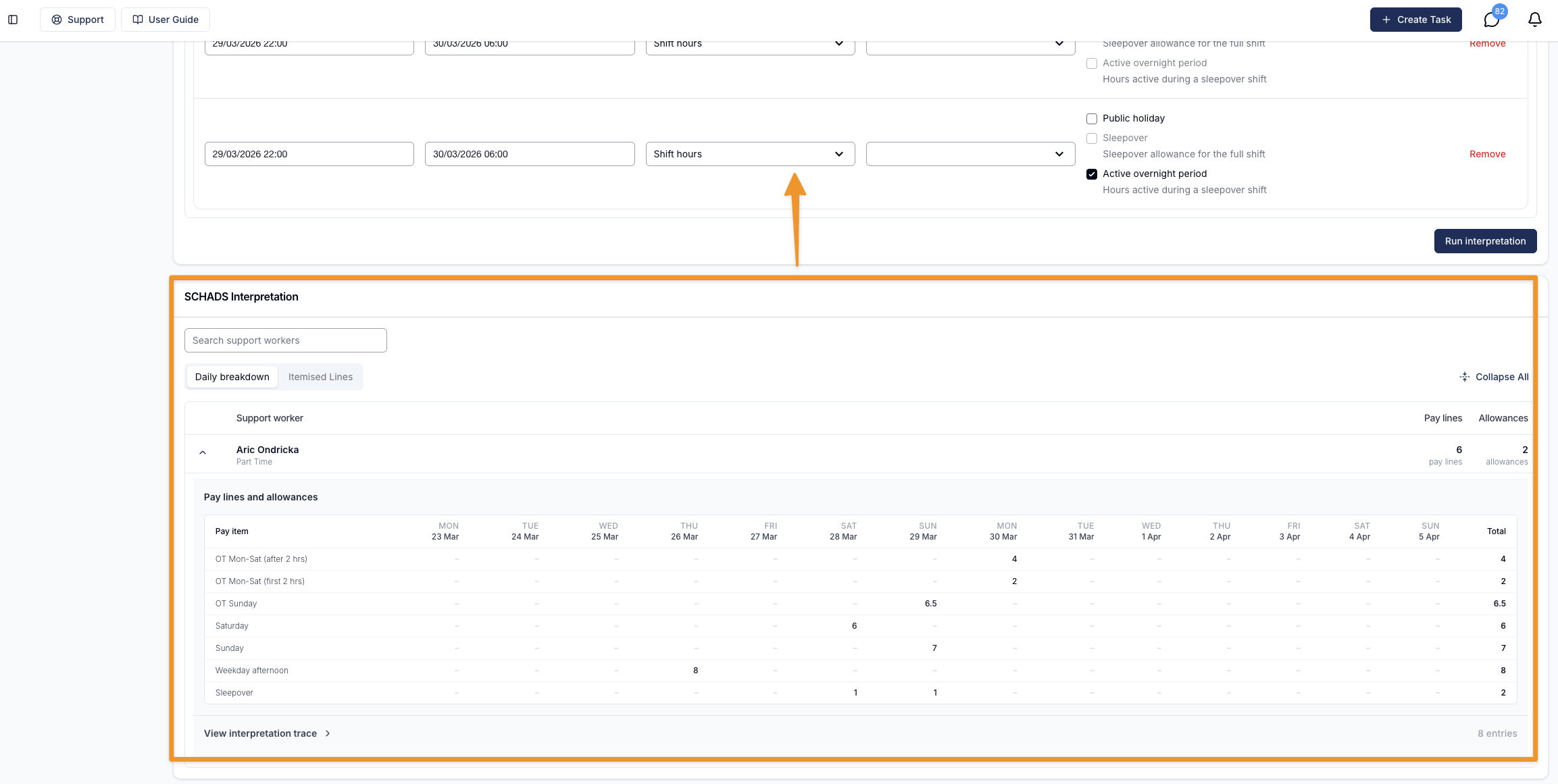
We've introduced a new SCHADS Interpretation Playground that improves visibility into how different shift scenarios are interpreted under the SCHADS Award during the planning stage.
Schedulers can model a range of shift types—including sleepovers, active overnight periods, broken shifts, weekends, and cross-midnight work—and instantly see how these are translated into pay lines and allowances. This makes it easier to understand cost and compliance impacts before finalising supports.
The playground also highlights the difference between sleepover-based scenarios and fully active overnight support, helping teams make more informed decisions when structuring shifts.
For more information, visit the SCHADS Interpretations in Astalty guide.
User Access for Auditors
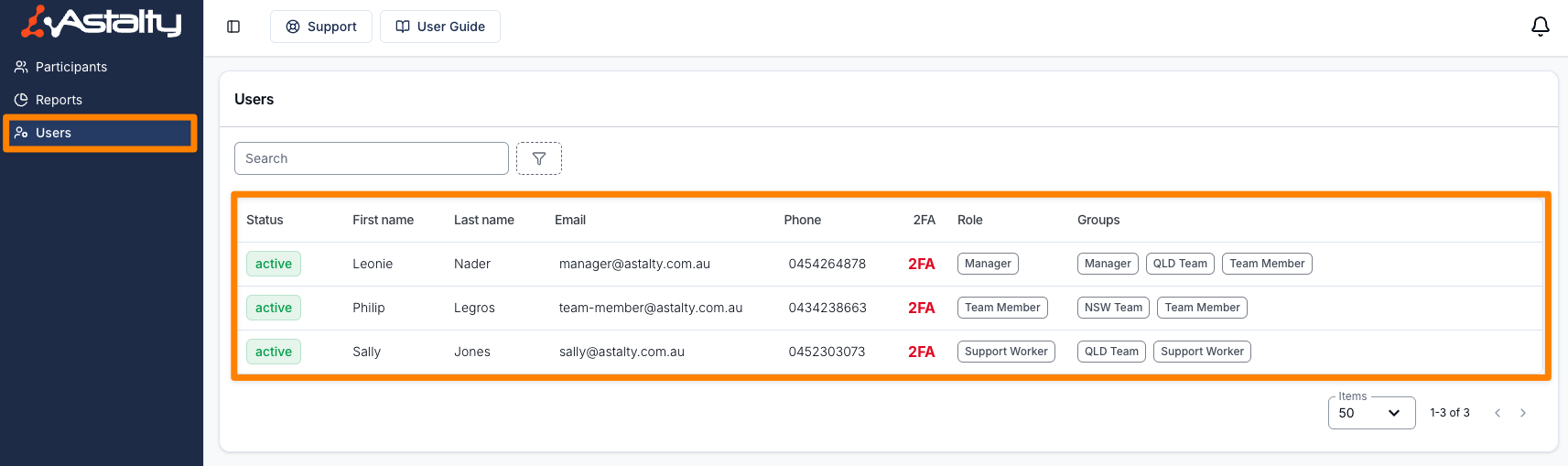
Following the recent beta release of Auditor Access for Astalty accounts, Admin users can now assign specific Users for auditors to view. This enhancement provides more granular control over audit visibility, ensuring that auditors only access relevant User Records.
By enabling targeted User assignment, this update streamlines the audit process and strengthens compliance management. Teams can more effectively organise, review, and validate User data, reducing manual effort while maintaining clear oversight and accountability throughout audits.
For more information, visit the Inviting NDIA Auditors to your Account guide.
Duplicating Form Fields
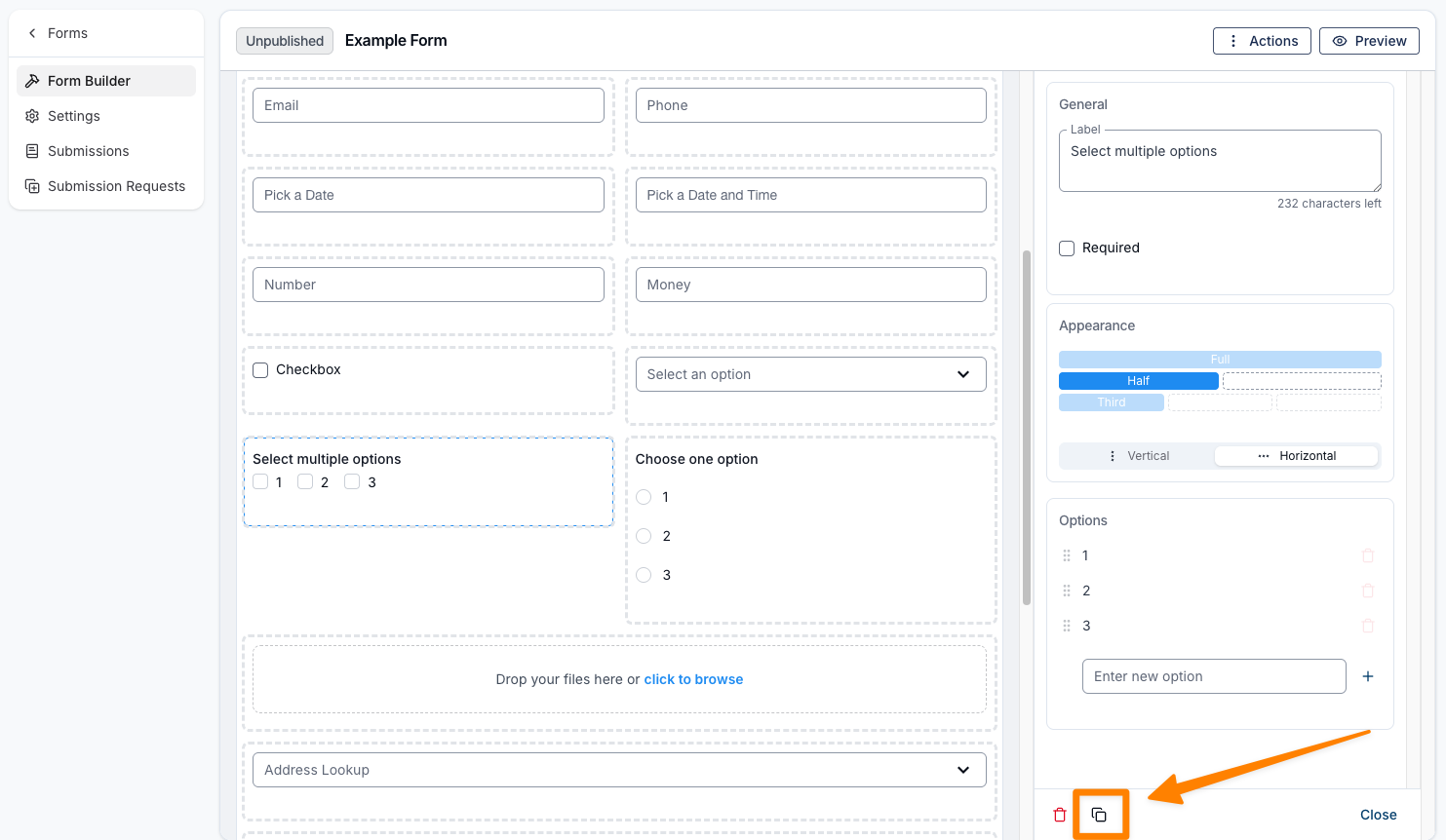
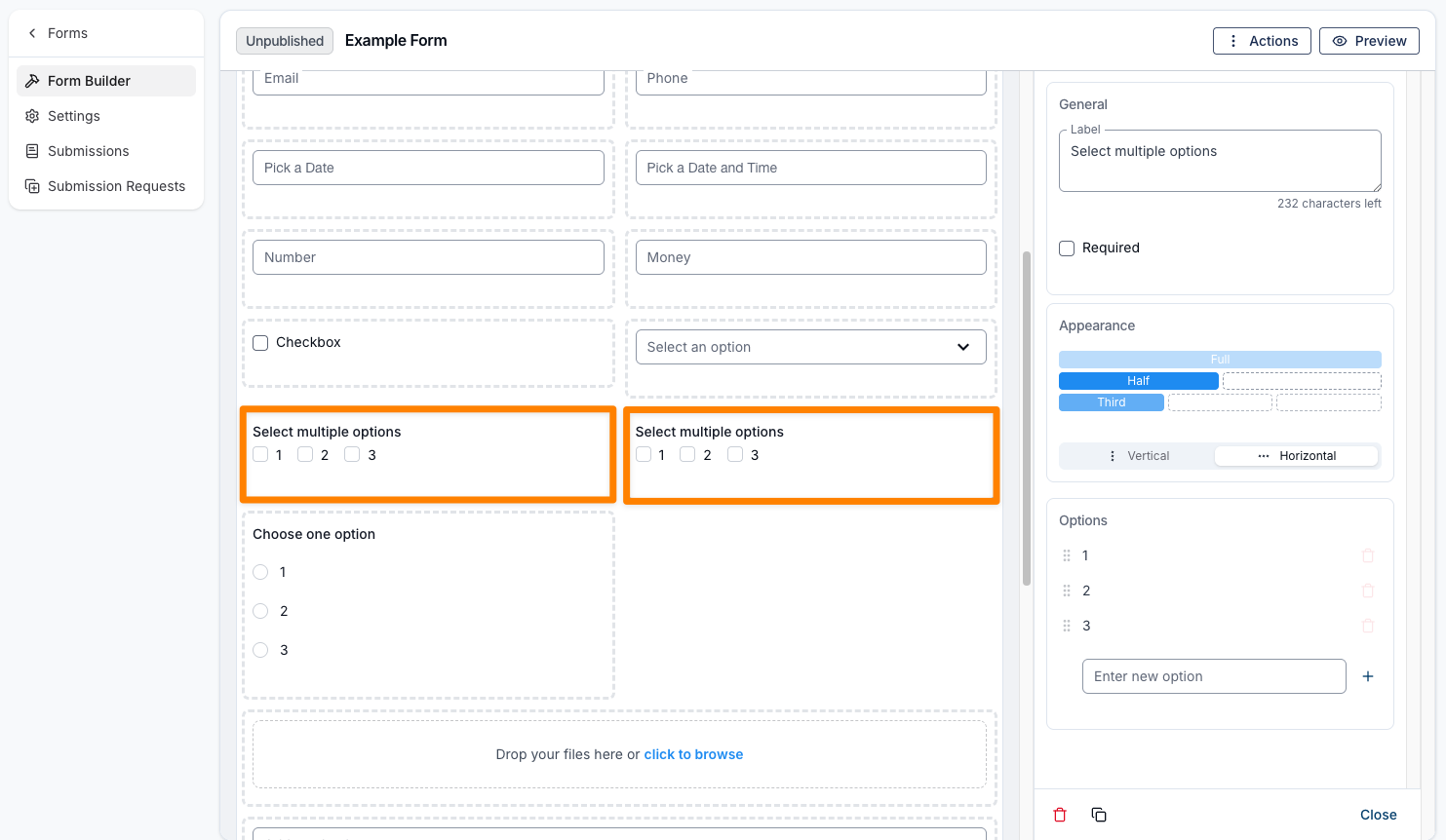
Users can now duplicate individual form fields directly within the Form Builder. This enhancement allows you to quickly replicate existing fields, making it easier to create repeated sections, capture similar information, or maintain consistent formatting across your form. By reducing the need to recreate fields from scratch, this feature streamlines the form-building process and improves overall efficiency when editing and updating forms.
For more information, visit the Editing a Forms Appearance - Form Builder guide.
Improved Document Viewing
We’ve improved the Participant document viewing experience in Astalty based on user feedback, making it more streamlined and easier to use. Documents now utilise the full width of the viewing area, and all actions have been centralised for better accessibility. This update has also been applied across all other areas within Astalty where documents can be viewed.
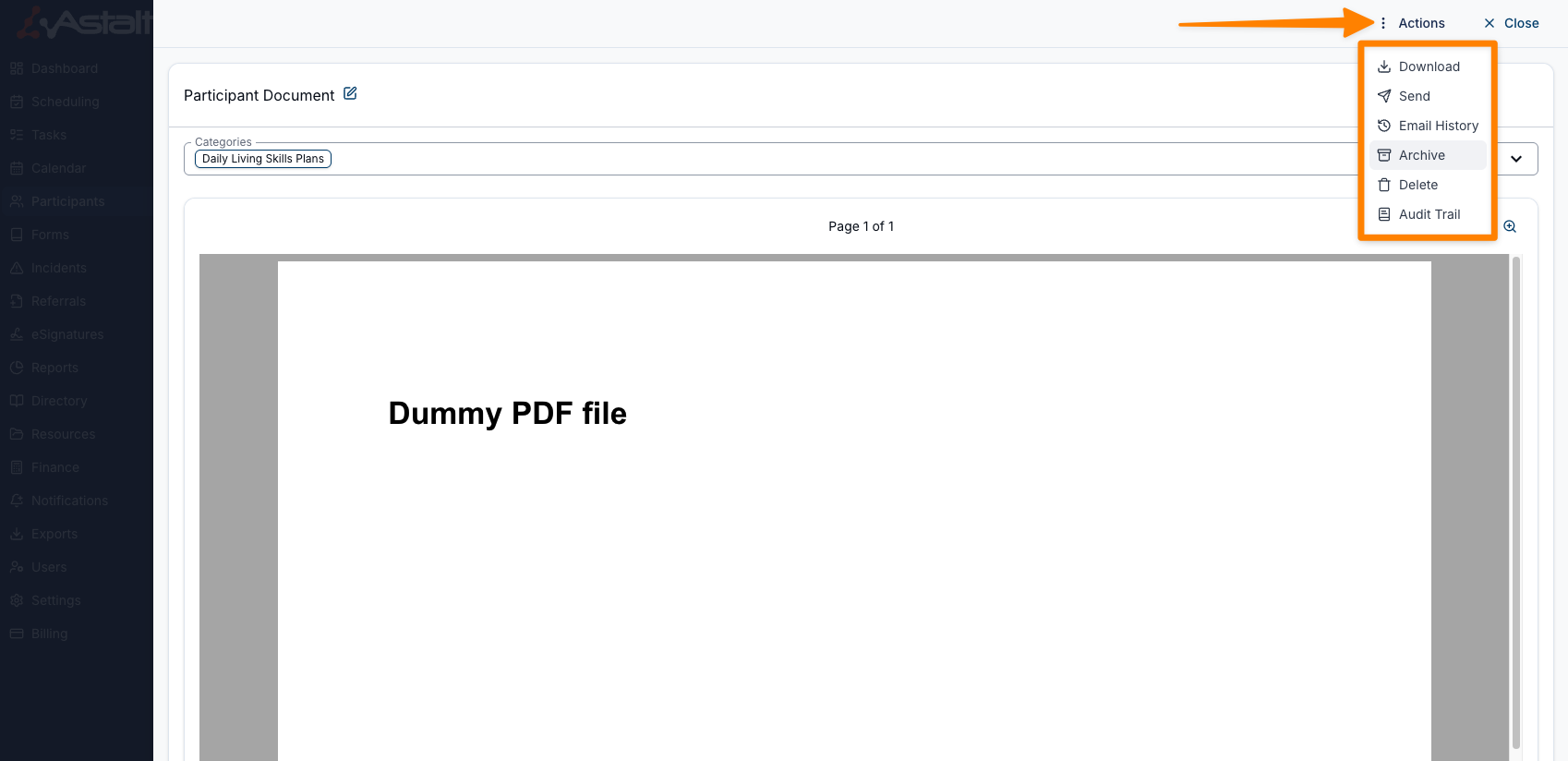
For more information, view the Documents guide.
New Filters in the Schedule
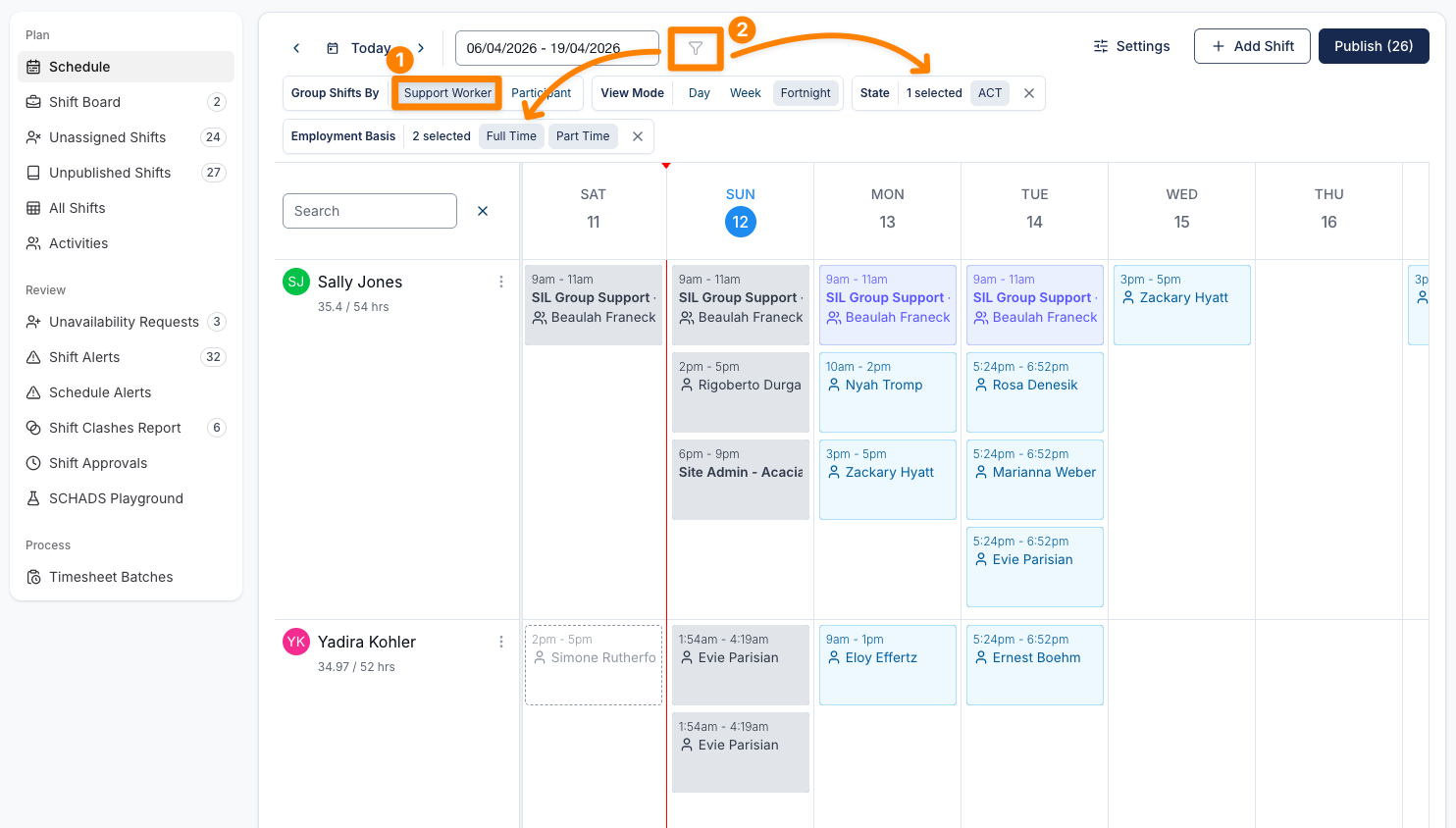
This update introduces improved filtering capabilities in the Schedule view, giving users greater control over how schedule data is displayed and refined. With the addition of the Employment Basis filter and clearer behaviour across different groupings, users can more easily tailor the view to their needs.
- Added Employment Basis filter to the Schedule view (Full Time, Part Time, Casual)
- Multi-select filtering for both State and Employment Basis
- State filter remains available across all groupings, including Participant view
- Employment Basis filter is only available when grouped by Support Worker
- When grouped by Participant, the Employment Basis filter is greyed out with a tooltip explaining its unavailability
These enhancements provide a more intuitive and flexible filtering experience, helping users quickly access the most relevant scheduling information.
For more information, visit the Viewing the Schedule guide.
Information Items Audit Trail
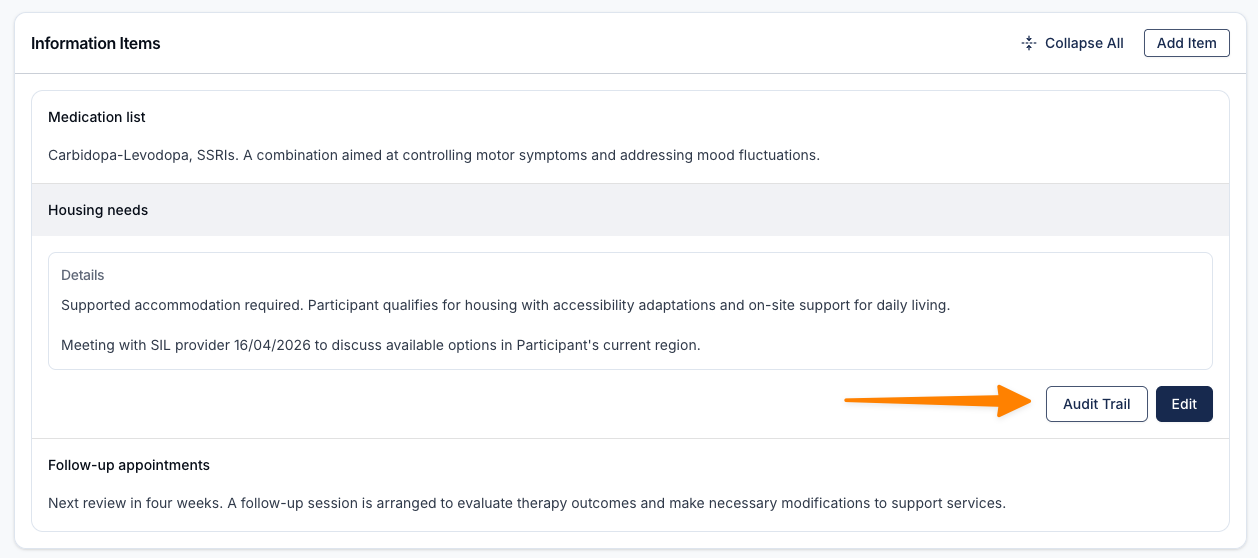
We've introduced an Audit Trail feature for Information Items, providing greater visibility into changes and supporting stronger governance and compliance practices. Users can now easily track what updates have been made, when they occurred, and review detailed differences between versions.
- Added Audit Trail access within Information Items
- Displays a complete history of edits and activity for each item
- Introduced “View changes” functionality to compare previous and updated content
- Changes are presented in a clear, accessible pop-up interface
These improvements enhance transparency by making all updates traceable and easy to review, while also supporting compliance requirements through a reliable record of changes.
For more information, visit the Information Items guide.
Improved Unavailability Visibility in Schedule View
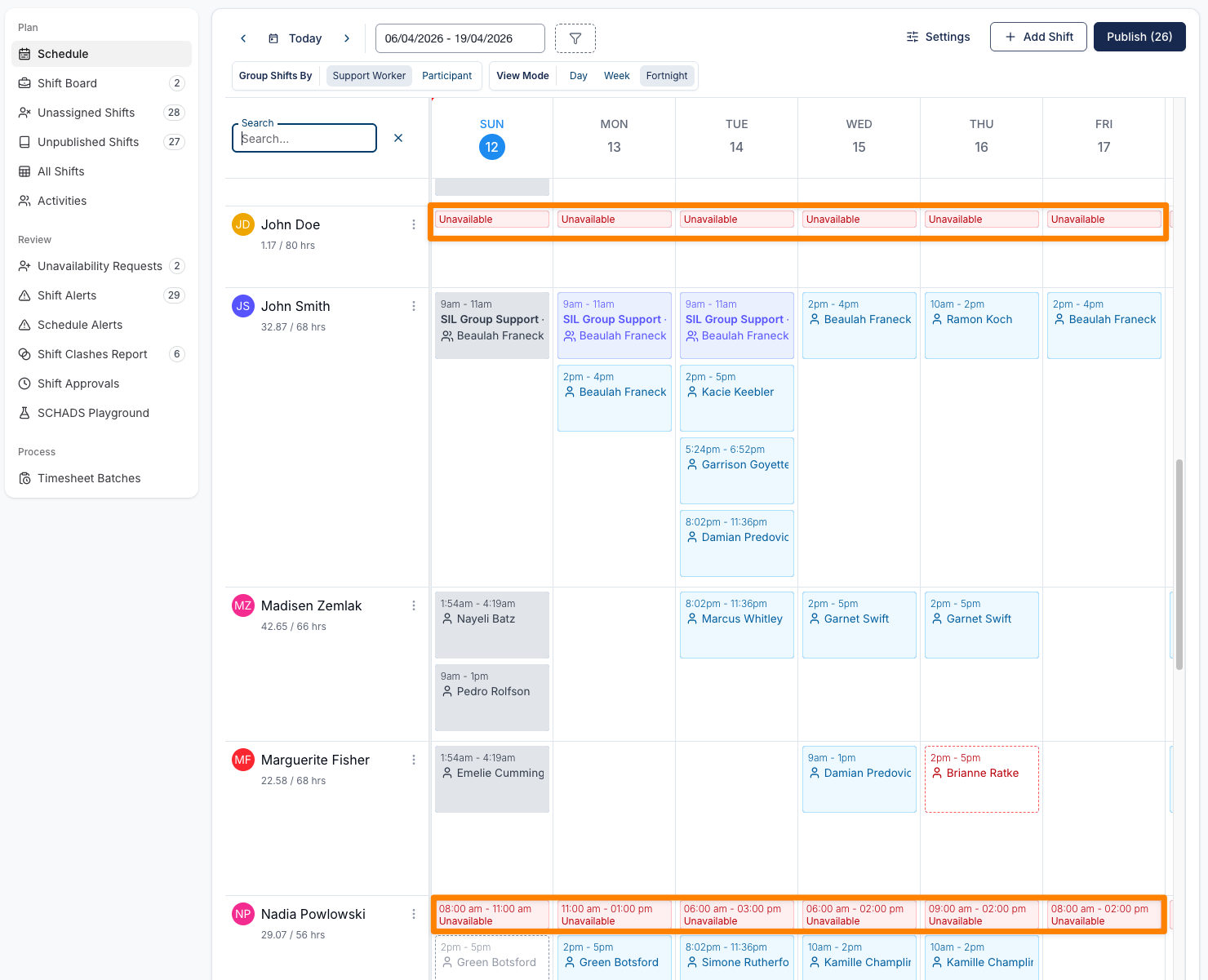
This update enhances visibility of staff availability within the Schedule view by introducing clear indicators for different types of unavailability. These improvements make it easier for users to plan supports with confidence and avoid scheduling conflicts.
- Added visibility of unavailability directly within the Schedule view
- Introduced Unavailable chips to represent full-day or extended periods of unavailability
- Displayed partial-day unavailability as tiles with clearly defined time ranges
- Improved visual distinction between full-day and short-duration unavailability
These changes provide a clearer, more intuitive view of availability, helping users make more informed scheduling decisions while reducing the risk of conflicts.
For more information, visit the Managing Availability guide.
Participant Duplication Optional Feature
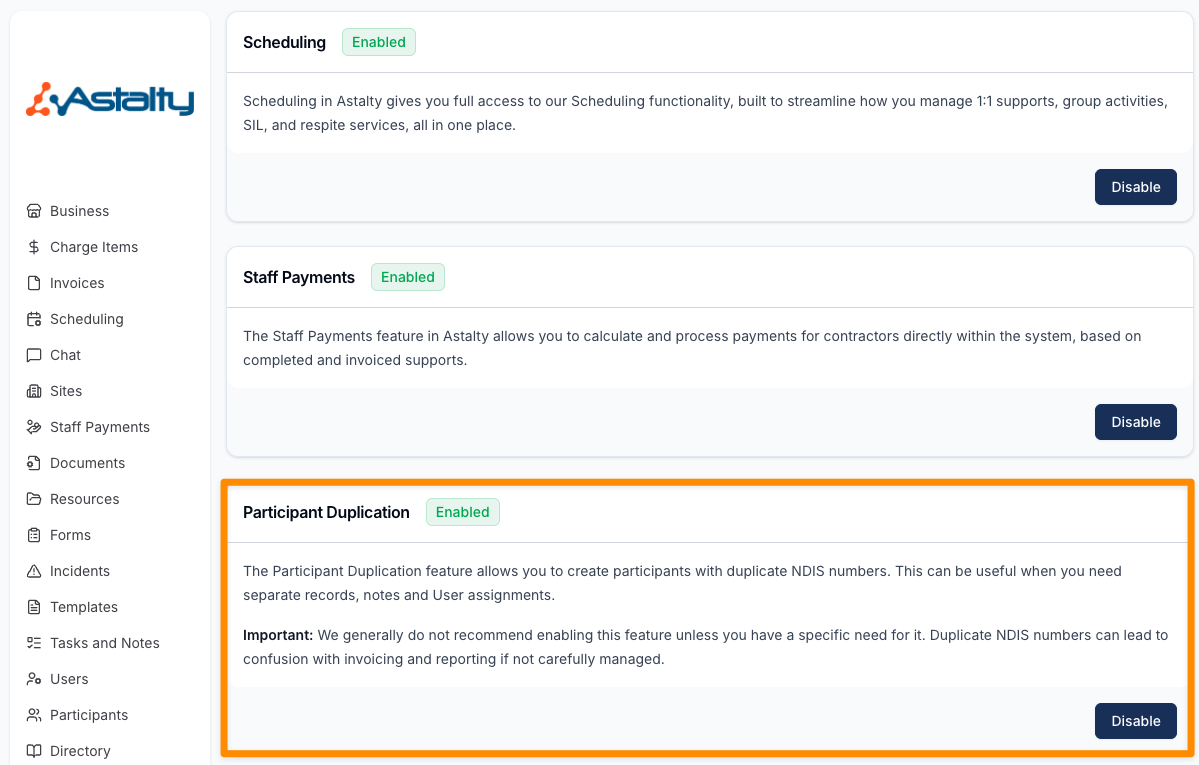
This update introduces the ability to create multiple Participant records with the same NDIS number, supporting providers who require separation of records within their organisation. This is commonly used where both Support Coordination and direct support services are delivered, allowing each service to maintain its own notes, records, and User assignments.
- Added ability to duplicate Participants with the same NDIS number
- Supports separation of records, notes, and User assignments across service types
- Includes a warning prompt to confirm activation of the feature
- Designed for use cases where clear operational separation is required within the same organisation
This enhancement provides greater flexibility for providers managing multiple service types, while ensuring users are informed of potential impacts through clear guidance and warnings.
For more information, visit the Optional Features guide.
Sorting - Risks
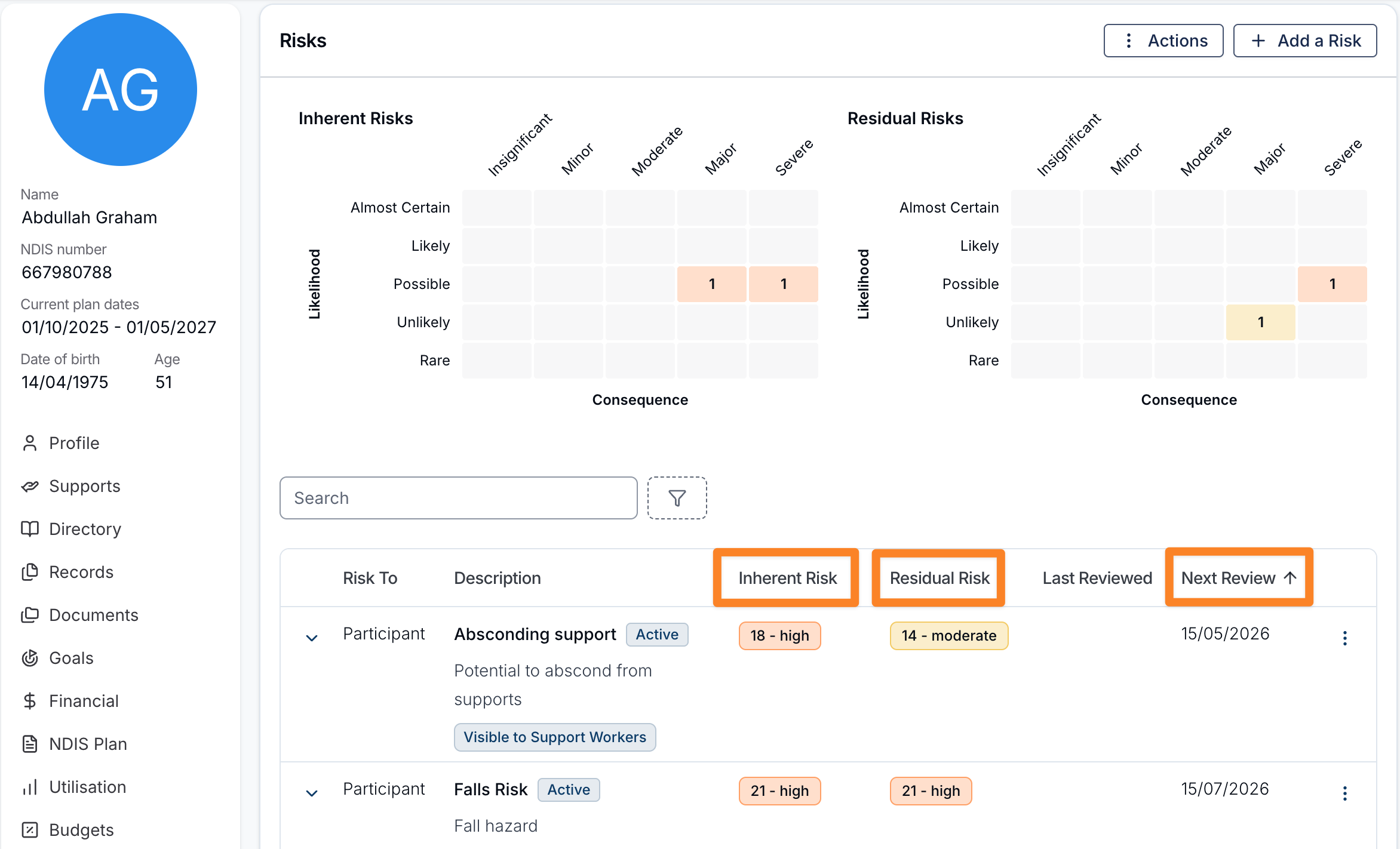
You can now sort records within the Risks menu to help organise and review risk information more effectively.
The following sorting options are available:
- Inherent Risk – Sort risks based on their initial risk level before any controls are applied.
- Residual Risk – Sort risks based on the remaining level of risk after controls have been implemented.
- Next Review – Sort risks by their upcoming review date.
Sorting allows you to quickly prioritise and review risks based on severity or upcoming review requirements.
For more information, visit the Risks guide.
Bulk Publishing and Unpublishing from the All Shifts Page
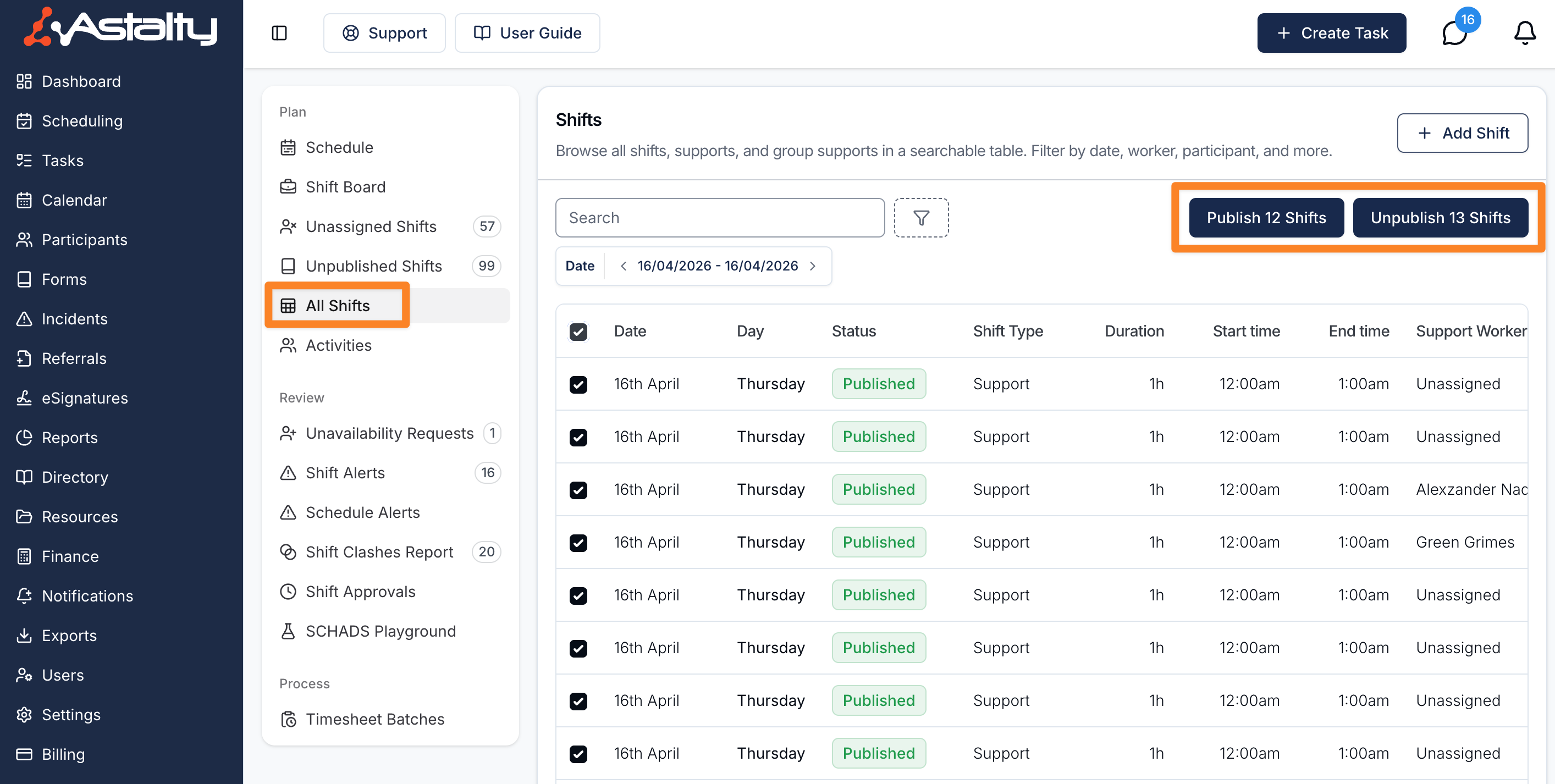
In addition to publishing and unpublishing shifts from the calendar view, you can also perform bulk actions directly from the All Shifts page. This is useful when you want to manage shifts across multiple days or workers in one place.
Bulk Publishing
To bulk publish shifts from the All Shifts page:
- Navigate to the All Shifts page.
- Select the shifts you want to publish using the checkboxes.
- Click the Publish Shifts bulk action button.
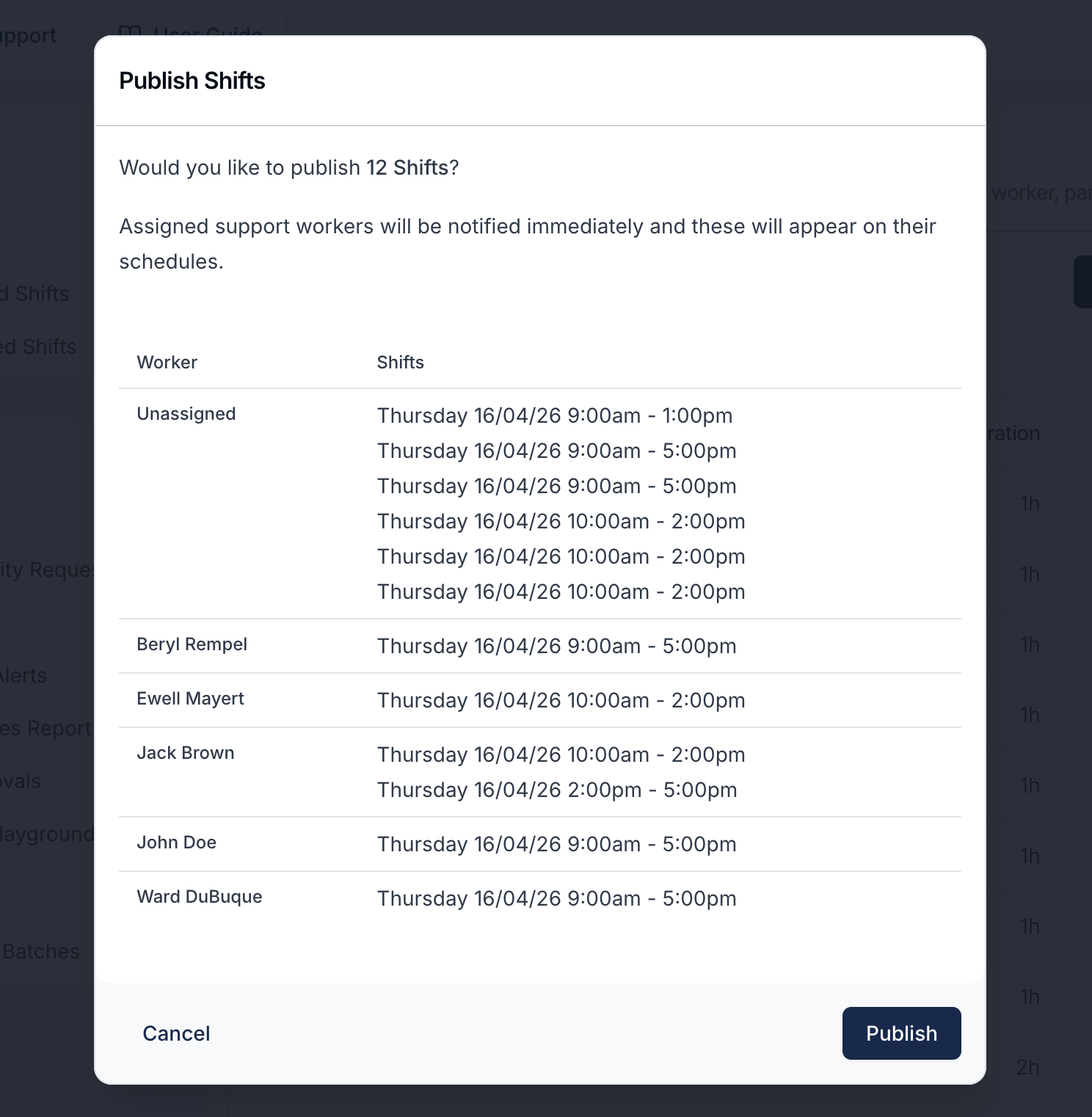
A confirmation pop-up will appear listing the affected support workers and their shifts. Review the list to ensure everything is correct, then confirm to proceed. Assigned support workers will be notified immediately once the shifts are published.
Bulk Unpublishing
To bulk unpublish shifts from the All Shifts page:
- Navigate to the All Shifts page.
- Select the shifts you want to unpublish using the checkboxes.
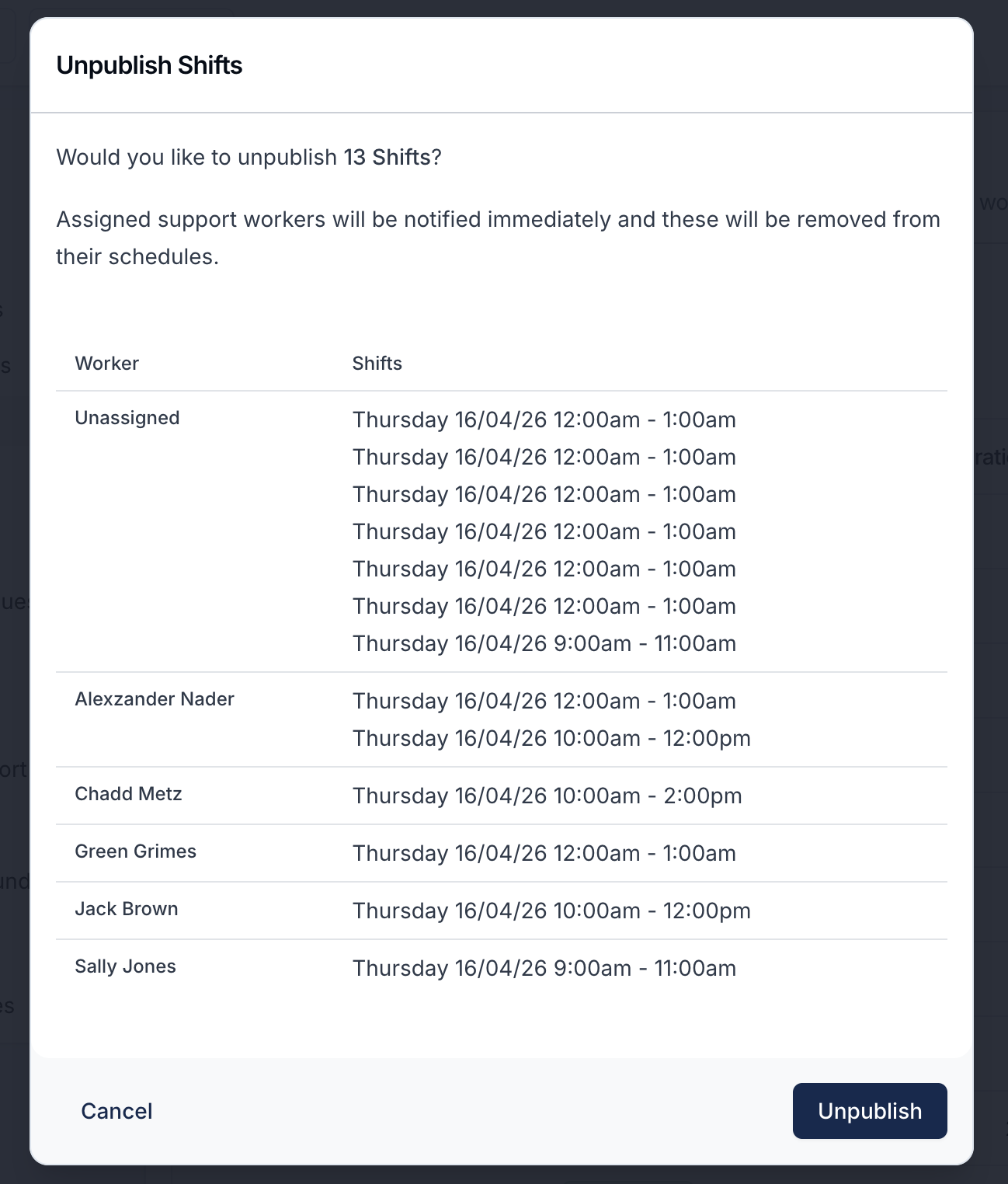
- Click the Unpublish Shifts bulk action button.
A confirmation pop-up will appear listing the affected support workers and their shifts. Review the list before confirming. Assigned support workers will be notified immediately that the shifts have been removed from their schedule.
For more information, visit the Published and Unpublished Shifts guide
Laundry Allowance
Astalty now supports laundry allowance as a SCHADS award entitlement under Clause 20.2. When enabled on an employment contract, the allowance is automatically calculated and included in payroll outputs.
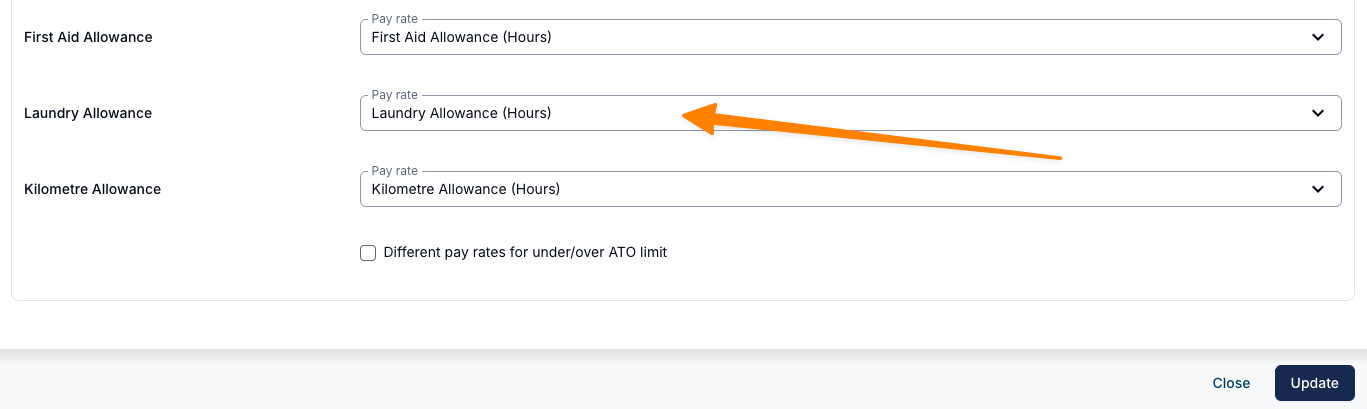
- Xero Pay Item Mapping — For providers using the Xero integration, a laundry allowance pay item mapping is available but optional. It only needs to be configured for Pay Groups that are entitled to receive the allowance.
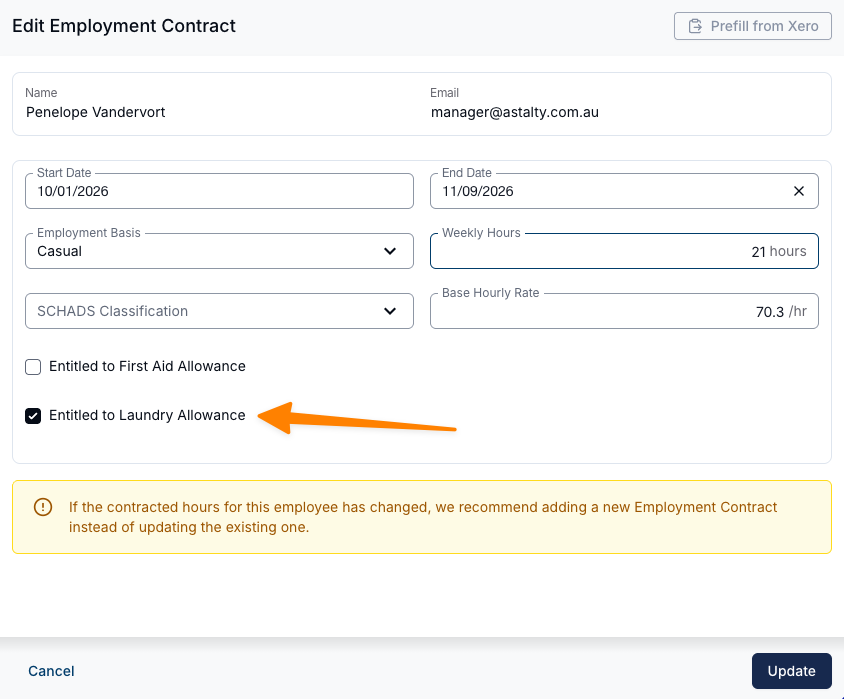
- Laundry Allowance — Laundry allowance can now be enabled on individual employment contracts for employees entitled to the allowance under the SCHADS award (Clause 20.2). When active, the system calculates a per-shift amount of $0.32 (FY2024–25), capped at a weekly maximum of $1.49, and includes the allowance in payroll outputs automatically.
For more information, visit the SCHADS Interpretations in Astalty guide.