Sending Bulk Reminders
Reminding every outstanding signer at once
Instead of opening each request and reminding signers one at a time, Bulk Send Reminders emails every signer who hasn't signed yet across all of your awaiting signature requests.
Before it sends anything, Astalty tells you how many signers will receive a reminder, and lets you skip anyone who has already been reminded recently.
How to send reminders in bulk
- Open Signature Requests.
- At the top right of the All Signature Requests card, click Actions, then Bulk Send Reminders.
- Choose how recently a signer must have been reminded to be skipped, under Skip signers already reminded within the past.
- Check the count of signers who will receive a reminder.
- Tick I confirm I want to send reminder emails to all pending signers.
- Click Send Reminders.
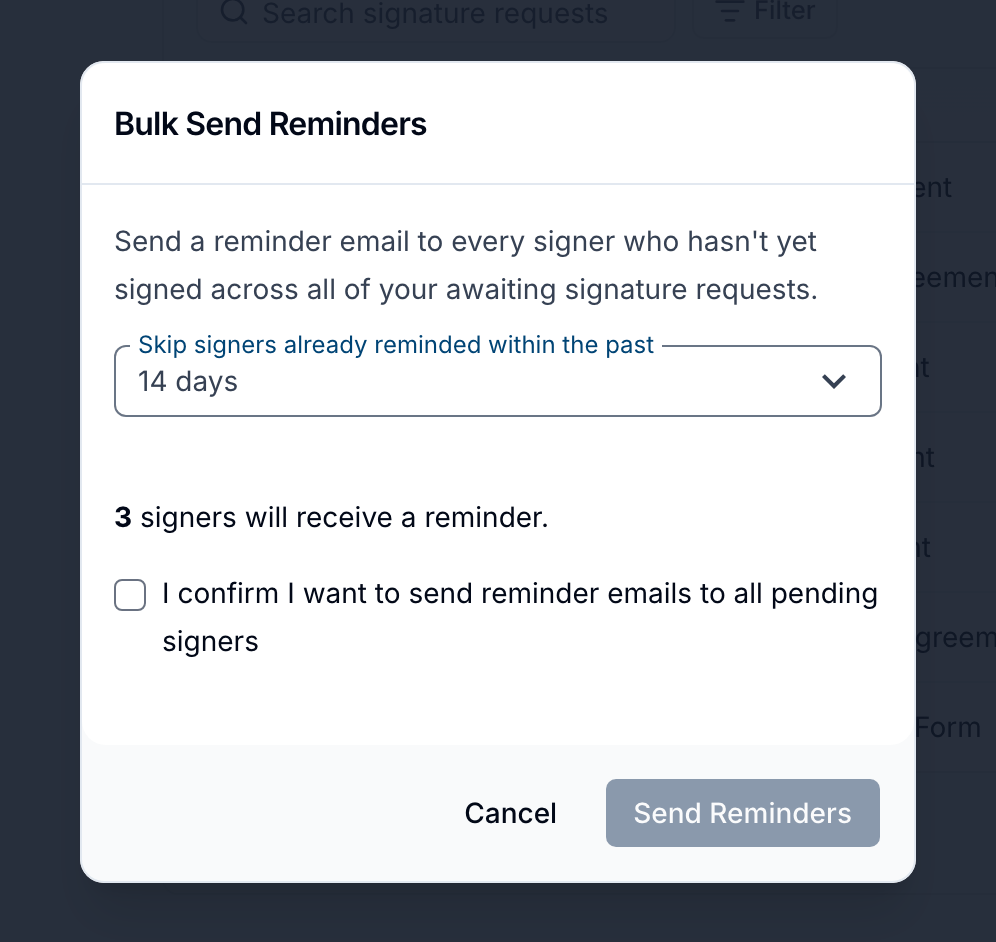
Choosing how far back to skip
The Skip signers already reminded within the past dropdown stops you from chasing the same person twice in quick succession. Any signer who has had a reminder within the period you choose is left out.
The available periods are:
- 24 hours (selected by default)
- 48 hours
- 3 days
- 7 days
- 14 days
- 30 days
A shorter period reminds more people, because fewer signers count as "recently reminded". A longer period is more conservative.
Both manual reminders and automatic reminders count towards this window, so a signer who received an automatic reminder this morning is skipped when you use the 24 hour window.
The count updates each time you change the period. If nobody qualifies, Astalty tells you so and Send Reminders stays greyed out.
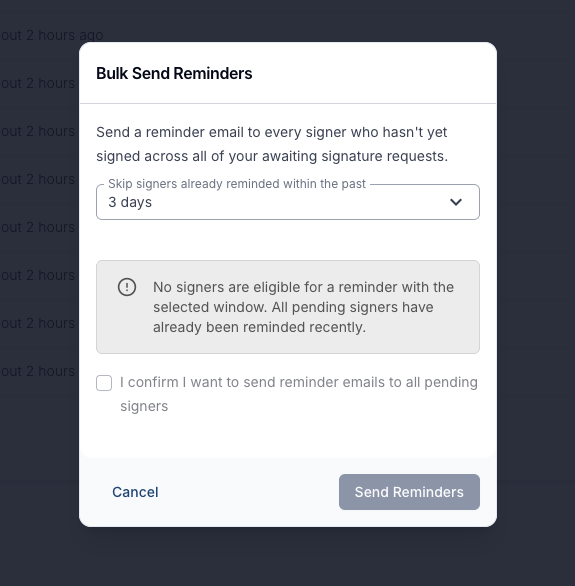
Who receives a reminder
A signer is reminded when all of the following are true:
- They haven't signed yet.
- Their signature request is still Awaiting Signatures. Partially signed requests are included, and only the signers who are still outstanding are emailed.
- They haven't been reminded within the period you selected.
Requests that are draft, completed, cancelled, declined, expired or archived are left out entirely.
What the reminder email says
Signers receive a short email with the subject "[Your organisation] is waiting for your signature", telling them the document is still waiting and giving them a Review & Sign button.
The button opens the same signing link as the original request, so signers don't need a new invitation. The document itself isn't attached to the email.
This is the same reminder email that's sent when you remind a single signer from within a request, or when automatic reminders are turned on.
After you click Send Reminders
Astalty confirms the reminders are queued and sends them in the background - you don't need to keep the page open. They're deliberately spaced out rather than sent all at once, so it can take a few minutes for the last of them to go out.
Every reminder is recorded on its signature request. To check what was sent, open the request, click Actions, then View Activity Log - you'll see who sent the reminder and which signer received it.
Reminding one signer instead
If you only need to chase a single person, you don't have to use bulk reminders. Open the request, click the three dots next to the signer's email address and choose Send a Reminder. See Requesting Signatures for more on individual and automatic reminders.