- Administration
- MYOB
- Reconnecting MYOB
Reconnecting MYOB
Reconnect MYOB when the connection lapses; reconnecting the same company file keeps your settings, and failed batches are sent again.
When the Connection Lapses
MYOB ends a connection when Astalty is removed from the company file's connected apps, or when MYOB stops accepting it. MYOB's connect screen also says the app needs reconnecting every 12 months.
The notice in Astalty says a connection that goes unused for seven days ends too. Astalty renews the connection with MYOB every day, so a quiet week on its own doesn't end it.
Astalty then shows:
- Needs Reconnecting on the MYOB card on the Integrations page
- MYOB Disconnected on the MYOB settings page, with a Reconnect button
- a MYOB Disconnected banner on other pages of the app, for users who can update Settings. It doesn't show on the MYOB settings pages, and dismissing it hides it in that browser until the connection lapses again.
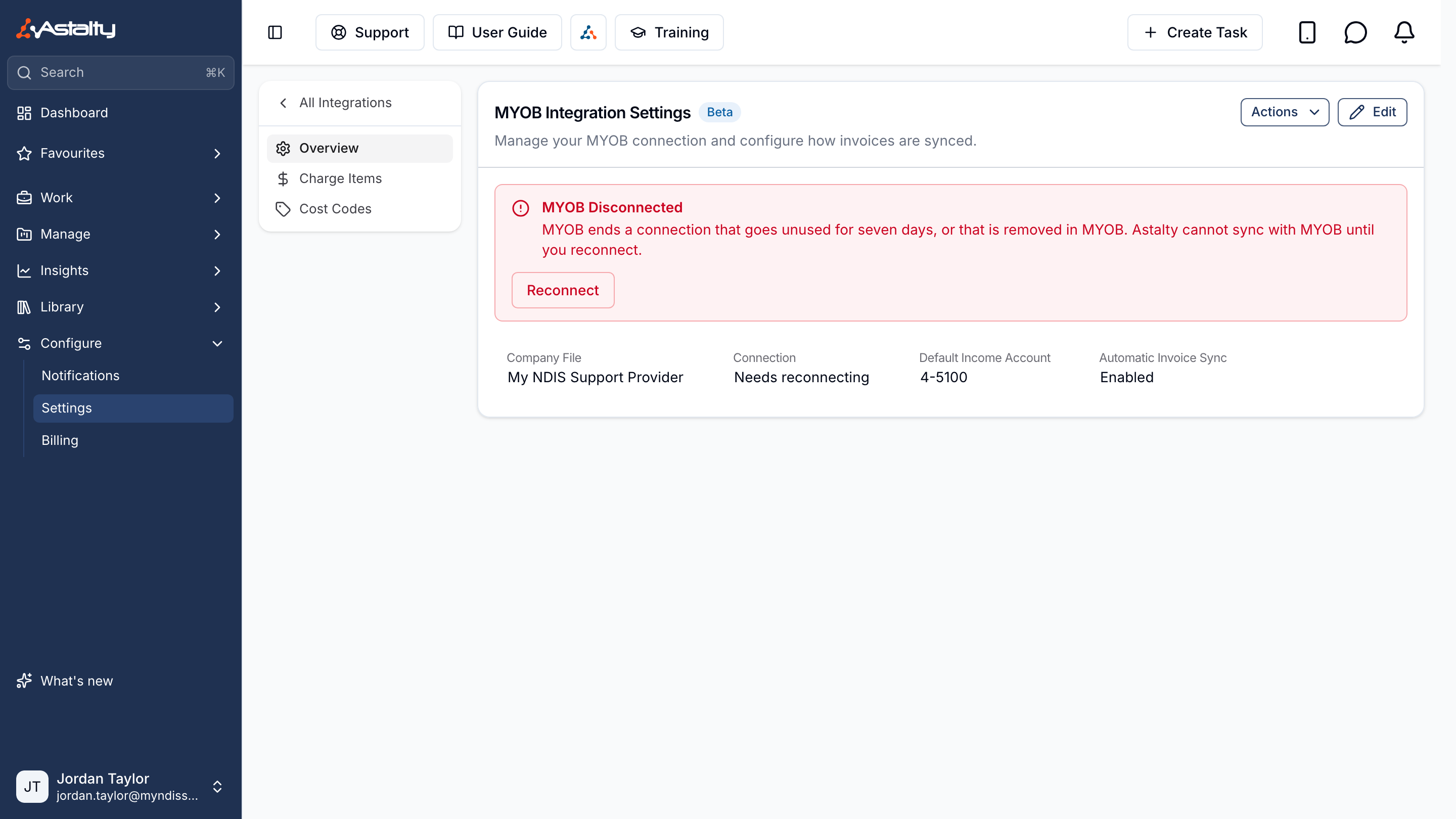
No email is sent when the connection lapses.
While it is lapsed:
- an Invoice Batch finalised with Sync invoices automatically on fails to sync, and the person who finalised it is emailed Invoice Batch Sync Error; with it off, the batch waits to be synced
- payments recorded in MYOB don't come back
- voiding an invoice that is in MYOB is refused: Astalty could not connect to MYOB. Please reconnect MYOB, then try again.
Reconnect Your Account
- Open Settings → Integrations → MYOB.
- Click Reconnect on the MYOB Disconnected notice, or Actions, then Reconnect.
- Sign in to MYOB as an administrator.
- Choose the same company file.
- Click Connect.
Reconnecting the same company file keeps the Charge Item income accounts and the cost code Jobs. Choosing a different company file clears them; see Connecting and Disconnecting.
Syncing Failed Batches
Reconnecting sends every Invoice Batch whose sync failed to MYOB again, whatever made it fail. Nothing to click. Voided invoices in those batches aren't sent.
Batches finalised with Sync invoices automatically off, or while no default income account was set, are not sent on their own. Whoever finalised a batch while no default income account was set was emailed We couldn't sync your invoices with your accounting platform. Open each one and click Actions, then Sync with accounting. See Sync With MYOB.
Syncing Payments
Payments recorded in MYOB while the connection was lapsed are picked up by the next check after you reconnect. To check a batch straight away, open it and click Actions, then Sync payments. See Sync Payments.
Voids Refused While Lapsed
A void refused while the connection was lapsed did nothing in either system. Void the invoice again once you have reconnected.