- Changelog
- 26 March 2026
26 March 2026
Active Overnight Periods (Beta)
We’ve introduced Active Overnight Periods to better capture and manage situations where a support worker is woken during a sleepover shift.
This enhancement ensures greater accuracy across time tracking, approvals, payroll, and billing, while keeping workflows simple for both support workers and schedulers.
Key Features
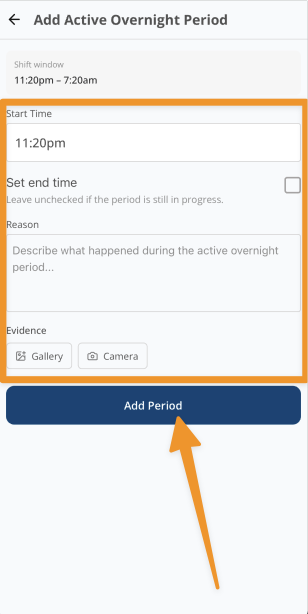
Active Overnight Period Recording (App)
- Support workers can now log periods where they are awake and providing support during a sleepover
- Each period can include:
- Start and end times
- A reason for the disturbance
- Optional evidence (e.g. photos)
- Multiple periods can be recorded within a single shift
- Workers are prompted to end any active period before clocking out
Scheduler Review & Management
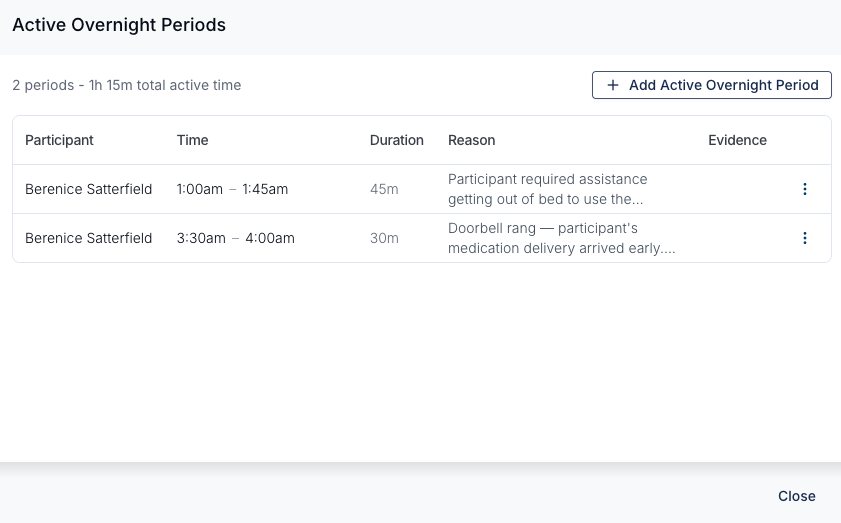
- Active overnight periods are visible within:
- The shift view, and
- Shift Approvals
- Schedulers can review, edit, and approve each period
- Additional periods can also be added by schedulers if required
Auto-Approval Controls
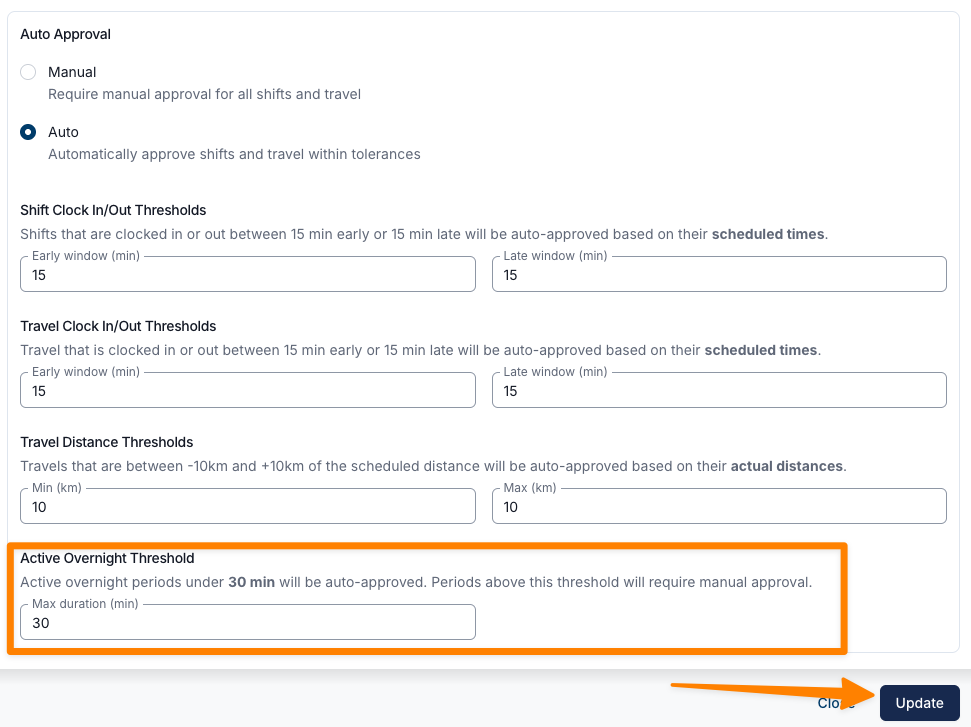
- New setting in Scheduling Settings to define an active overnight auto-approval threshold
- Periods within the threshold can be automatically approved
- Periods exceeding the threshold are flagged for manual review
Enhanced Shift Approval Workflow
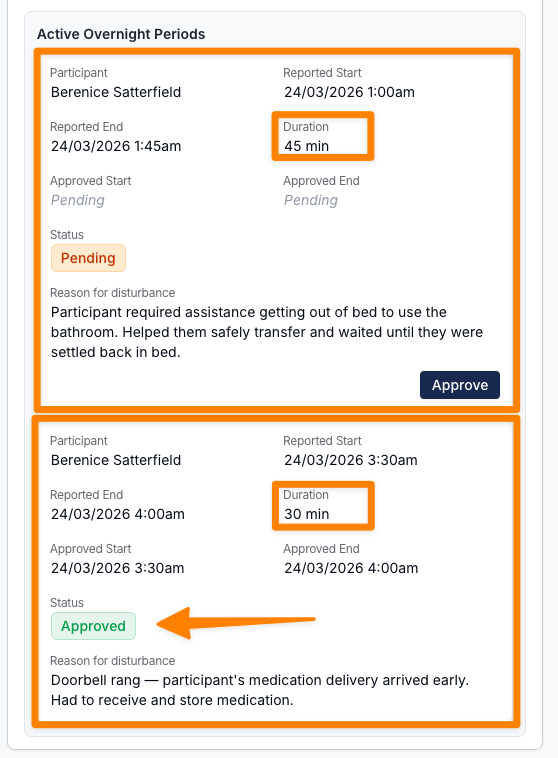
- Active overnight periods are now part of the standard approval process
- A shift is only considered fully reviewed once each of the following has been approved (where applicable):
- Hours
- Travel
- Active Overnight Periods
Payroll & Billing Overview
This feature aligns with SCHADS Award requirements and NDIS pricing rules:
- The sleepover allowance includes up to 2 hours of active overnight support
- Any time beyond 2 hours is:
- Paid to workers as overtime, and
- Charged separately in line with NDIS rules
NDIS Charging Rules:
- First 2 hours — included in the sleepover allowance
- Additional time:
- Weekdays — charged at Saturday rates
- Saturday — Saturday rates
- Sunday — Sunday rates
- Public Holidays — Public Holiday rates
Beta Notes
- This feature is currently in beta and may continue to evolve
- To be part of the beta testing for this feature, please reach out to support@astalty.com.au
For more information, visit the following guides:
Other Improvements
- Custom Tag Colours
- Shift Alerts Banner
- Improved Document Selection in User Records
- Plan Change Notifications
- Default Content for Information Items
- Undo Shift Approvals
Active Overnight Periods (Beta)
We’ve introduced Active Overnight Periods to better capture and manage situations where a support worker is woken during a sleepover shift.
This enhancement ensures greater accuracy across time tracking, approvals, payroll, and billing, while keeping workflows simple for both support workers and schedulers.
Key Features
Active Overnight Period Recording (App)
- Support workers can now log periods where they are awake and providing support during a sleepover
- Each period can include:
- Start and end times
- A reason for the disturbance
- Optional evidence (e.g. photos)
- Multiple periods can be recorded within a single shift
- Workers are prompted to end any active period before clocking out
Scheduler Review & Management
- Active overnight periods are visible within:
- The shift view, and
- Shift Approvals
- Schedulers can review, edit, and approve each period
- Additional periods can also be added by schedulers if required
Auto-Approval Controls
- New setting in Scheduling Settings to define an active overnight auto-approval threshold
- Periods within the threshold can be automatically approved
- Periods exceeding the threshold are flagged for manual review
Enhanced Shift Approval Workflow
- Active overnight periods are now part of the standard approval process
- A shift is only considered fully reviewed once each of the following has been approved (where applicable):
- Hours
- Travel
- Active Overnight Periods
Payroll & Billing Overview
This feature aligns with SCHADS Award requirements and NDIS pricing rules:
- The sleepover allowance includes up to 2 hours of active overnight support
- Any time beyond 2 hours is:
- Paid to workers as overtime, and
- Charged separately in line with NDIS rules
NDIS Charging Rules:
- First 2 hours — included in the sleepover allowance
- Additional time:
- Weekdays — charged at Saturday rates
- Saturday — Saturday rates
- Sunday — Sunday rates
- Public Holidays — Public Holiday rates
Beta Notes
- This feature is currently in beta and may continue to evolve
- To be part of the beta testing for this feature, please reach out to support@astalty.com.au
For more information, visit the following guides:
Custom Tag Colours
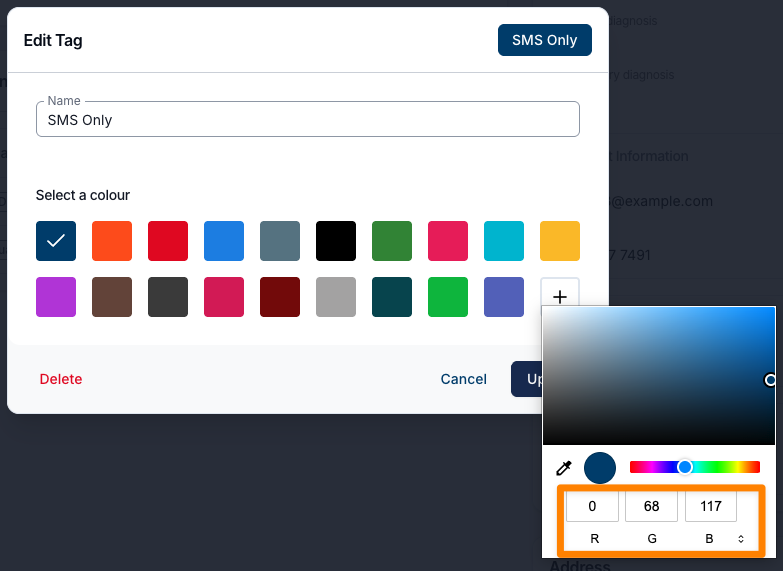
We’ve introduced custom colour selection for Tags, allowing users to assign colours using RGB, HSL, or HEX values.
This update improves visibility and organisation, especially in environments where multiple Tags are used across the organisation. By enabling distinct, consistent colour-coding, users can more easily differentiate between categories, quickly identify relevant items, and reduce visual clutter when scanning large sets of tagged content.
For more information, visit the following guides:
Shift Alerts Banner
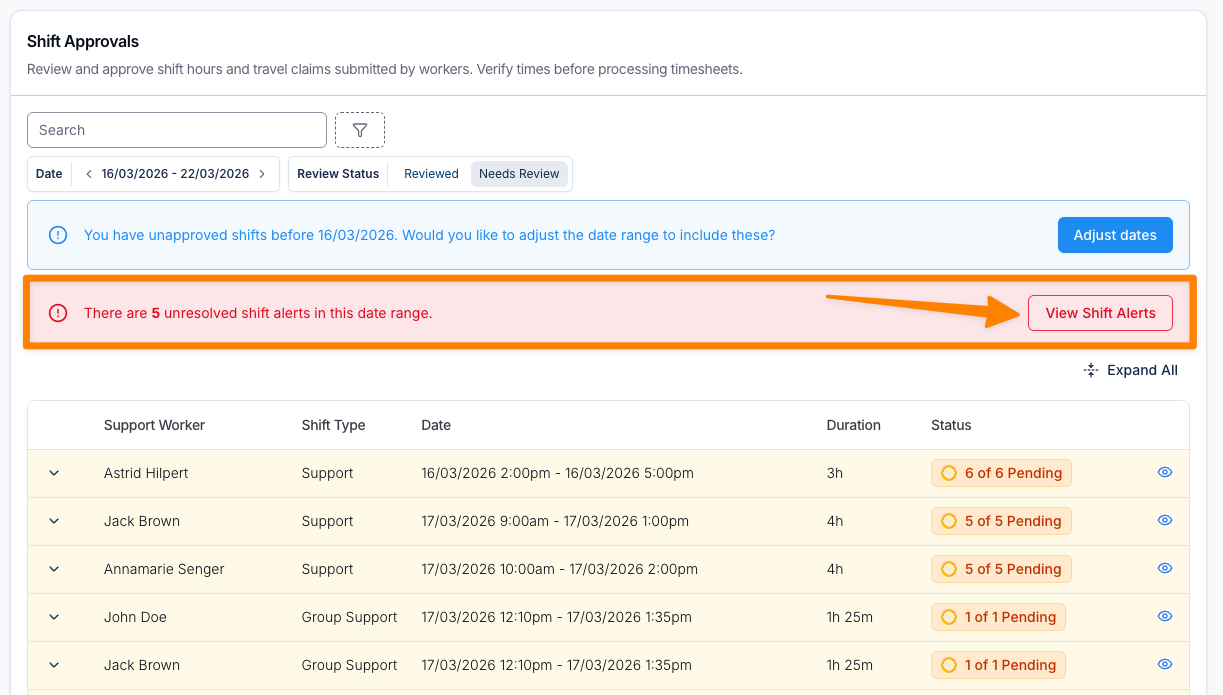
A new Shift Alerts banner has been introduced to the Shift Approvals page, providing greater visibility of shifts requiring attention within the selected date range.
This banner displays a clear, red notification indicating the number of outstanding Shift Alerts and allows users to quickly navigate directly to them. By surfacing these alerts within the approvals workflow, users can more easily identify incomplete or problematic shifts — such as those missing clock-in/out times or requiring follow-up — before proceeding with approvals.
This enhancement significantly improves the efficiency and accuracy of payroll and invoice processing by reducing the risk of missed issues, minimising delays, and ensuring all required shifts are reviewed and resolved in a timely manner.
For more information, visit the Shift Approvals guide.
Improved Document Selection in User Records
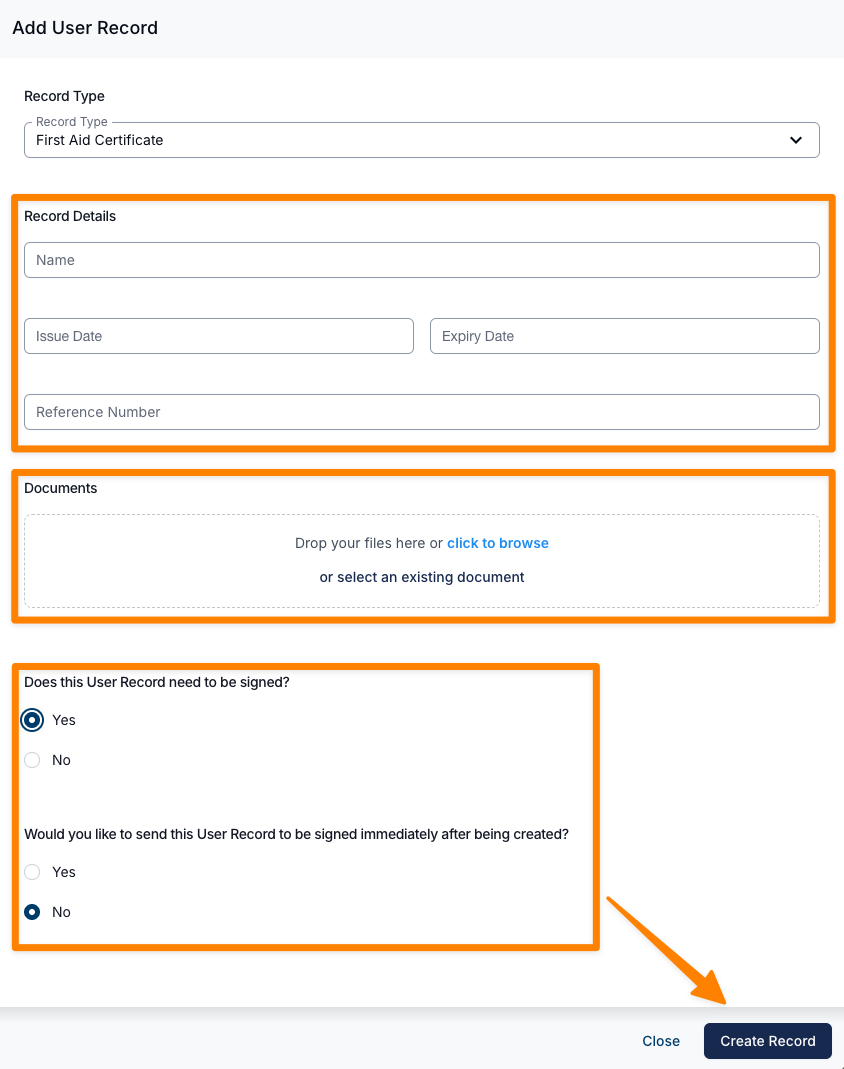
Users can now select from existing documents stored in a user’s profile when creating a Record, in addition to uploading new files. This enhancement streamlines the process by allowing previously uploaded documents to be reused without needing to upload them again.
For more information, visit the User Records guide.
Plan Change Notifications
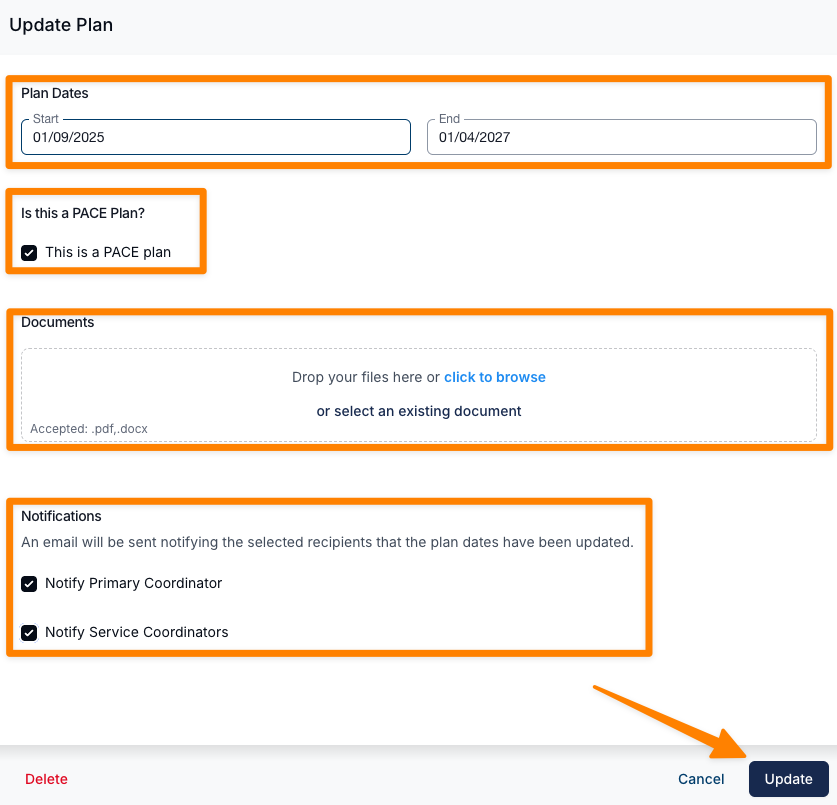
Users can now notify Primary Coordinators and Service Coordinators when updates are made to an existing NDIS Plan. Selected recipients will receive an email notification outlining the changes, with a ‘View Plan’ link that allows them to quickly navigate directly to the updated NDIS Plan page.
For more information, visit the NDIS Plan guide.
Default Content for Information Items
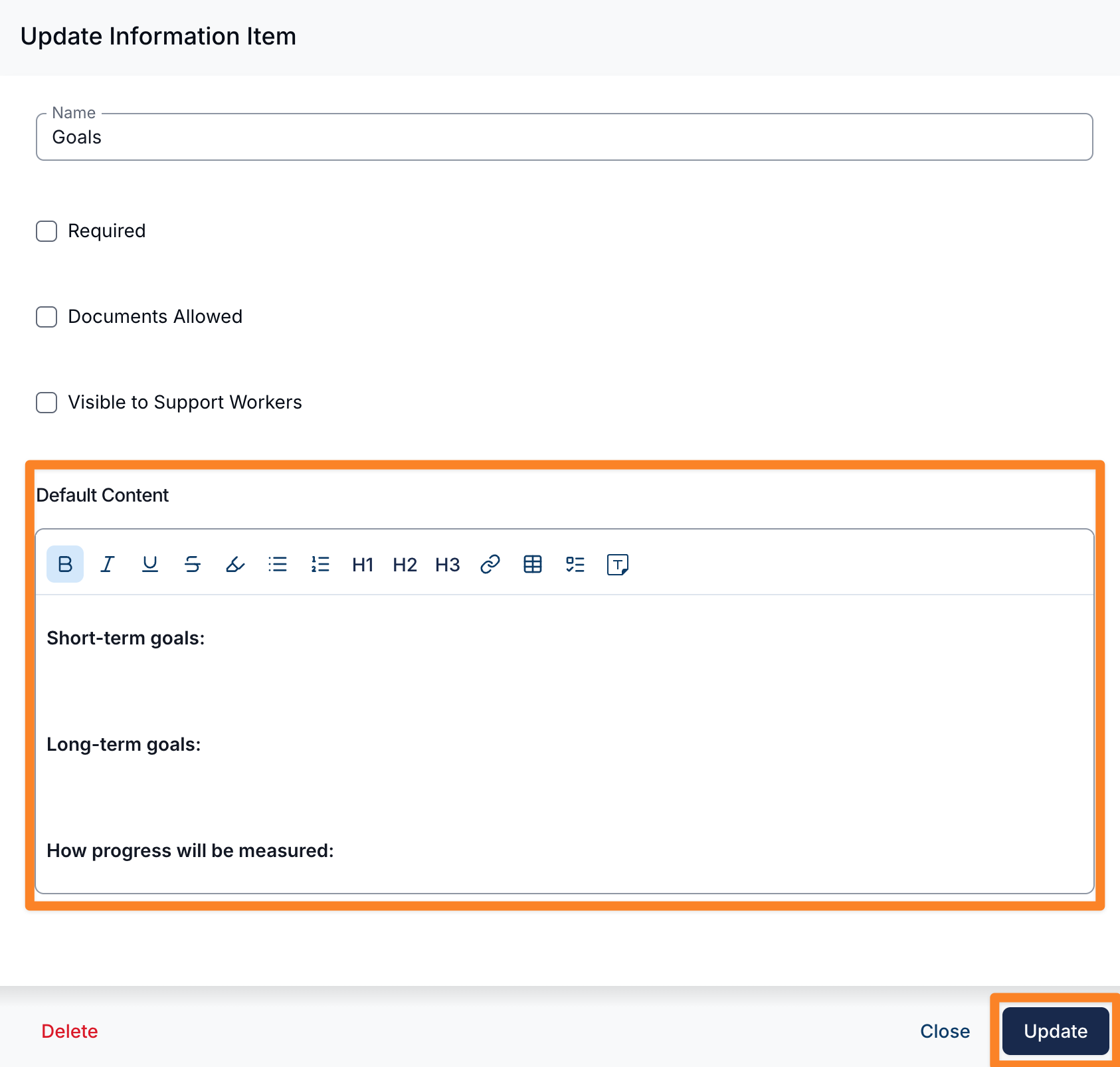
You can set default content for Information Items to reduce repetitive data entry when adding information to Participants.
When configured, the default content will automatically pre-populate when a user selects that Information Item on a Participant profile.
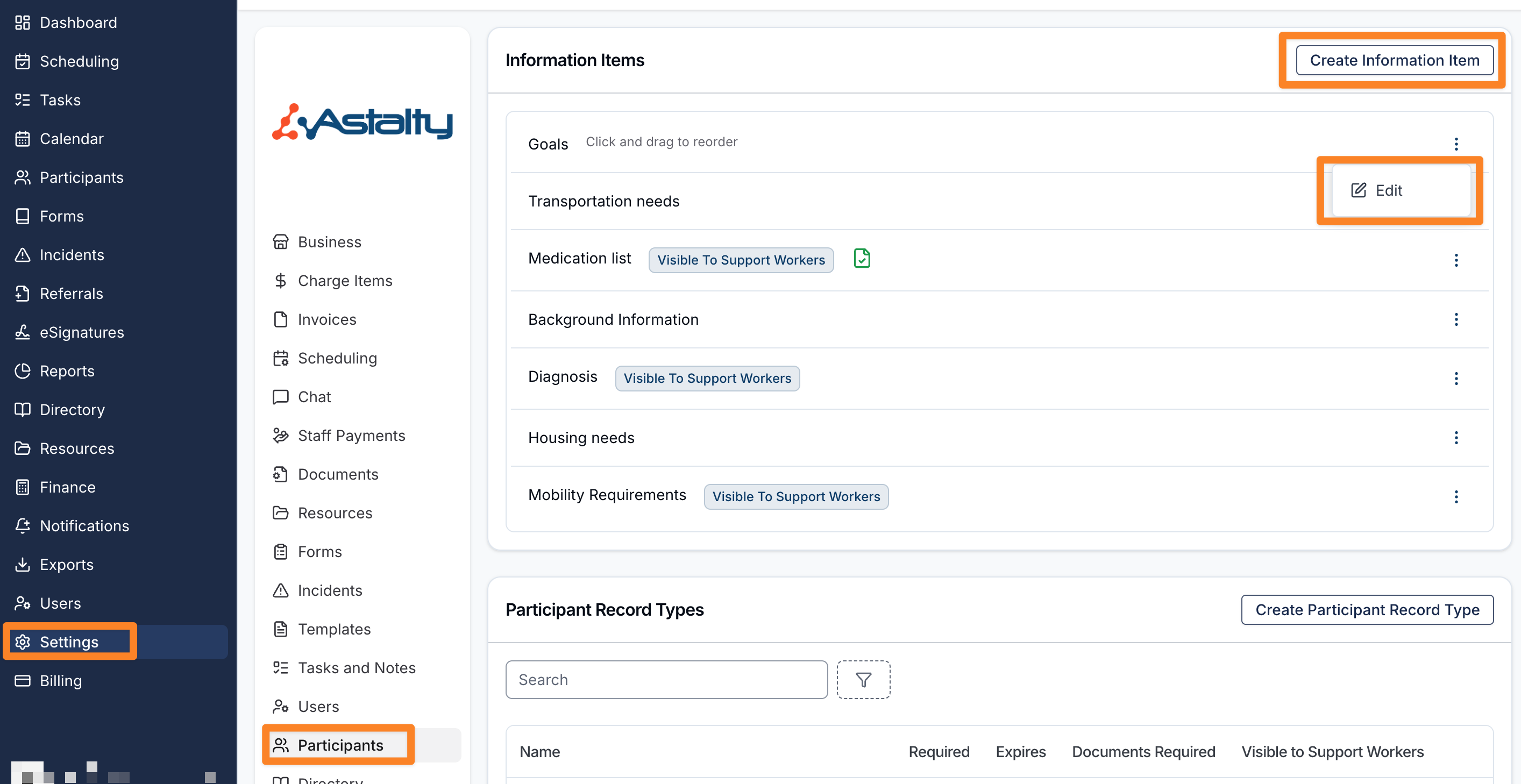
To configure default content
- Go to Settings
- Select Participants
- Create a new information item or edit an existing one
- Enter content in the Default Content field
- Save your changes
How it works
- When adding an Information Item to a Participant, the default content will be automatically pre-filled
- Users can edit or update the content before saving if required
Notes
- Default content is optional and can be left blank
- Updating the default content will apply to future entries, not existing ones
For more information, visit the Information Items guide.
Undo Shift Approvals
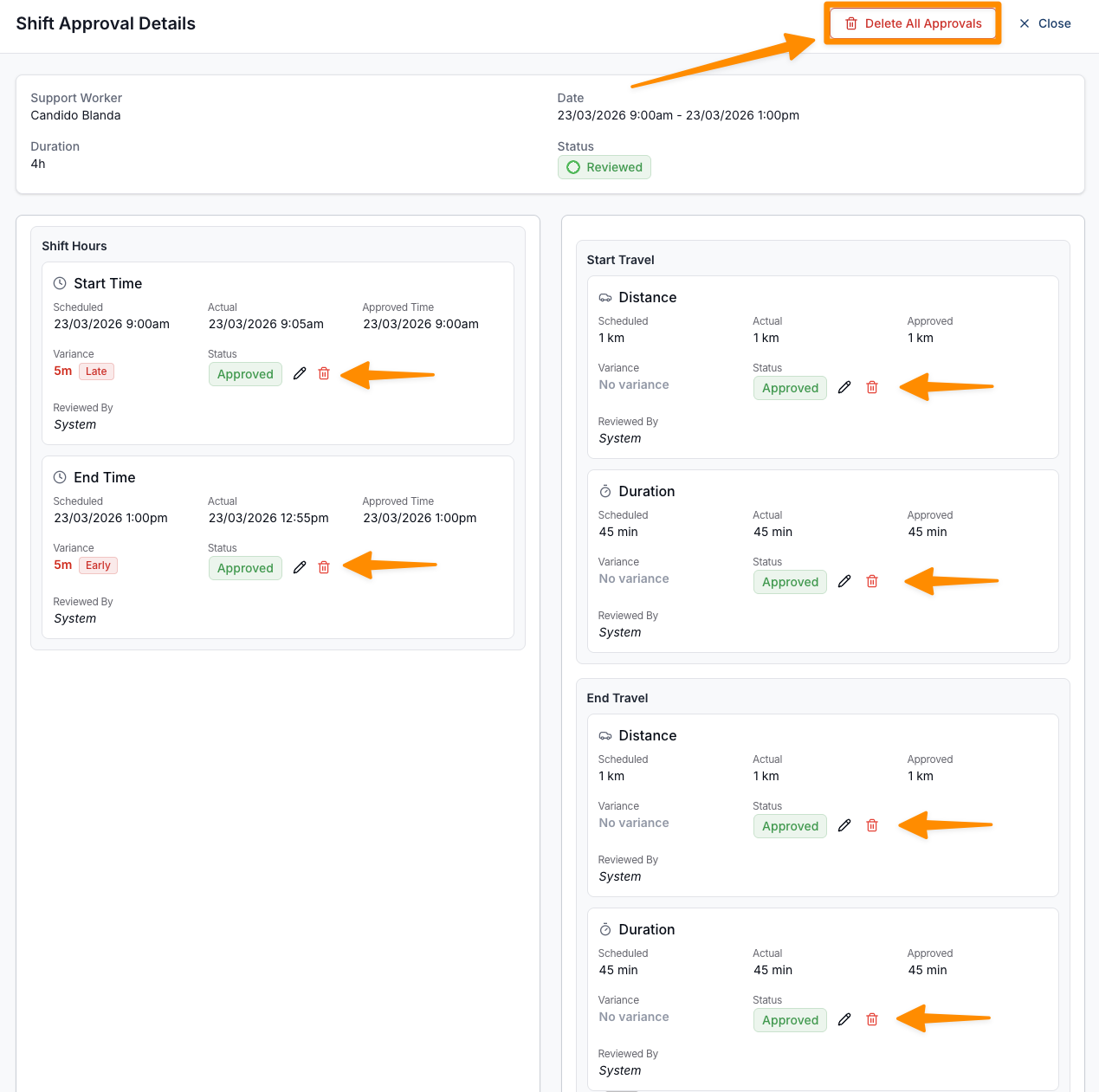
This update introduces the ability to easily undo shift approvals, giving users greater control and flexibility when managing approvals. If a shift has been approved in error, users can now quickly remove approvals directly from the Shift Approvals page without needing additional support or workarounds.
By enabling both full and individual approval removal, this improvement streamlines the correction process and reduces the risk of delays before invoicing or timesheet batching. Clear visibility of system limitations also ensures users understand when approvals can no longer be modified.
For more information, visit the Shift Approvals guide.