Tasks Missing Charges
Overview
A Task that is marked as billable but has no charge attached has nothing to invoice. Astalty keeps the recorded time but leaves the Task out of the Invoice Batch, so the work is not billed.
Astalty warns you about these Tasks in two places: on the Create Batch page before you generate a draft, and again in the confirmation dialog when you finalise a batch. The Create Batch warning is the thorough one - the finalise dialog covers fewer Tasks, so it is not a safety net.
The warning on the Create Batch page
On the Create Batch page, Astalty checks the selected date range as soon as you change it, and shows a warning such as "2 Tasks are marked as billable but have no charges attached which won't appear in this batch."
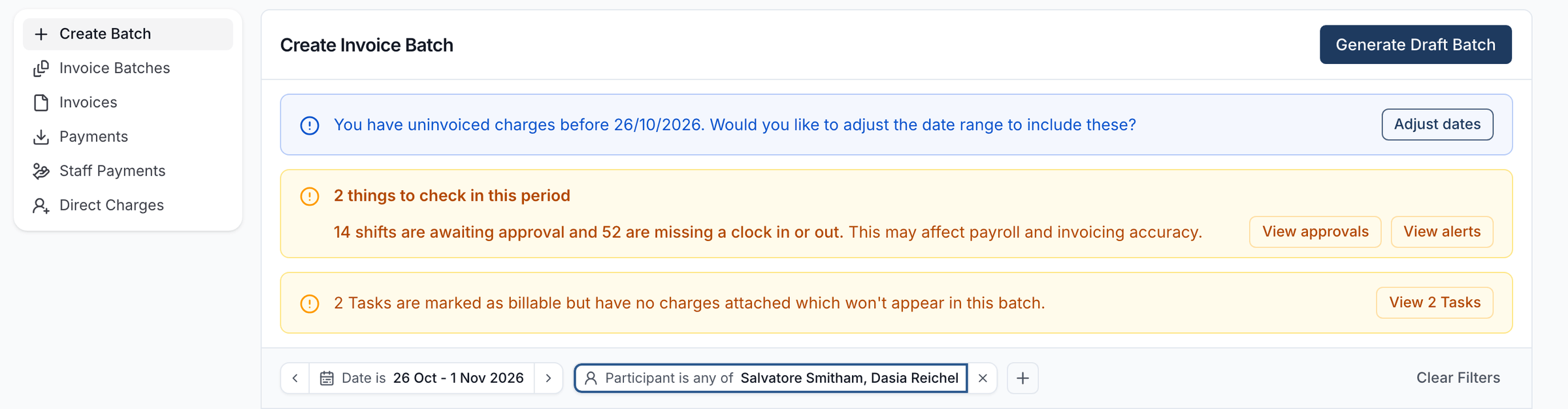
This warning appears before you generate the draft batch, so you can fix the Tasks first and avoid re-running the batch.
Reviewing the affected Tasks
Click View Tasks on the warning to open the Tasks Missing Charges drawer. The Tasks are grouped by the date they are scheduled for, oldest first, with today's date marked with a Today chip.
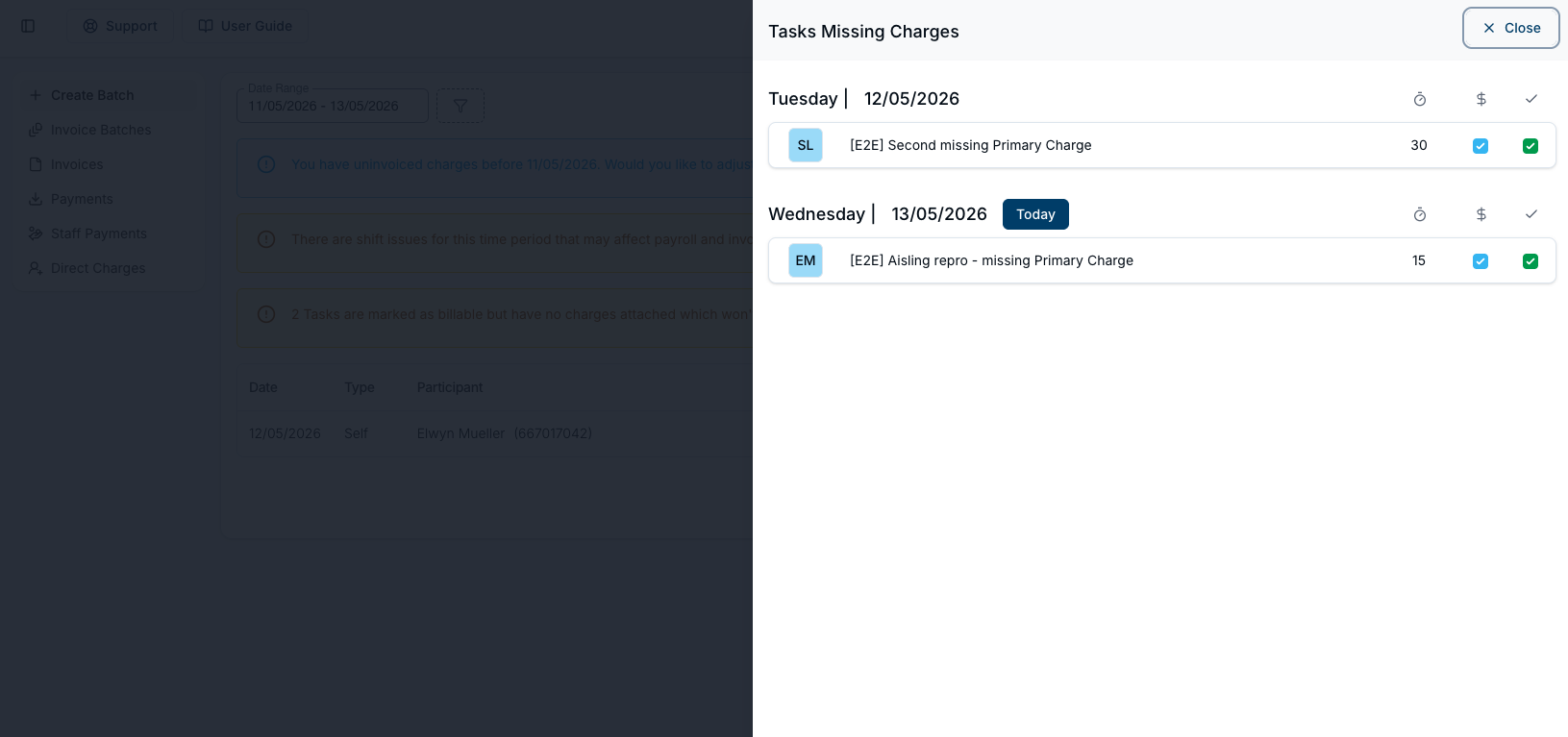
Each row shows:
- the Participant's initials
- the name of the Task
- the duration recorded against the Task
- ticked billable and completed checkboxes - every Task in this list is both
Click a row to open that Task, so you can add the charge it is missing without leaving the page.
Fixing a Task
For each Task in the list, attach a charge on the Task's Finance tab - see Charges (Finance Tab). Once every Task has a charge, create the batch again so the new charges are picked up.
If a Task should not have been billable in the first place, the fix is to untick billable on the Task instead. It then drops out of this warning entirely.
The warning when you finalise
If you go ahead and finalise a draft batch while Tasks are still missing charges, Astalty asks you to confirm first.
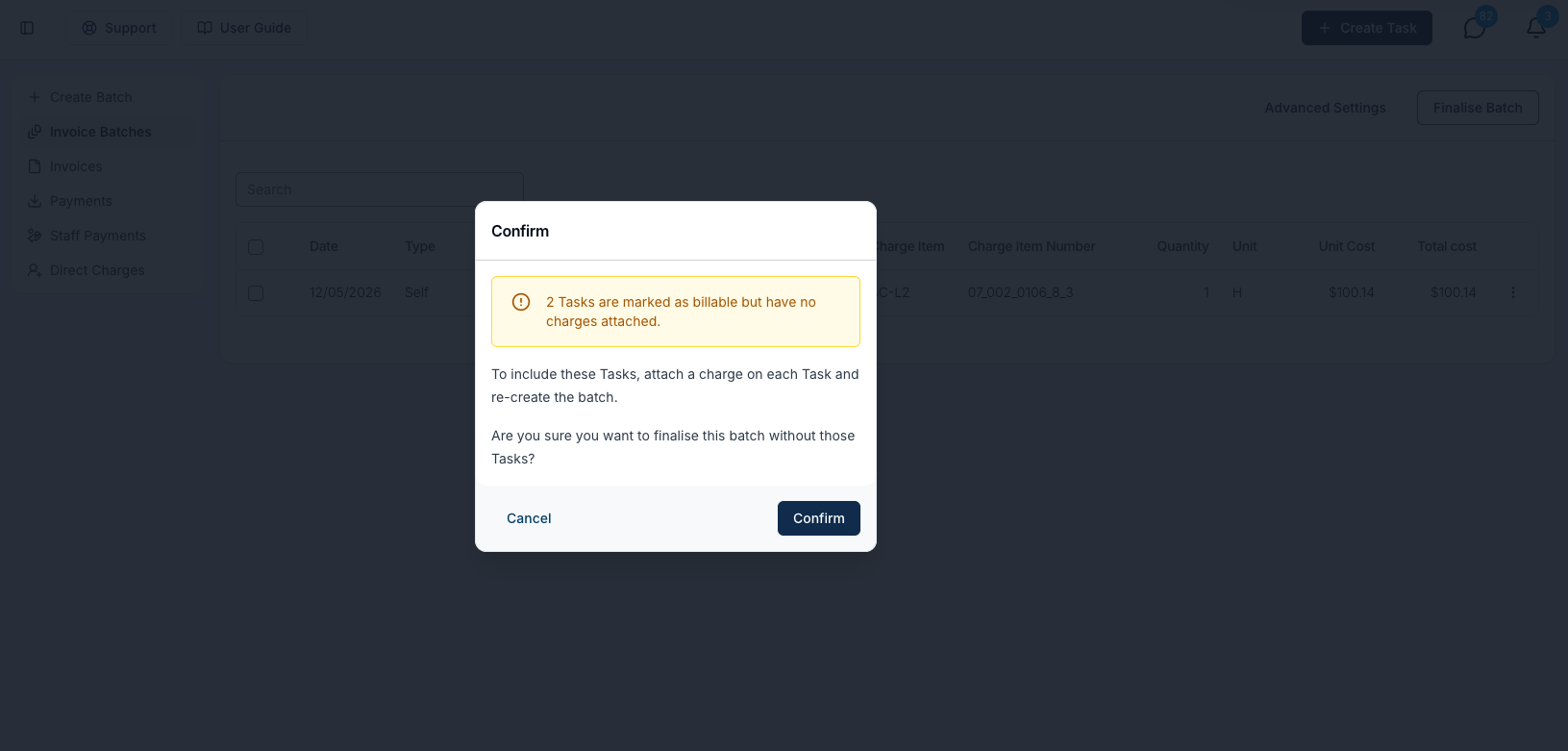
- Cancel - stop, fix the Tasks, and re-create the batch.
- Confirm - finalise the batch without those Tasks. They stay uninvoiced.
Once the batch is finalised, invoices start sending automatically unless you turned that off beforehand.
Which Tasks are counted
A Task only appears in this warning when all of the following are true:
- it is marked as billable
- it is marked as completed
- it has a Participant assigned
- it has an owner (a team member) assigned
- it has no charges at all attached
- its date falls inside the batch's date range
Tasks linked to a calendar event that has not happened yet are left out, because there is still time for them to be delivered and charged.
The criteria above describe the warning on the Create Batch page. The finalise dialog applies the same criteria but only to Participants who already have Task charges in the batch, so it flags fewer Tasks.
Catching more than this warning does
This warning is deliberately narrow. To find every Task with no charge against it - including Tasks that were never completed, or have no Participant or owner - use the Tasks Report with Has Charges set to No.
Billable work that was recorded but never marked complete is the most valuable gap the batch warning stays silent about, so it is worth checking the report before you invoice.