Unresolved Voided Charges
Overview
When you void an invoice or an invoice line, the charge underneath it goes back to being uninvoiced. Until you either fix and re-invoice that charge or delete it, it counts as an unresolved voided charge.
Astalty keeps those charges attached to the finalised invoice batch they were originally invoiced in, so nothing quietly disappears from your billing.
Finding unresolved voided charges
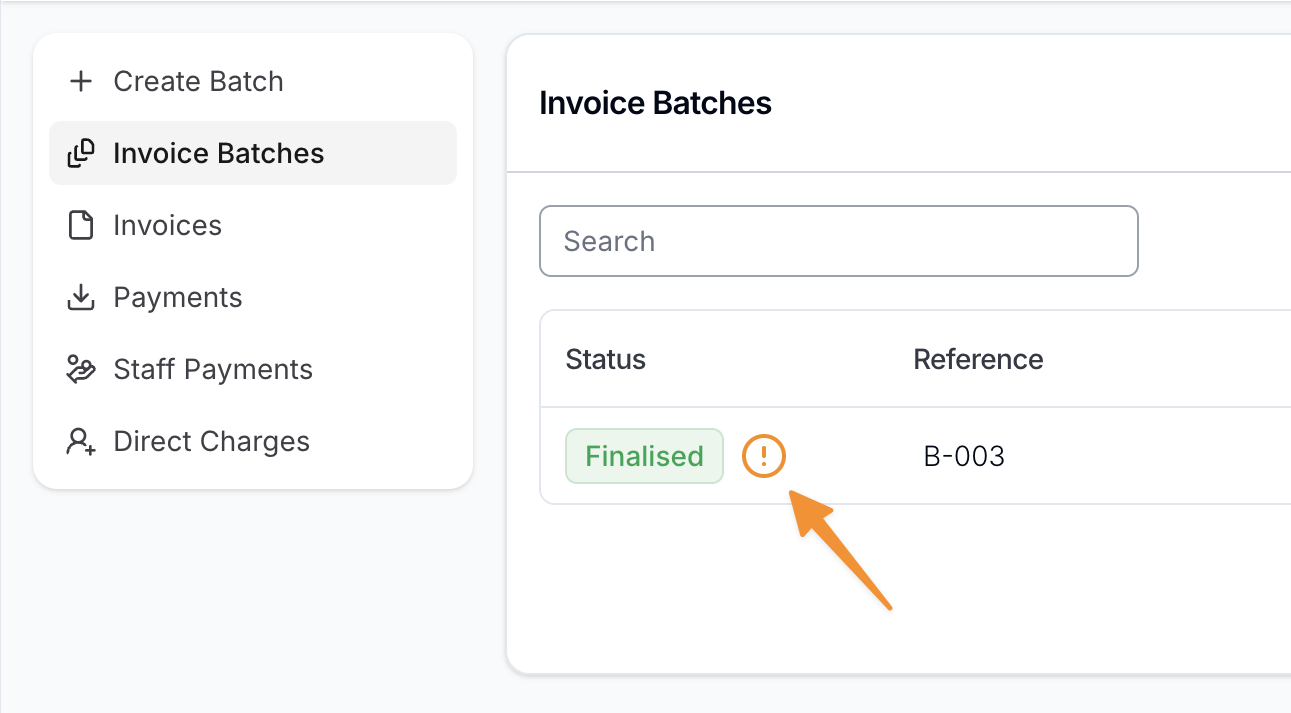
On the Invoice Batches page, an indicator shows against any batch that still has unresolved voided charges.
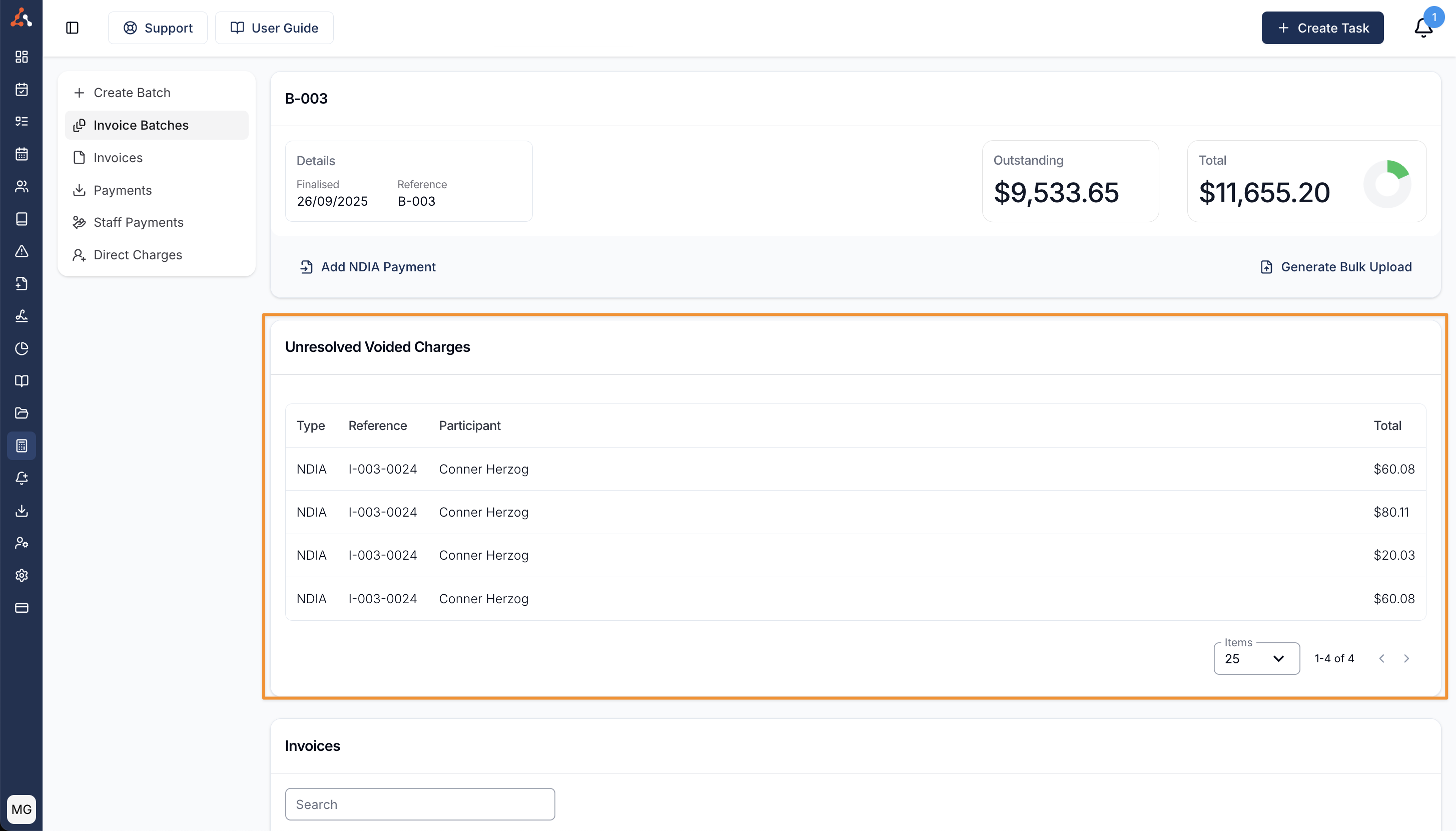
Click into the batch and the Unresolved Voided Charges card sits towards the top of the page, above the batch's Invoices. The card only appears while there is at least one unresolved voided charge - once every charge has been re-invoiced or deleted, the card disappears from the batch.
What the list shows
Each row is one voided charge.
Date
The date of the Task or support the charge relates to - so you can pick out the day you're chasing without opening each charge one at a time. For a direct charge, this is the charge date.
Type
How the charge is managed - NDIA, Plan or Self.
Reference
The reference of the invoice the charge was voided from.
Participant
The Participant the charge relates to.
Total
The total cost of the charge.
Sorting and paging the list
The list is sorted by Date, most recent first. Click the Date column heading to flip the order and work from the oldest charge forward instead.
If a batch has a long list, use the paging controls at the bottom of the card to move through it, and change how many charges show per page.
Fixing an unresolved voided charge
Click a row to open the Task or support behind the charge. From there you can make whatever change was needed - for example correcting the Charge Item on the Task's Finance tab.
Some fixes live on the Participant rather than the charge, such as an incorrect NDIS number or a Service with the wrong management type. See Invalid Charges for the common causes and how to resolve each one.
Once the underlying problem is fixed, create a new invoice batch with a date range that covers the dates of the voided charges. The charges are picked up in the new batch, and they drop off the original batch's Unresolved Voided Charges card.