Plan and Self Managed Payments
Adding Plan Managed & Self Managed Payments
Record a Plan Managed or Self Managed payment manually when you receive it outside the Xero or MYOB integration.
Open Finance > Payments, then select Add Payment.
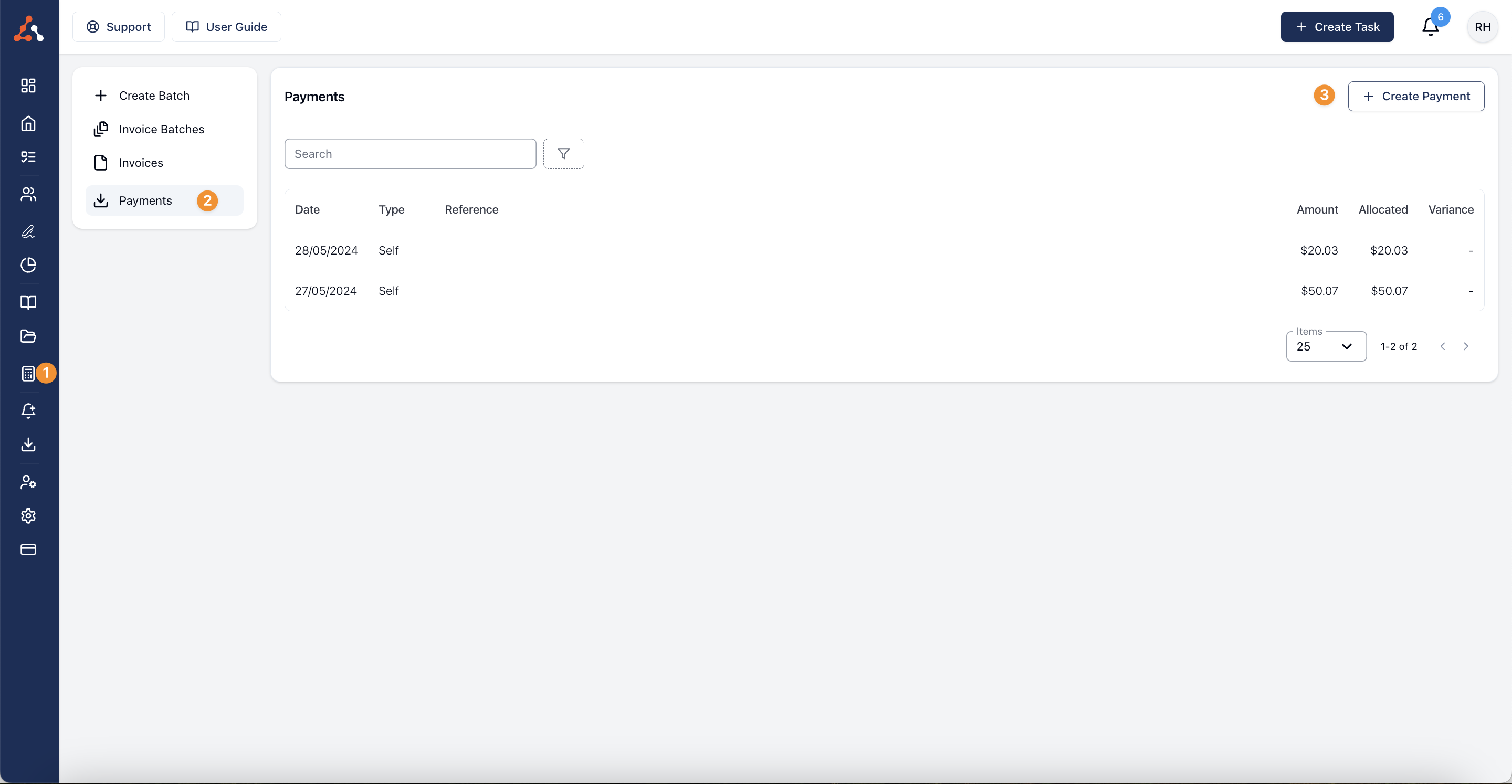
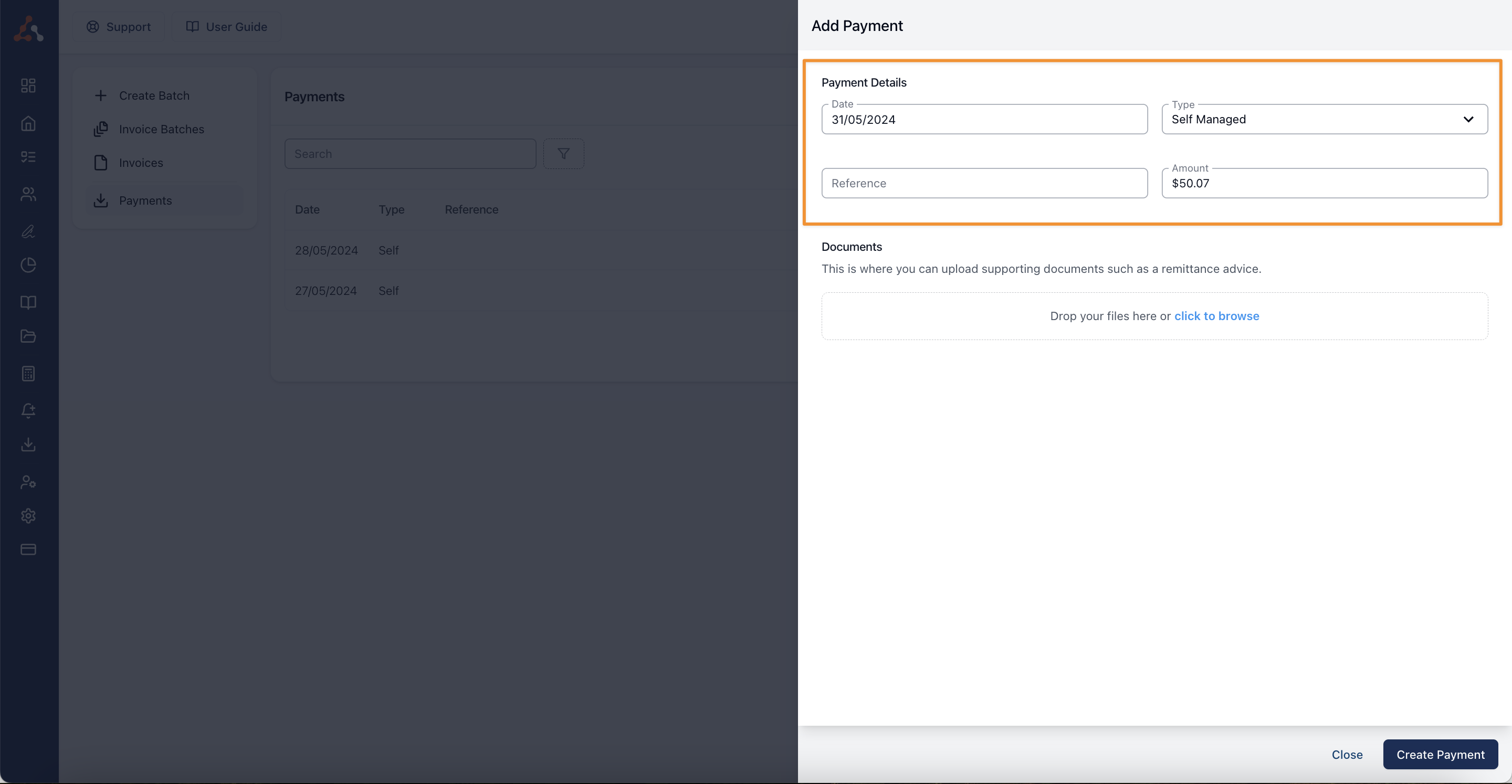
In Add Payment:
- Enter the payment date.
- Set Type to Plan Managed or Self Managed.
- For a Plan Managed payment, select the Plan Manager.
- Enter the Amount.
- Add a Reference and supporting documents, such as a remittance advice, if needed.
- Select Add Payment.
Allocate Payment to Invoices
- Review the outstanding invoices for the selected Plan Manager or the Self Managed payer.
- Enter the amount to allocate to each invoice.
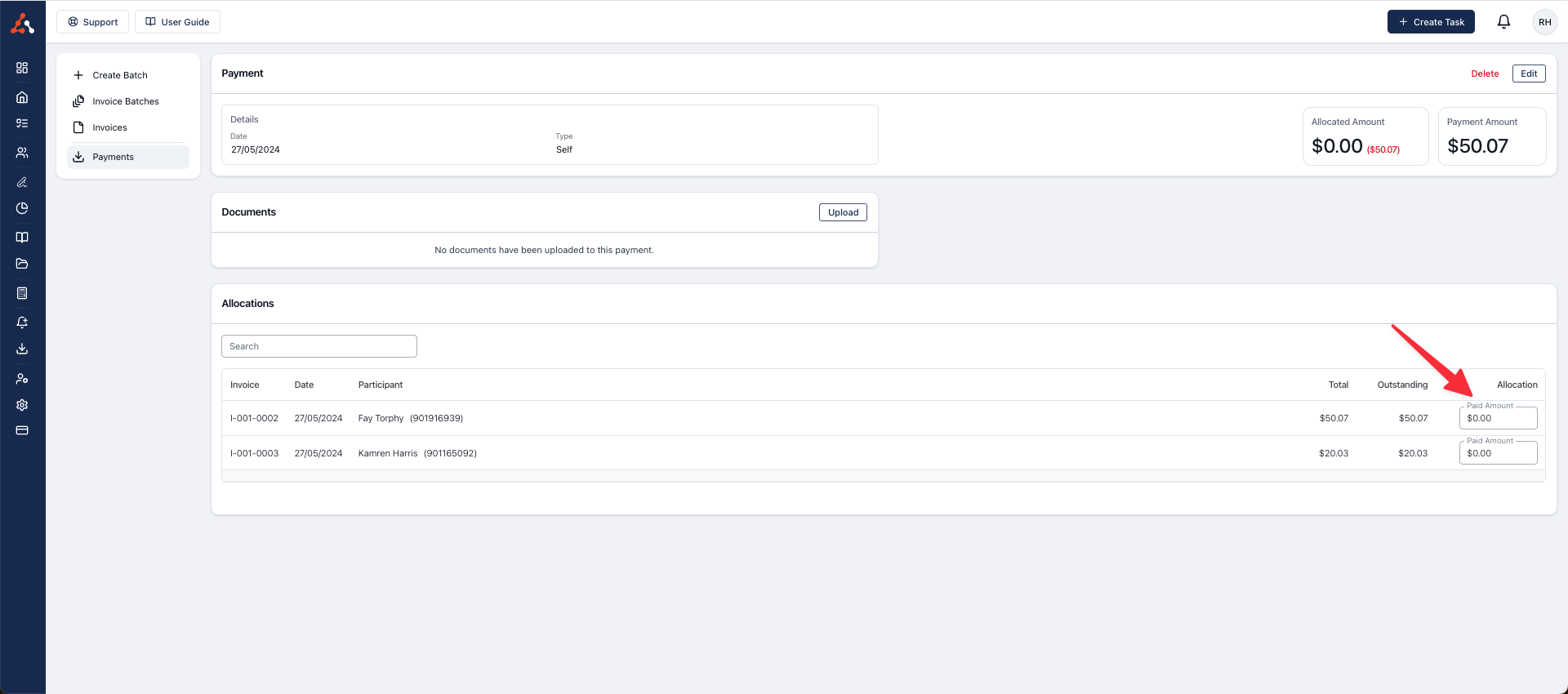
The payment shows the total under Allocated Amount. Any amount not assigned to an invoice remains unallocated.
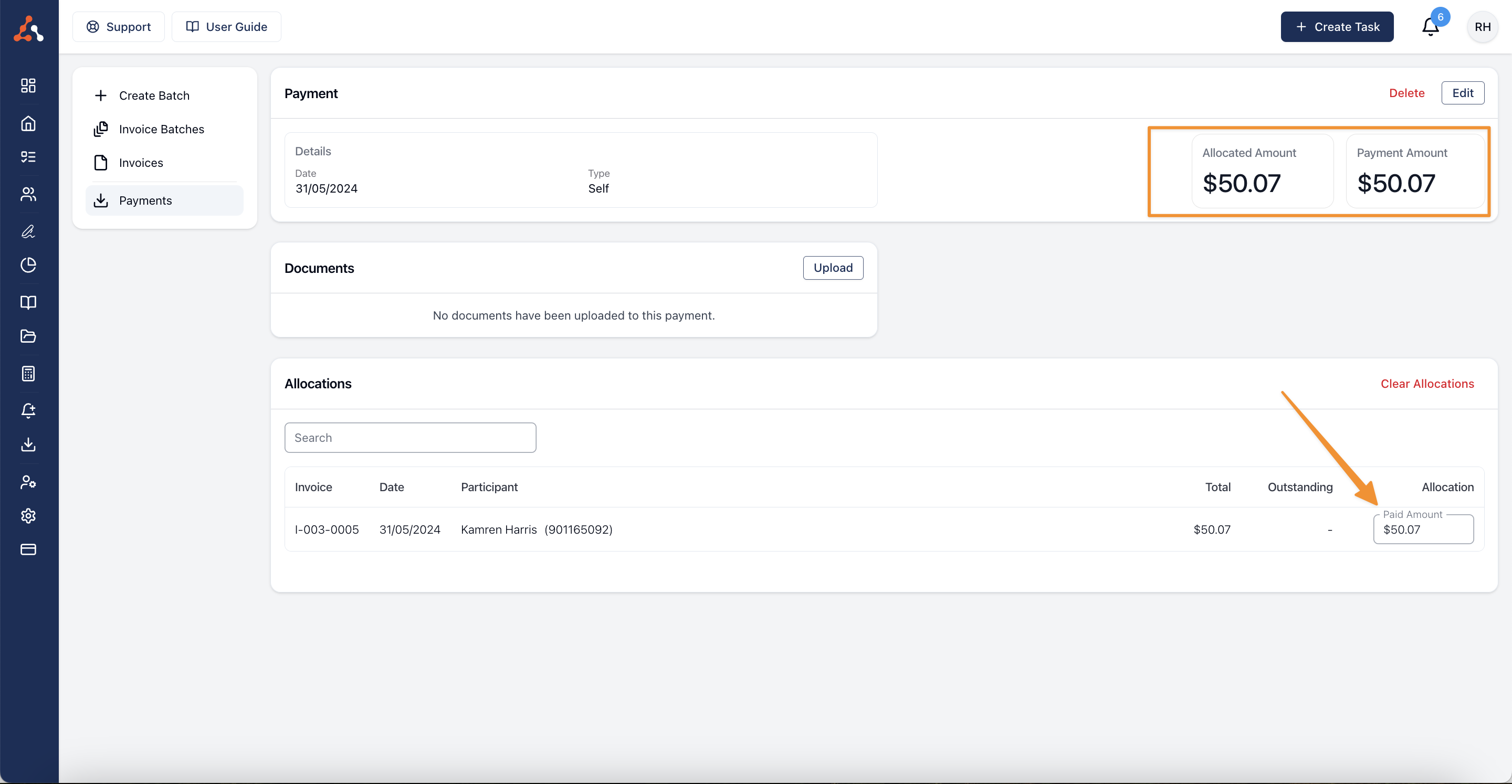
Verify Recorded Payment
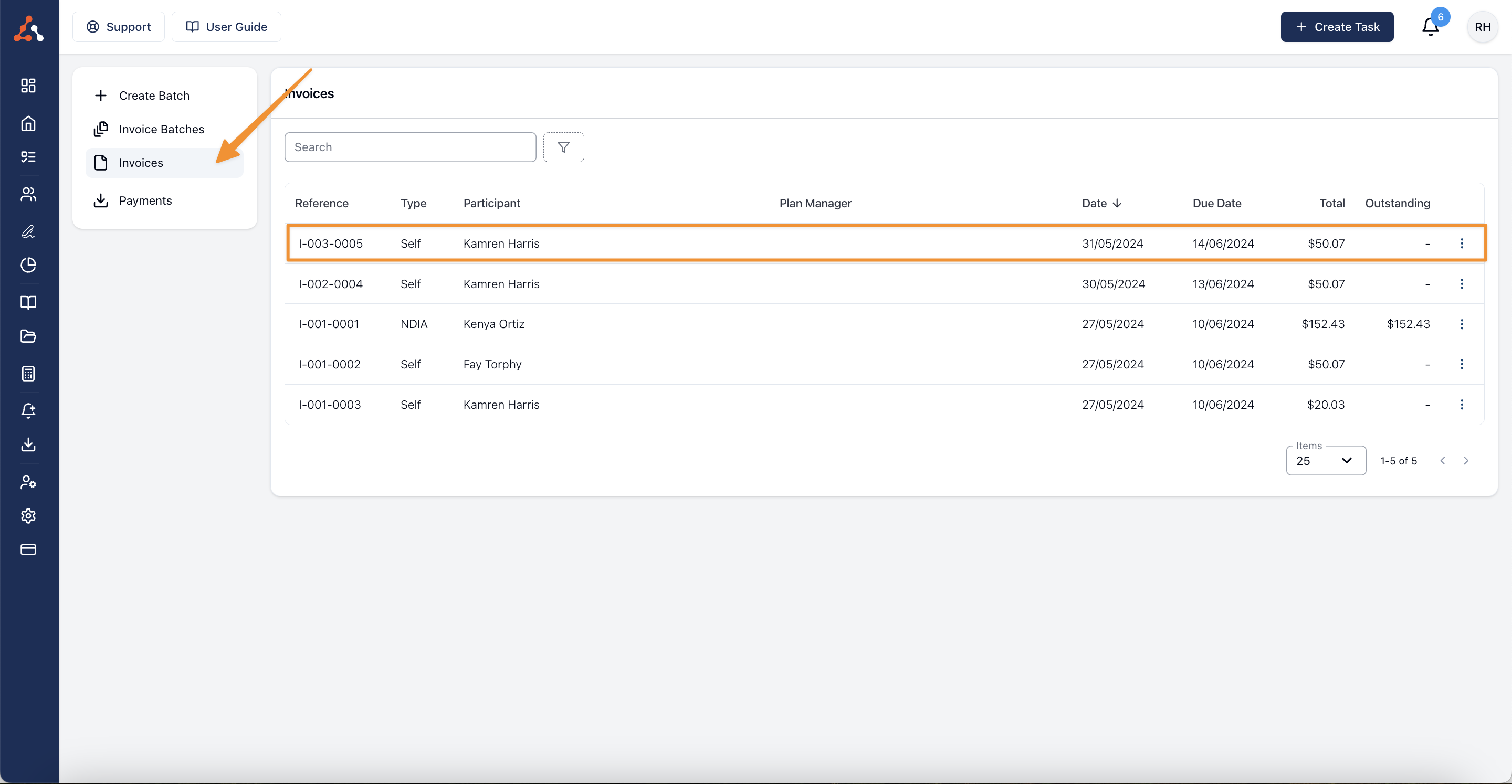
- Open Finance > Invoices.
- Find each invoice you allocated the payment to.
- Confirm a fully paid invoice shows an outstanding amount of zero.
The video walkthrough demonstrates a manual Plan Managed payment.