NDIA Receipt File
To reconcile NDIS Bulk Payment requests, you will need to download the receipt file from PRODA.
Login to PRODA
If needed, sign in to PRODA.
Navigate to the View Payment Request Screen
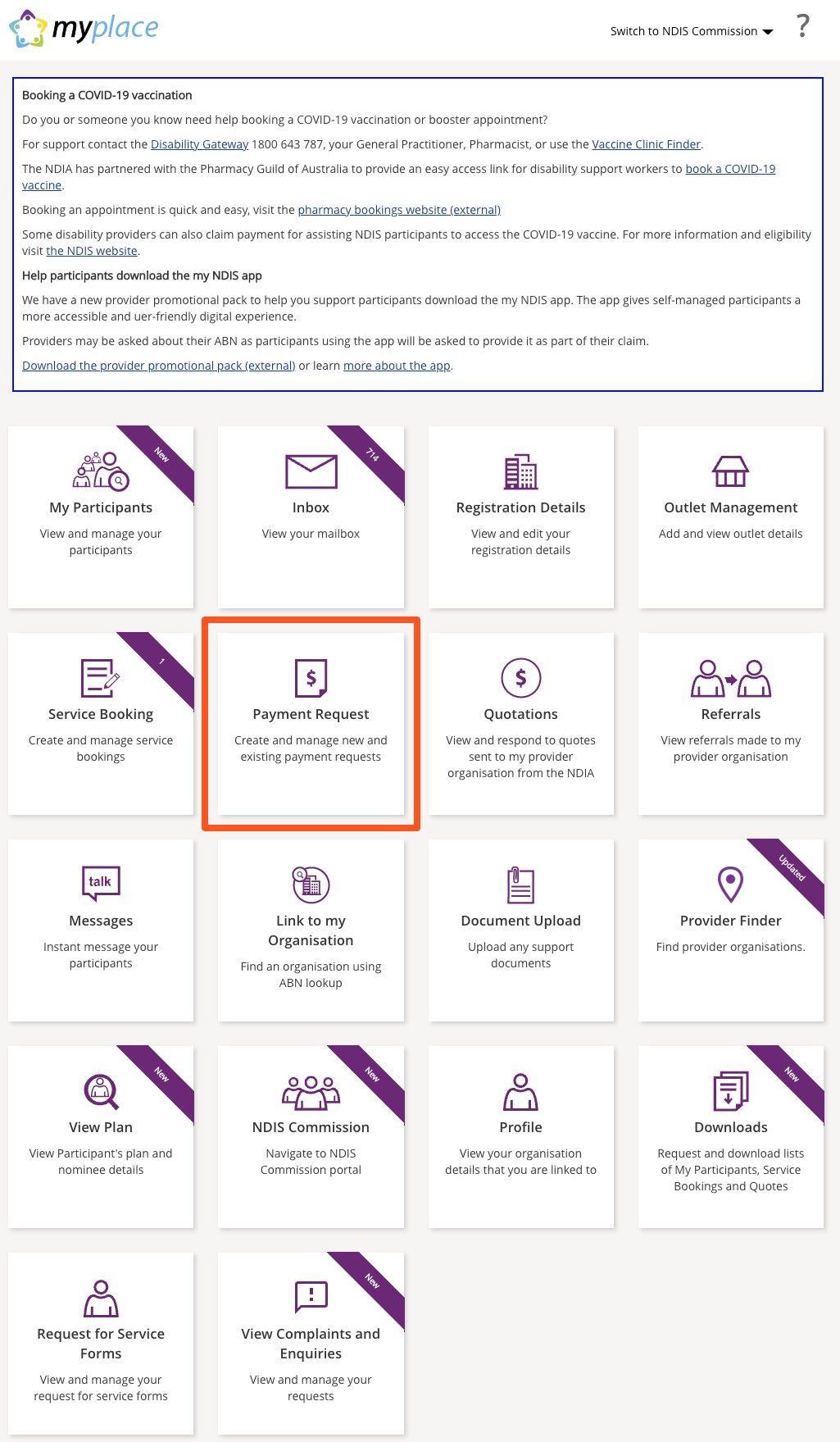
From the home screen, click on 'Payment Request'.
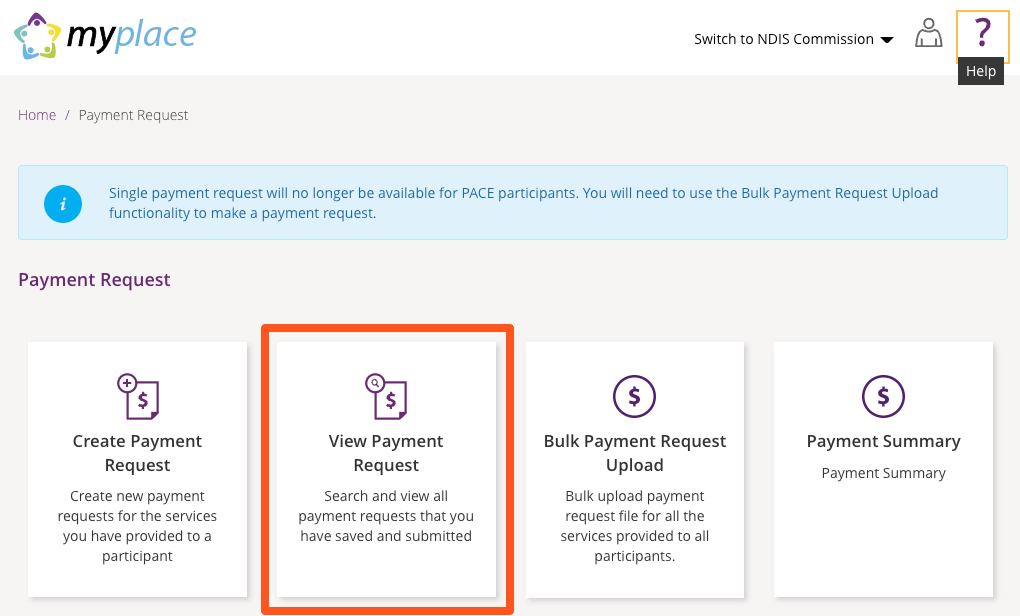
Then, click on 'View Payment Request'.
Search for the Payment Request
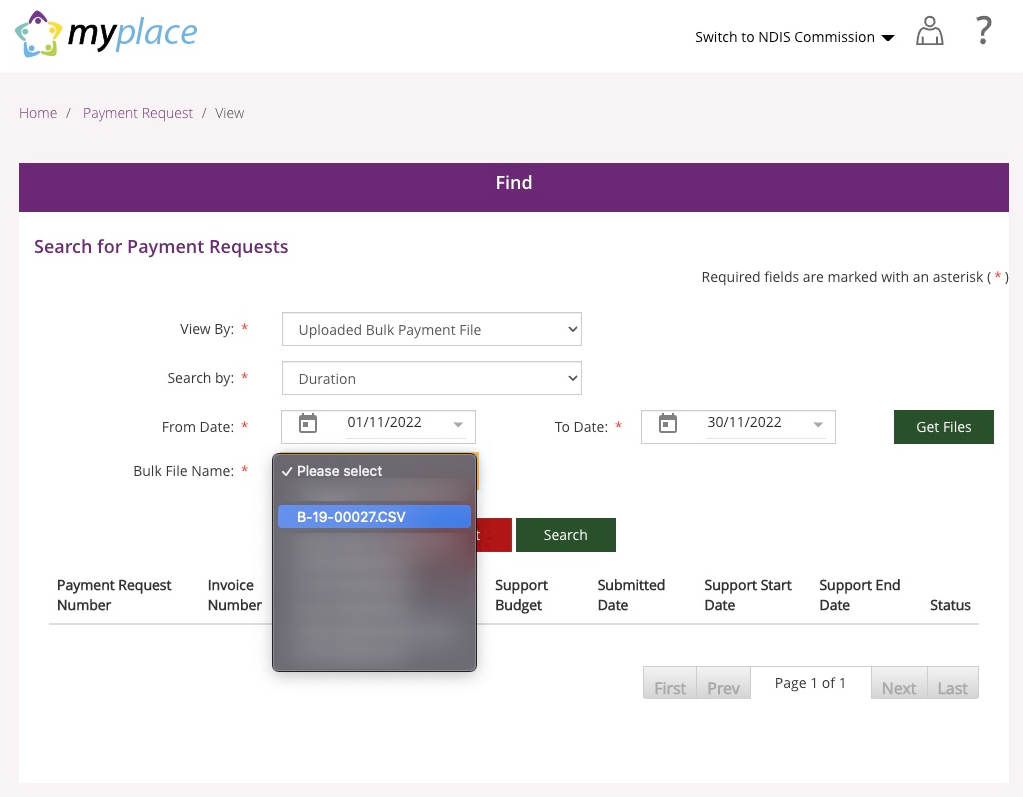
On Search for Payment Requests, use these steps to find the receipt file.
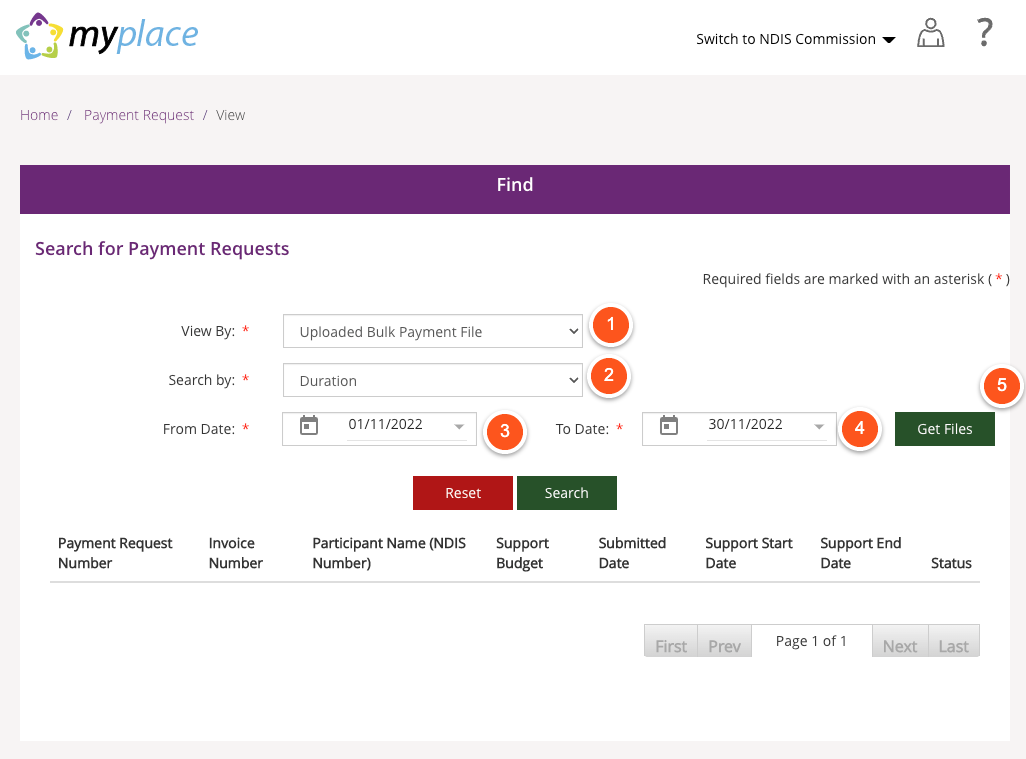
- View By: Uploaded Bulk Payment File.
- Search By: Duration
- Start Date: A date before you submitted the request
- End Date: A date after you submitted the request
- Click on Get Files
Select Bulk Upload File
Once you have clicked on Get Files, you will be given the option to select from uploaded files within the searched date range. This file name will match the Invoice Batch reference in Astalty.
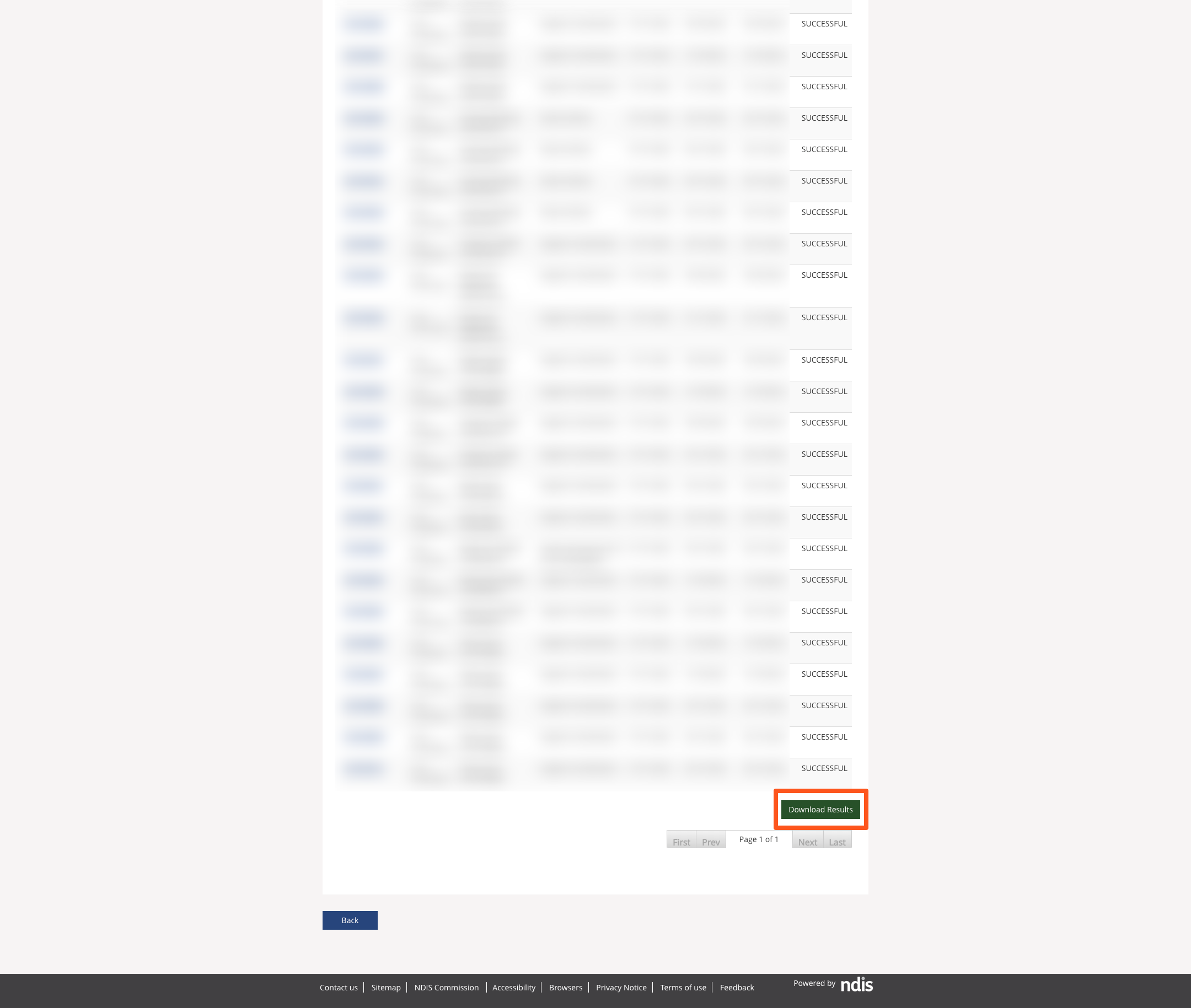
Download Results
Once you have selected the correct file, you will be able to preview the payment results.
Scroll to the bottom of the results and click on Download Results. You can then import this file into your Invoice Batch NDIS Payment Receipt.